
Recent Tools
No tools found matching your search.
↑↓ Navigate
←→ Category
↵ Select
esc Close
Set your starting weight and goal, log your weight after every session, and track your progress over time.
Weight Tracker Online is a free tool that lets you set your starting weight and goal, log daily entries, and monitor your progress over time. Start by entering your start date, current weight, and target weight. Then log your weight regularly to see your journey unfold through interactive charts, progress bars, and filterable reports. You can edit your goal anytime, filter your report by date range, and copy or reset your data with one click. This tool saves everything in your browser, so your data stays private and secure.
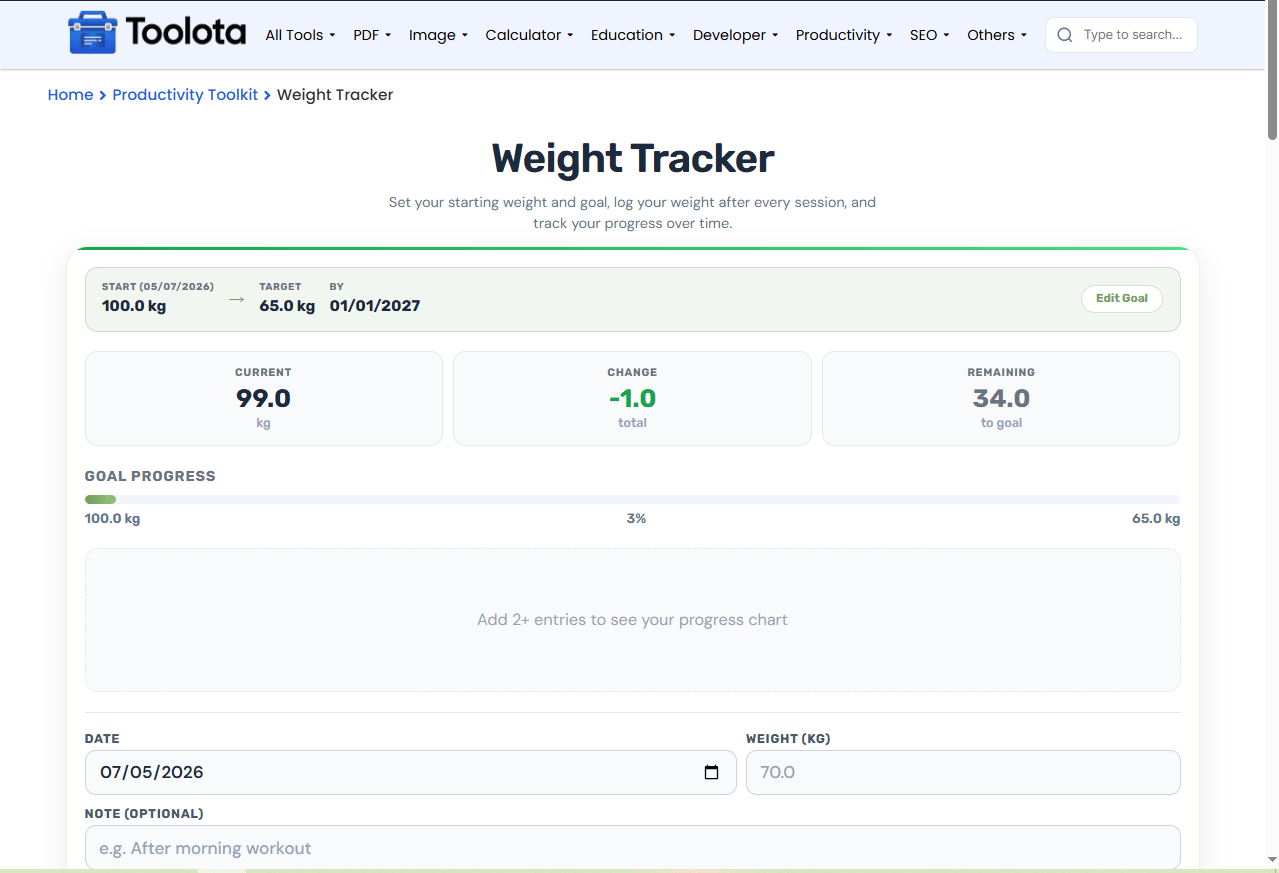
Goal Setup – enter start date, starting weight, target weight, and optional target date to begin
Goal Summary Bar – shows your start, target, and end date (if set) at a glance
Edit Goal – update your start info or target anytime without losing past entries
Daily Log – add entries with date, weight, and optional note
Current, Change & Remaining Stats – shows current weight, total change, and how much is left to reach your goal
Goal Progress Bar – visual percentage bar showing how far you’ve come
Weight Chart – plots all weights from start to latest, with a target goal line
Filterable Report – use From–To filters to view entries within a specific date range (when no end date is set)
Cumulative Change – each entry shows total change from the start of the filtered range
Copy Report – copy the filtered report to your clipboard
Reset All – clear all data (goal + all entries) and start fresh

Defaults to today, but you can choose any day

Pick a date, enter your weight, add a note if needed, and click "Log Today's Weight".

Include details like time of day or circumstances

check the stats, progress bar, and chart to see how far you've come.

if no end date is set, use From–To filters to view entries for a specific period.
Want to track weight loss or gain? Just open this tool, type your weight for today, and hit the Log Weight button.
See your weight trend line with 2+ entries
Every entry stays visible with date, weight, and notes
filter entries by date range when no fixed end date exists
Set a target weight and watch the progress bar fill
each entry shows total change from the range start for better context
Delete individual entries or clear all data anytime
This tool maps your starting weight, target, and every daily log into a single view. The chart doesn’t just show your weight trend — it also displays your target line, so you can easily see when you’re slowing down or speeding up. The report filter lets you examine progress within any date range, and each entry includes a cumulative change figure, telling you exactly how much you’ve moved since the range started.
Align body weight tracking with daily caloric intake management using a calorie tracker online for structured energy tracking.
Set measurable fitness target milestones and monitor long-term completion using a goal tracker online to maintain motivation.
Coordinate physical progress tracking with structured diet plans via a meal planner online to ensure balanced nutrition.
Long-term weight management relies on clinical principles of body weight regulation to balance dietary input and energy expenditure effectively.
These define your journey’s baseline. All future entries and charts are calculated relative to this starting point.
No, it’s optional. If you skip it, you can use the manual date filters in the report to view any custom range.
The existing entry gets updated — your new weight and note replace the old ones for that date.
It shows how much weight you still need to lose or gain to reach your target. If you’ve reached it, it displays “Reached!”.
If your goal doesn’t have an end date, you can use “From” and “To” filters to view any date range. Click “Show All” to reset.
Your entire goal setup (start, target, end date) and all weight entries are permanently removed. This action cannot be undone.
Toolota is your all-in-one online tools platform. Fast, simple, and free utilities designed to make everyday digital tasks easier and smarter.
