
Recent Tools
No tools found matching your search.
↑↓ Navigate
←→ Category
↵ Select
esc Close
Plan your education finances by calculating monthly and yearly payments and total interest on your student loans.
Planning for college or managing an existing education loan? This tool shows your monthly payment, yearly cost, total repayment, and total interest. Enter your loan balance, annual interest rate, and repayment term, and the calculator does the math instantly. You see what you will pay each month and over the life of the loan, so you can budget before you commit. All amounts are shown in US dollars.
Here is what the tool gives you for a complete repayment estimate:
Loan Amount Input — Enter your total loan balance in dollars
Annual Interest Rate Field — Input your rate with decimal precision
Loan Term in Years — Set your repayment duration
Calculate Now Button — One-click to run the full calculation
Monthly Payment Display — See your recurring monthly cost
Yearly Payment Total — View your annual repayment amount
Total Payment Summary — Lifetime cost of the loan
Total Interest Breakdown — See exactly what you pay in interest
Currency Formatting — All values shown with dollar signs and two decimals
Icon-Enhanced Inputs — Easy-to-read fields with visual icons
Responsive Layout — Works on desktop, tablet, and mobile devices
Payment Summary Panel — All results grouped in one place
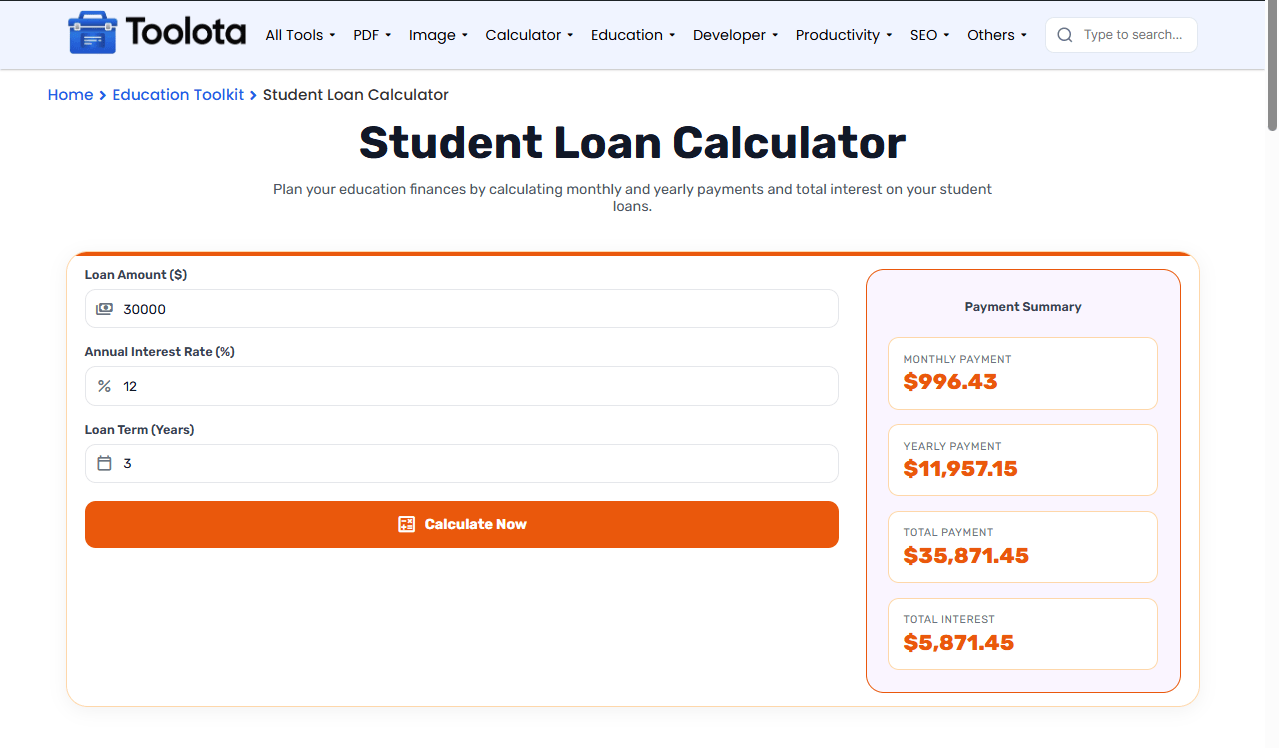

Type your total loan balance in the first input field

Enter the annual interest rate as a percentage.

Enter how many years you have to repay

Press the Calculate Now button to run the calculation.

Check monthly, yearly, total, and interest figures
Fill in the loan amount, annual interest rate, and loan term, then click Calculate Now. The payment summary shows your monthly, yearly, total, and interest figures.
Your results show four key numbers. The monthly payment is what you’ll owe every month. Yearly payment multiplies that by 12 for annual budgeting. Total payment is the full lifetime cost including principal and interest. Total interest shows exactly what you pay in interest charges. These figures are estimates for planning and are not financial advice. Your lender’s statement is the final word on what you owe.
Comparing this loan against a personal or auto loan offer? The Loan Calculator uses the same amortization math so you can put the numbers side by side.
Want to see how a lower rate changes your total cost? Run the calculation twice with different rates and compare the Total Interest figures. For other kinds of loans, try the EMI Calculator.
For federal loan-specific numbers like subsidized vs. unsubsidized rates and repayment plans, Federal Student Aid is the U.S. Department of Education’s official source.
Uses the standard amortization formula to ensure correct monthly payment estimates.
No clutter or distractions. Just inputs, a button, and results in a clear payment summary panel.
Results update immediately when you click calculate, with all four payment metrics shown together.
Works on any device, so you can run calculations from your phone, tablet, or computer.
The tool uses the standard loan amortization formula, so results are accurate for fixed-rate loans with equal monthly payments. Your lender’s figure may differ slightly because of fees, rounding, or payment timing.
Yes, for a fixed-rate estimate. The calculator assumes equal monthly payments at a fixed rate. It does not model grace periods, deferment, capitalized interest, or income-driven repayment plans, so check Federal Student Aid for those details.
The calculator handles zero-interest loans correctly by dividing the principal evenly across all payments.
No. Total interest is the dollar amount you pay over the loan term.
Toolota is your all-in-one online tools platform. Fast, simple, and free utilities designed to make everyday digital tasks easier and smarter.
