
Recent Tools
No tools found matching your search.
↑↓ Navigate
←→ Category
↵ Select
esc Close
Find the Least Common Multiple (LCM) and Greatest Common Factor (GCF/HCF) for a set of numbers.
The LCM and GCF calculator gives you both results at the same time. Just type your numbers, hit calculate, and the tool handles the math for you. You get the least common multiple and the greatest common factor instantly. Need to find the LCM of 12 and 18? Or figure out the GCF of 24 and 36? This tool does it in seconds. No sign-up, no downloads, just a clean calculator that works right in your browser. It also accepts three or more numbers at once, so larger problems take no extra effort.
The tool is built around a simple workflow with everything you need right on the screen.
Single text input — Enter numbers separated by commas or spaces
Dual calculation — Gets both LCM and GCF in one click
Quick action button — “Calculate Now” triggers the math instantly
Enter key support — Press Enter after typing to calculate faster
Multiple number support — Works with two or more numbers
Clear result display — Two separate boxes show LCM and GCF
Visual result cards — Colored layout makes results easy to read
Mobile responsive — Works on phones, tablets, and desktops
Instant calculation — No page refresh, results appear immediately
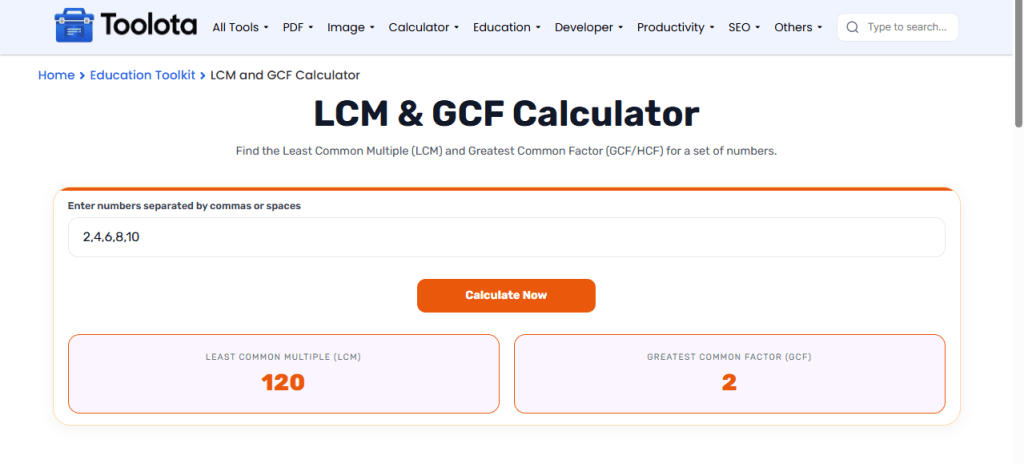

Type the numbers you want to work with into the input field. Separate each number with a comma or a space.

Press the orange "Calculate Now" button, or just hit the Enter key on your keyboard.

Look at the two result boxes. The least common multiple appears on the left. The greatest common factor shows on the right.
To work with several numbers, enter them all together, separated by commas or spaces.
The LCM is the smallest number that all of your entered numbers divide into evenly. The GCF is the largest number that divides all of them without leaving a remainder. For 12 and 18, the LCM is 36 and the GCF is 6. The Euclidean algorithm is the standard method for finding the GCF, and the LCM follows from it.
Once you have the LCM, use it as the common denominator to add or subtract fractions directly in the Fraction Calculator instead of finding it by hand.
Need to simplify a ratio to its lowest terms before comparing percentages? Divide both numbers by their GCF, then check the result in the Percentage Calculator.
The tool’s GCF logic runs on the Euclidean algorithm, a method for finding the greatest common divisor that’s been in continuous use since ancient Greek mathematics.
Get both LCM and GCF from a single input. No need to run separate calculations or use different tools.
Press Enter after typing your numbers. The calculation triggers immediately, saving you an extra click.
Enter numbers with commas or spaces. The tool reads both formats, so you can type however feels natural.
Results appear in highlighted boxes with the LCM and GCF labels. You can see both answers at a glance.
It uses the Euclidean algorithm to find the greatest common factor. For the least common multiple of two numbers, it multiplies them and divides by their GCF. With more numbers, it applies the same step to two numbers at a time.
Yes. Enter three or more numbers, separated by commas or spaces, and the tool returns the LCM and GCF of the whole set.
Not exactly. The least common denominator (LCD) is the LCM of the denominators in a set of fractions, so you can find it by entering only the denominators.
Zero is not a meaningful input for LCM and GCF in school problems, so enter positive whole numbers.
Yes, this is a completely free online LCM and GCF calculator with no registration required.
Toolota is your all-in-one online tools platform. Fast, simple, and free utilities designed to make everyday digital tasks easier and smarter.
