Strip comments, collapse whitespace, and shrink inline CSS/JS to compress your HTML.
Html Minifier Online lets you strip comments, collapse unnecessary whitespace, and shrink inline CSS and JavaScript from any HTML document in a single click. Whether you want to compress html code for faster page loads or clean up messy source files, this browser‑based tool handles everything locally. No sending files to outside servers, no registrations required, and no restrictions on file sizes. Simply paste your code, make a few basic adjustments, and receive the compressed outcome immediately.
.html or .htm files directly from your device.URL fetch – Pull HTML source code from any public web address.
Paste from clipboard – Quickly insert copied code without extra steps.
Sample HTML – Load a pre‑written demo to test minification settings.
Remove comments – Strip <!-- ... --> and conditional comments with one checkbox.
Collapse whitespace – Crush multiple spaces, tabs, and line breaks into single spaces.
Minify inline CSS – Shrink <style> block contents by removing extra spaces and comments.
Minify inline JS – Compress <script> contents while preserving string literals and regex patterns.
Remove empty attributes – Delete attributes like class="" or data-note="" automatically.
Line numbers – See line references while editing, with support for wrapped lines.
Word wrap toggle – Switch between wrapping and horizontal scrolling for long lines.
Font size controls – Increase or decrease the editor text size for better readability.
Copy & download output – Copy minified code to your clipboard or save it as a .min.html file.
Real‑time size feedback – View original file size and line/column position as you type.
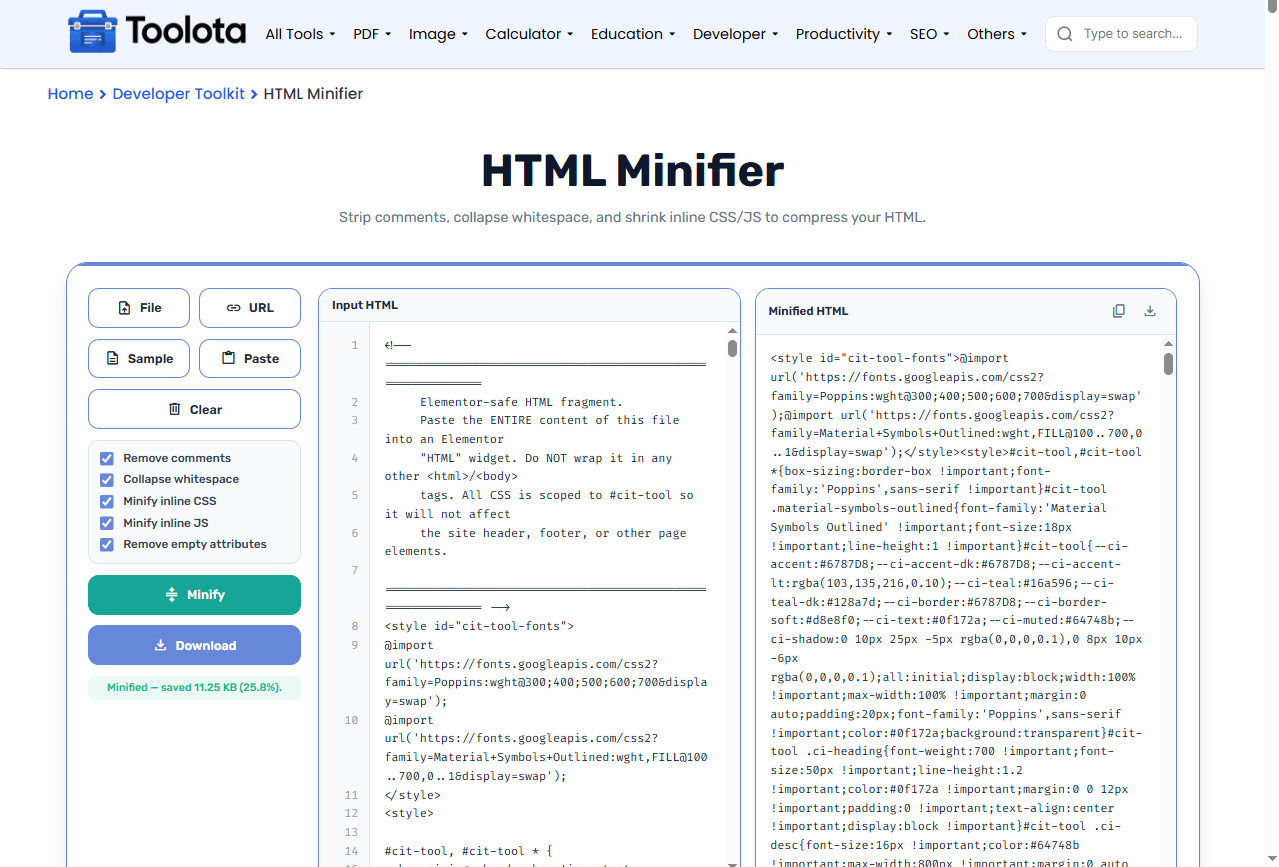

Use the File, URL, Sample, or Paste button to insert your source code.

Check or uncheck Remove comments, Collapse whitespace, Minify inline CSS, Minify inline JS, and Remove empty attributes.

Press the teal Minify button to process your HTML instantly.

The minified result appears in the right panel, ready for inspection.

Hit Download to save the minified file, or copy it for direct use.
“How do I shrink my HTML code without breaking it?” – Just adjust the checkboxes to control what gets removed, next, execute the minifier and compare the resulting output in a side-by-side manner.
All minification happens in your browser. No data ever leaves your device, so your source code stays private.
Upload a file, fetch from a URL, paste from clipboard, or load a sample – whatever fits your workflow best.
Download the minified output as a ready‑to‑use .min.html file or copy it straight to your clipboard for instant deployment.
You decide exactly what gets stripped: comments, whitespace, CSS, JS, or empty attributes – no “black box” minification.
Line numbers, character counts, and file sizes update as you edit, helping you track every change before minifying.
Test with the sample first – Load the demo HTML to see how each checkbox affects the output before processing your own files.
Use word wrap for long lines – Enable Word Wrap to view entire minified lines without horizontal scrolling.
Check the file size change – After minifying, compare the input and output sizes in the footer to measure your actual compression gains.
When you run this tool, the final code isn’t just “smaller” – it’s structurally optimised. Every comment is stripped to remove visual noise, multiple spaces are collapsed into single ones, and inline CSS/JS are compressed without changing their behaviour. The result is a leaner file that loads faster over the network, but it still renders and functions exactly like the original. The decrease in size visible in the footer represents actual bandwidth saved with each page visit.
It removes unnecessary characters from HTML code – like comments, extra spaces, and line breaks – to reduce file size without changing functionality.
No. The tool safely strips only non‑executable characters and preserves all tags, attributes, and content that affect rendering or behaviour.
Savings depend on your original code. Large files with many comments and whitespace can shrink by 30–50% or more.
No. Everything runs locally in your browser. Your code never touches our servers or any third‑party service.
Yes. Enable Minify inline CSS and Minify inline JS to compress code inside <style> and <script> tags.
Minification removes unnecessary characters; compression (like Gzip) is applied by servers. Both reduce file size and work well together.
Toolota is your all-in-one online tools platform. Fast, simple, and free utilities designed to make everyday digital tasks easier and smarter.
