Format, indent and pretty-print your CSS so it becomes easy to read.
A CSS beautifier online turns cluttered, minified, or sloppy CSS into a neatly indented stylesheet that you can actually read. Instead of spending time manually adding spaces and line breaks, you paste your code and let the tool do the heavy lifting. It also works as a reliable online CSS formatter when you need to clean up code from third-party sources. Upload a file, grab a stylesheet from a URL, or paste directly – the output is always consistent and ready to use.
File Upload – load .css files directly from your computer.
URL Fetch – pull CSS from any public web address.
Sample CSS – instantly load a pre-written example to test the formatter.
Paste From Clipboard – paste copied CSS without leaving the page.
Clear Input – wipe the editor clean with one button.
Indent Settings – choose between 2 spaces, 4 spaces, or tab characters.
Beautify Button – reformat your CSS with a single click.
Download Formatted CSS – save the output as a .css file.
Copy Output – copy the beautified code to your clipboard.
Wrap-Aware Line Numbers – accurate line counting even when wrapping is enabled.
Font Size Controls – increase or decrease the editor text size.
Word Wrap Toggle – switch between wrapped and unwrapped view.
Live Status Hints – see success or error messages as you work.
Drag-And-Drop Support – drop a CSS file directly into the editor area.
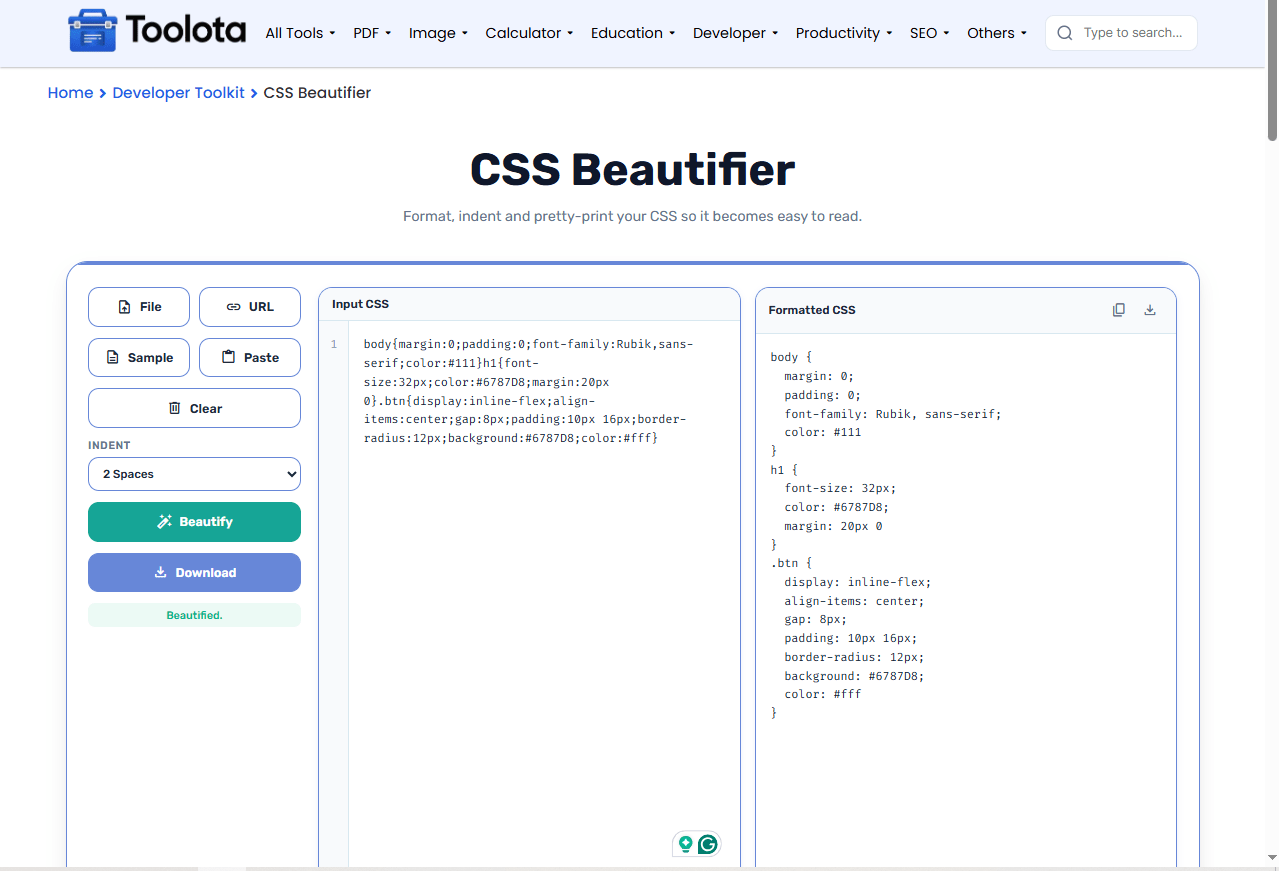

Paste it into the input area, upload a file, or fetch a URL.

Select 2 spaces, 4 spaces, or tabs from the dropdown.

The tool instantly reformats your CSS with consistent indentation.

Grab the clean output with the copy button, or save it as a .css file.
If you’re wondering “how do I format CSS without losing structure?“ – this tool preserves every selector, property, and worth while simply changing the spacing and line breaks, so your guidelines remain unchanged.
All formatting runs inside your browser. No CSS is ever sent to a server, so your code stays private.
Match your team's style guide with 2‑space, 4‑space, or tab‑based indentation – all from a simple dropdown.
Copy the formatted CSS to your clipboard or download it instantly – no extra steps, no friction.
Paste directly, upload a .css file, or fetch a remote stylesheet. The tool adapts to where your code lives.
The editor shows line numbers, character position, and file size in real time, so you always know what you're working with.
Turn on word wrap when working with very long property values – it keeps everything visible without horizontal scrolling.
Use the font size controls to make the editor text larger if you’re presenting code on a screen or projecting.
Fetch external stylesheets via URL to quickly clean up a CDN file before copying it locally.
When you run a CSS beautifier online, the indentation pattern immediately shows the nesting hierarchy of your selectors. Rules that are deeply nested become obvious, and missing closing braces stand out more clearly. This visual clarity helps you spot structural errors at a glance, especially when you’re debugging a long stylesheet or reviewing someone else’s code. Furthermore, the formatted output facilitates comparison of various media query blocks since each begins on a new line with consistent spacing.
It reformats raw or minified CSS by adding consistent indentation, line breaks, and spacing so the code is easy to read and edit.
Yes, this tool is completely free – no account, no hidden charges, and no usage limits.
No. All processing happens locally in your browser. Your code never leaves your device.
Yes – use the File button or drag‑and‑drop any .css file directly into the editor area.
You can choose 2 spaces, 4 spaces, or a tab character to match your preferred coding style.
You need an internet connection to load the page, but once loaded, all formatting happens offline in your browser.
Toolota is your all-in-one online tools platform. Fast, simple, and free utilities designed to make everyday digital tasks easier and smarter.
