Paste raw HTML and see a live rendered preview, side by side with the source.
HTML Viewer Online Free gives you a real-time workspace to write, test, and preview HTML code directly in your browser. Paste any snippet, upload a file, or fetch code from a URL — and watch it render instantly on the right side. Whether you’re debugging a layout, checking responsive design, or just learning, this online HTML editor provides a clean side-by-side view.The real-time HTML preview refreshes while you input text, allowing you to view the exact output of your code. No need to download or register – simply paste your code and preview it.
Live Preview Panel — See your rendered HTML update instantly in a separate output area.
Code Input With Line Numbers — Write or paste HTML in a full-featured text area with line numbering.
File Upload Support — Upload .html or .htm files directly from your device.
URL Fetching — Load HTML from any public URL with a single click.
Sample Code Loader — Insert a pre-written HTML sample to test the tool quickly.
Paste From Clipboard — Paste copied code directly into the editor.
Clear Function — Wipe the editor clean with one button.
Run JavaScript Toggle — Enable or disable script execution inside the preview frame.
Auto-Refresh — Automatically update the preview as you type.
Manual Render Button — Trigger a preview update whenever you choose.
Preview / Code Tabs — Switch between visual preview and raw code view.
Device Toggles — Preview your page in mobile, tablet, or desktop sizes.
Fullscreen Mode — Expand the output panel for distraction-free viewing.
Copy & Download — Copy your HTML source or download it as a .html file.
Word Wrap Toggle — Enable or disable line wrapping in the editor.
Font Size Controls — Increase or decrease the editor font size for readability.
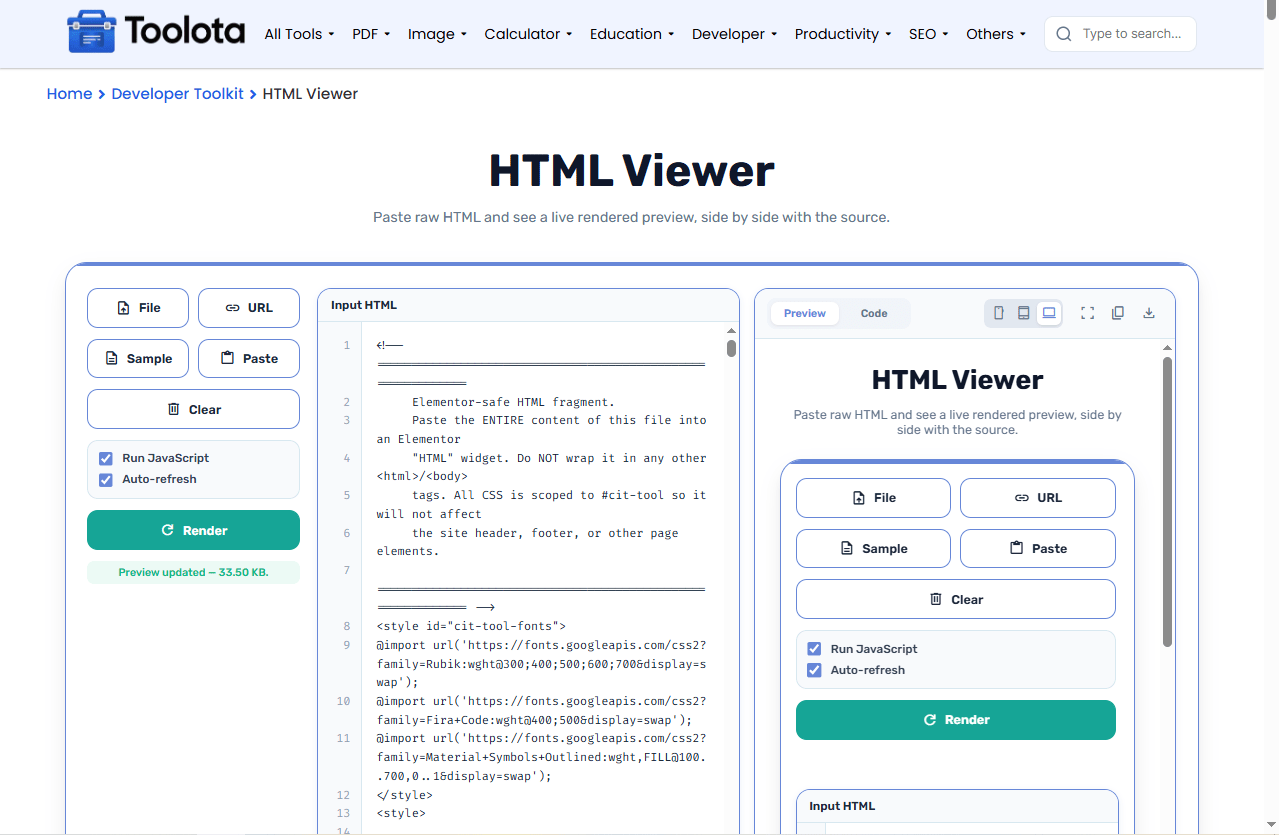

Enter your code in the left panel.

Toggle JavaScript execution or auto-refresh as needed.

Press the Render button to update the live preview.

Use mobile, tablet, or desktop toggles to test responsiveness.

Save your work or copy the code with the action buttons.
“Just paste your HTML code on the left, and observe it materialize on the correct side — it’s as easy as that.”
See your HTML render instantly without page reloads or server uploads.
Your code runs inside a secure iframe, keeping your browser safe while scripts execute.
Line numbers, word wrap, font resizing, and clipboard paste make editing smooth.
Test your page on mobile, tablet, and desktop sizes — all from one screen.
Load code from your computer or directly from a web address.
Open it in your browser — no downloads, no setup, completely free.
Enable Auto-refresh while typing to see changes instantly without pressing Render each time.
Use the Run JavaScript toggle to test interactive elements like buttons and forms safely.
Switch to Code view to quickly review your source structure without scrolling the editor.
The output panel does more than just render HTML. When you toggle the Code tab, you see the raw source exactly as it appears in the editor — useful for spotting formatting issues. The Preview tab renders your HTML inside a sandboxed iframe that respects your JavaScript toggle setting. Device toggles adjust the preview area to imitate typical screen sizes, providing a practical understanding of how your page responds to various screen sizes.
It’s a browser-based tool that lets you enter HTML code and see a live visual preview instantly.
Yes — just check the “Run JavaScript” box and your scripts will execute inside the preview.
Yes, the interface adapts to smaller screens, and you can preview mobile layouts too.
Yes, use the URL button to fetch and display HTML from any public web address.
No — all processing happens in your browser. Nothing is uploaded or stored.
No — it runs entirely in your web browser with no downloads or installations required.
Toolota is your all-in-one online tools platform. Fast, simple, and free utilities designed to make everyday digital tasks easier and smarter.
