
Recent Tools
No tools found matching your search.
↑↓ Navigate
←→ Category
↵ Select
esc Close
Calculate profit or loss, percentage gain/loss, and markup on your transactions instantly.
A Profit & Loss Calculator instantly tells you whether you gained or lost money on a transaction by comparing your cost and selling price. Simply enter both numbers, and this P&L tool shows you the exact amount, the find profit percentage result, and your total revenue. For anyone asking, “Did I make a profit or a loss?” — this tool gives the answer immediately without any complex formulas.

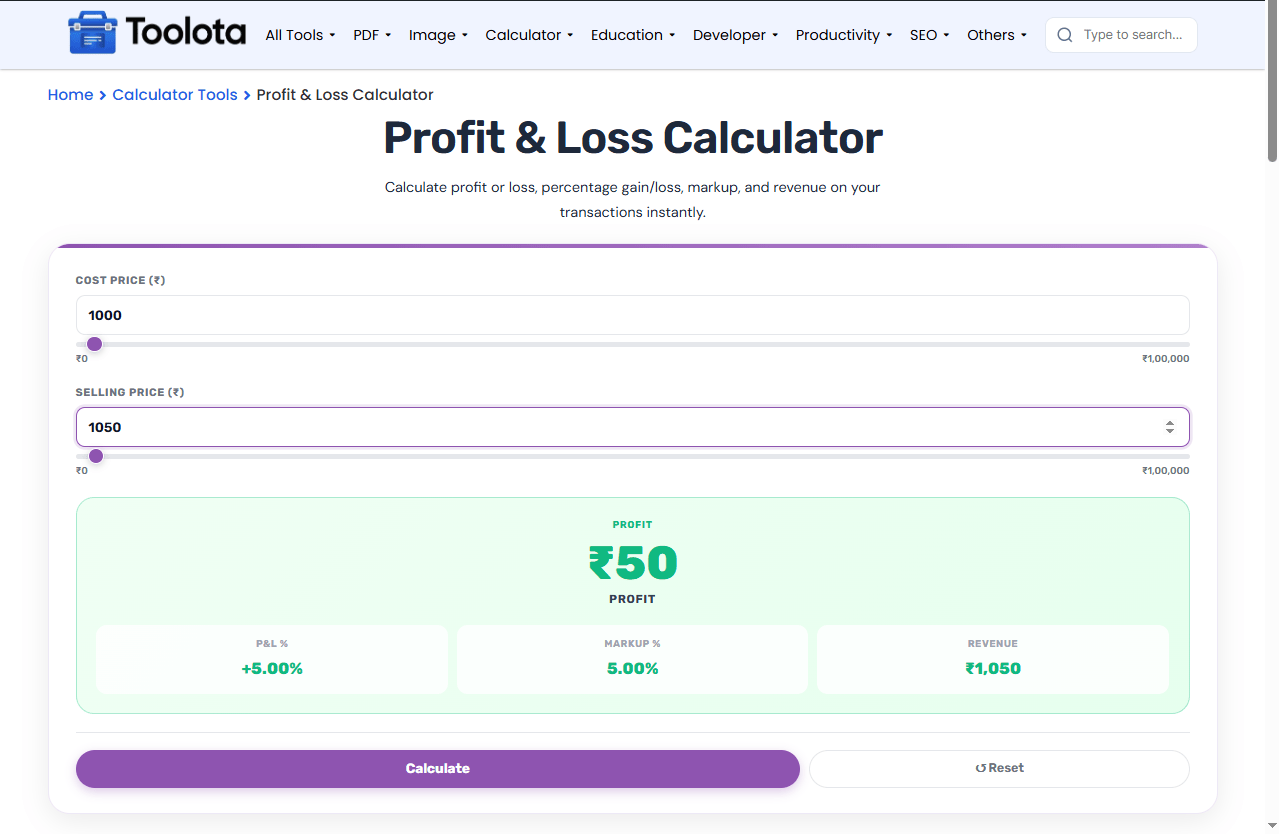
Type the amount you paid or spent to acquire the product in the "Cost Price (₹)" box. You can also drag the slider below it.

Type the amount you sold the product for in the "Selling Price (₹)" field. The slider moves with you.

The tool instantly shows your Profit or Loss amount, the percentage change, and your revenue. Click the purple Calculate button to refresh, or Reset to clear both fields and start over.
Dual Input Mode: Number Field + Slider
Each price input has both a numeric field and a range slider. Drag the slider for quick rough estimates, or type exact numbers for precision.
Color-Coded Profit/Loss Panel
The result panel automatically turns green when you have a profit and red for a loss, making the outcome visible at a single glance.
Three Financial Metrics Displayed
Beyond the main profit or loss amount, you get your P&L
percentage, markup percentage, and total revenue in separate cards.
Selling with a discount applied? Check the final price first with the Discount Calculator before entering your selling price here.
If your business adds tax on top of the sale price, the GST Calculator helps you separate tax-inclusive revenue from your actual profit.
For recurring business costs, compare your margins against the Salary Calculator to see what your profit translates to as take-home income.
The difference between markup and profit margin trips up a lot of sellers — markup is calculated on cost price, while profit margin is calculated on selling price, which is why the two percentages shown here are never equal.
Both cost and selling price have matching sliders. When you move one, the number updates instantly — perfect for testing different price scenarios.
You never need to work out percentages yourself. The tool does everything automatically after you enter just two numbers.
The main result panel changes color based on your outcome. Green means you made money. Red means you took a loss. No confusion.
Many tools only show one percentage. This Profit & Loss Calculator displays both your markup percentage (based on cost price) and your P&L percentage side by side. Markup helps you understand your pricing strategy, while P&L percentage shows your true gain or loss relative to what you paid. Having both metrics in one view helps business owners and freelancers make smarter pricing decisions.
Enter your cost price and selling price, then look at the “P&L %” card — it shows your exact profit or loss percentage instantly.
Yes, the main result panel turns red and the amount shows as a positive number with “Loss” written above it.
Markup % is profit divided by cost price. P&L % is the same calculation but shown with a plus or minus sign.
Yes, enter your service delivery cost as cost price and your client fee as selling price to see your profit.
Toolota is your all-in-one online tools platform. Fast, simple, and free utilities designed to make everyday digital tasks easier and smarter.
