Set work and rest intervals, choose your rounds, and let the timer guide you through every set.
An interval timer online gives you full control over your workout structure. Set work seconds, rest seconds, and total rounds — then let the timer guide you through every set. Whether you’re doing HIIT, Tabata, or circuit training, this free workout timer keeps you honest. Need a tabata timer with presets? Or a hiit interval timer that tracks every round? This tool handles both. Just pick your numbers, hit start, and follow the countdown. You’ll never miss a beat thanks to the built-in round tracker, which shows your progress, and the audio beeps, which announce every transition.
Custom work duration — set any work period from 1 to 3600 seconds
Custom rest duration — set rest intervals to match your recovery needs
Round counter — choose between 1 and 99 total rounds per session
Quick presets — one-click setups for Tabata, HIIT, Strength, Pomodoro, and Boxing
Prep countdown — 3-second get-ready timer before the workout begins
Phase indicator — clear visual badge showing Work, Rest, or Get Ready
Progress bar — real-time fill showing how much time remains in the current phase
Session summary — tracks rounds completed, total work time, and total rest time
Audio cues — beep sounds signal phase changes and countdown warnings
Pause and resume — pause anytime and pick up right where you left off
Total time preview — see your full session duration before you start
Mobile responsive — works on any device screen size
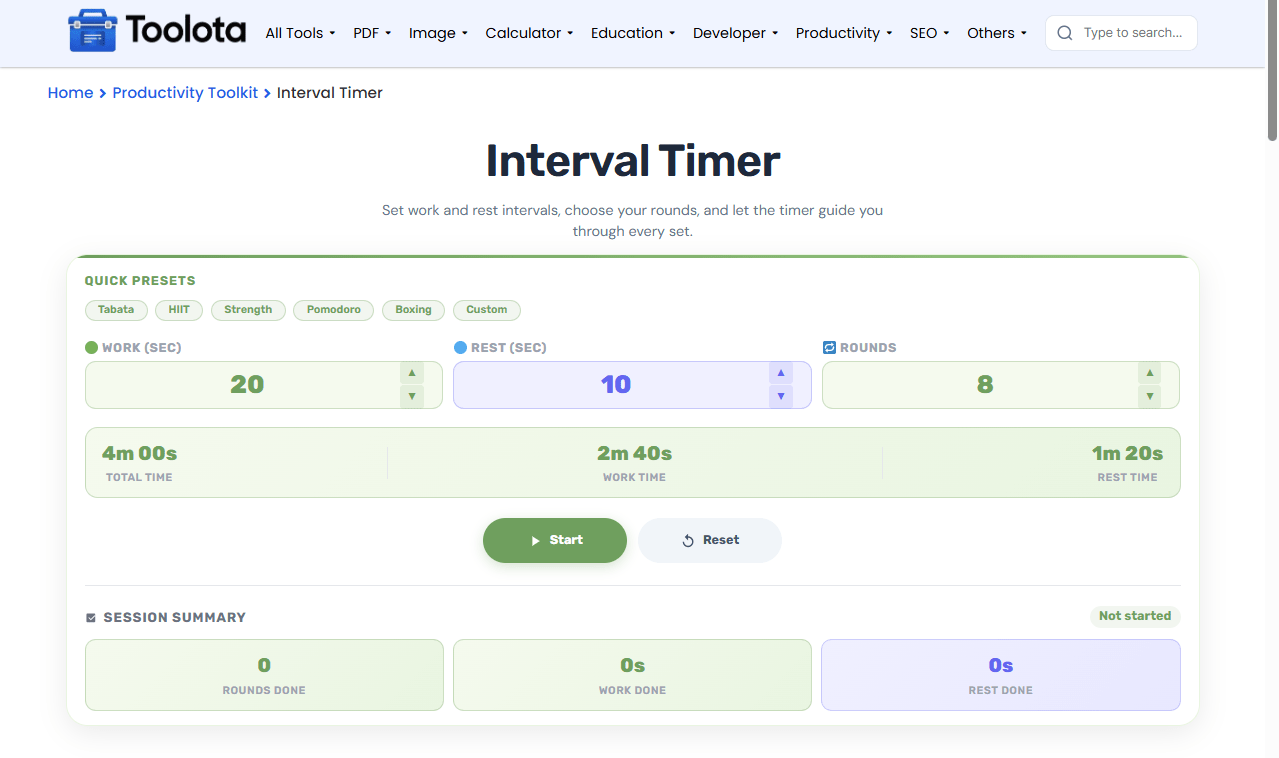

Enter your work seconds, rest seconds, and total rounds using the number inputs or the up/down arrow buttons.

Tap any preset button to auto-fill popular workout structures like Tabata or HIIT.

Work and rest alternate automatically. The progress bar and round counter show exactly where you are.

Click the green Start button. A 3-second prep countdown begins before your first work interval.

When all rounds complete, your session summary updates with totals. Click Again to run another session.
“How do I start a Tabata workout with this timer?” — Simply choose the Tabata preset and press Start. The timer will take care of the remainder.
Set work, rest, and rounds to match any workout style — from sprint intervals to strength circuits.
Watch your progress with the visual bar, phase badge, and round counter — no guesswork.
See exactly how many rounds you completed and how much total work and rest time you logged.
Six built-in presets let you start popular training protocols instantly without manual setup.
Beeps alert you when phases change or when you're down to the last 3 seconds of an interval.
The total time preview shows your full session length before you start — work plus rest multiplied by rounds. The progress bar fills and empties with each phase, giving you a visual sense of time remaining. When you finish, the summary tells you exactly how much work and rest you accumulated. This aids in organizing rest periods between rounds and keeping track of overall workout over several sessions. Your pace is displayed on the round tracker as well—you can see it in real time if you’re falling behind or accelerating.
Adjust presets to fit your fitness level
The built-in presets are great starting points, but you’re not locked in. Increase rest time if you’re just starting out, or shorten rest intervals to increase intensity.
Use the pause button strategically
If you need a longer break between rounds, hit Pause. The timer stops and resumes exactly where you left off — no resetting needed.
Watch the progress bar for pacing
When the bar gets low, the beeps kick in. Use those final seconds to mentally prepare for the next phase — especially before a work interval.
It structures workouts by alternating work and rest periods across multiple rounds. Perfect for HIIT, Tabata, circuit training, and any timed exercise routine.
Each preset loads pre-set work, rest, and round values. Tabata loads 20/10/8, HIIT loads 30/15/6, Strength loads 45/15/4, Pomodoro loads 25/5/4, Boxing loads 60/20/5, and Custom loads 90/30/3.
Yes. The Pause button stops the countdown without losing your progress. Press Resume to continue from the exact same point.
Beeps signal phase transitions. A higher-pitch beep marks the start of work. A lower-pitch beep marks rest. In the final 3 seconds of any phase, short beeps warn you that time is almost up.
No. The timer only runs while the page is open and active. It pauses automatically if you switch tabs or minimize the browser.
The timer uses JavaScript intervals and updates every second. It’s accurate for typical workout timing needs.
Toolota is your all-in-one online tools platform. Fast, simple, and free utilities designed to make everyday digital tasks easier and smarter.
