Set your balance, divide your budget by category, track expenses, and export your financial data.
A Budget Tracker Online helps you take control of your personal finances without complicated software or expensive subscriptions. This free tool lets you set your starting balance, log every income and expense, and see exactly where your money goes. Whether you need a simple expense tracker for daily purchases or a complete money manager to monitor savings, this tool gives you real-time insights. Track your spending by category, set budget limits, and export your data whenever you need it. Start managing your finances smarter — no downloads, no registration, and no hidden fees.
Balance Setup — Set your starting balance with a simple input field and update it anytime
Income & Expense Logging — Add transactions with description, amount, category, and date
Category-Based Budget Limits — Set spending limits per category and track usage in real time
Summary Dashboard — View total income, total expenses, net balance, and savings rate at a glance
Spending Progress Bar — Visual indicator showing how much of your budget you’ve used
Transaction List with Filters — View all entries with date range filtering (All, Week, Month, Year, Custom)
Category Breakdown View — See spending distribution by category with budget percentage tracking
Data Export Options — Download your financial data as CSV, JSON, or plain text
Copy & Preview Functions — Copy data to clipboard or preview before exporting
Local Storage Saving — All data saves automatically in your browser — no account needed
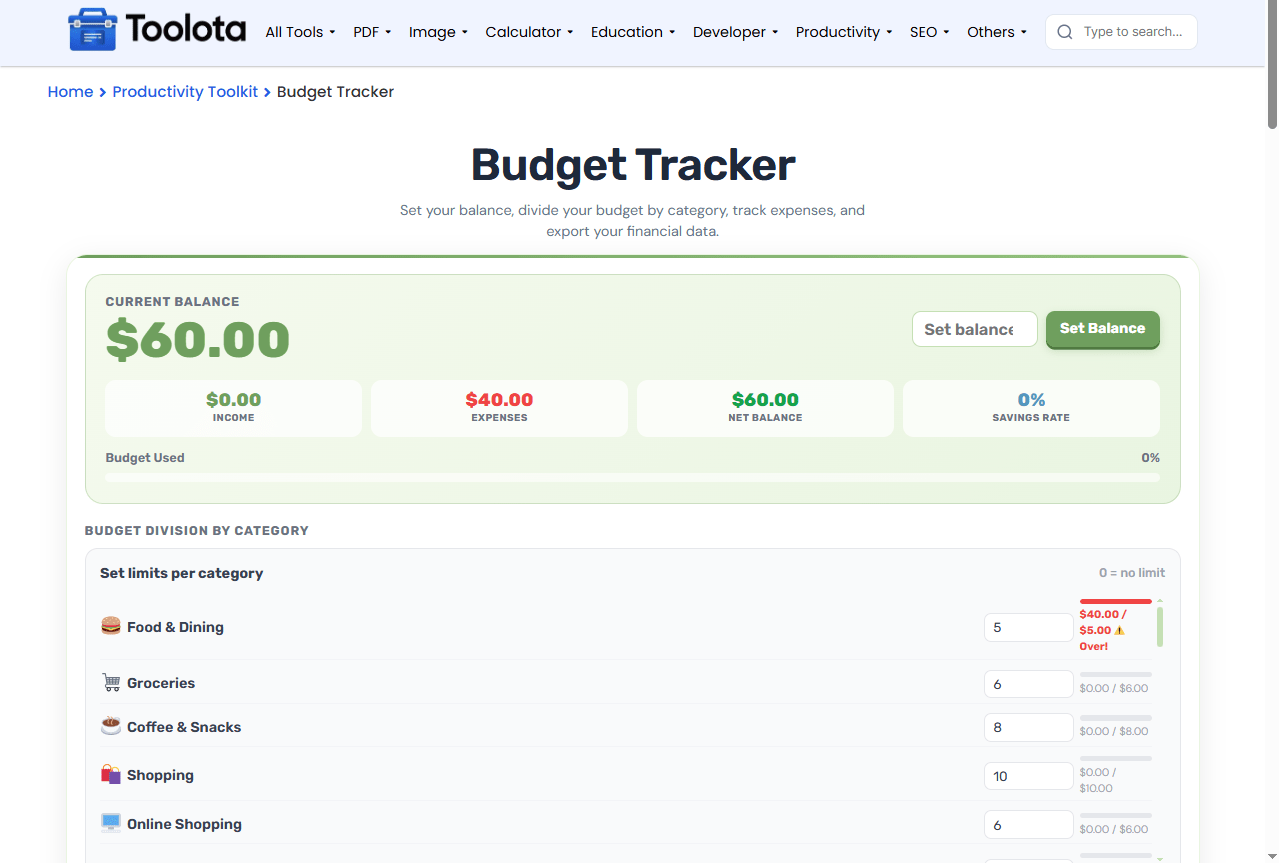

Enter your current balance and click "Set Balance"

Choose Income or Expense, fill in the description and amount, select a category, pick a date, and click "+ Add"

Check the dashboard for total income, expenses, net balance, and savings rate

Scroll to the Budget Division section and enter spending limits for each expense category

Switch between "Transactions" and "By Category" tabs to analyze your spending patterns

Use the Export panel to download your financial records in CSV, JSON, or text format
When you add transactions regularly, the progress bar updates automatically, showing exactly how much of your budget you’ve used. The savings rate also adjusts based on your income and spending patterns.
See your total income, expenses, net balance, and savings rate all in one place — updated instantly as you add transactions.
Quickly view transactions from today, this week, this month, this year, or set a custom date range.
Responsive design adapts to desktop, tablet, and mobile screens — manage your budget anywhere.
All data saves directly to your browser's local storage. No sign-up, no passwords, no data shared with anyone.
Download your financial data as CSV for spreadsheets, JSON for developers, or plain text for quick viewing
The dashboard shows more than just numbers. Your net balance reflects your current financial standing — positive means you’re ahead, negative signals a need to adjust spending. The savings rate percentage shows how much of your total income you’re keeping after expenses; a higher percentage generally indicates healthier financial habits. The budget used bar compares your total spending against your income and starting balance combined — when this bar crosses 100%, you’re spending more than you’re earning. Use these metrics together to get a complete picture of your financial health.
Set realistic category limits based on your average monthly spending — then adjust them as you track over time
Use the date filters to compare spending week-over-week or month-over-month for better trend analysis
Export your data at the end of each month to maintain a permanent record outside the browser
It’s a free web-based tool that lets you log income and expenses, set spending limits, and track your overall financial balance in real time.
Yes, all transactions and budget settings are saved automatically to your browser’s local storage and remain there until you clear them.
Yes, you can download your transaction history as a CSV file, JSON file, or plain text document using the Export panel.
Scroll to the Budget Division section, find any expense category, and enter a dollar amount in the input field next to it.
Yes, completely free with no registration, no subscription, and no hidden charges.
Your transactions and budget limits will be lost since they’re stored locally. Export your data regularly to keep a backup.
Toolota is your all-in-one online tools platform. Fast, simple, and free utilities designed to make everyday digital tasks easier and smarter.
