Add your options, spin the wheel, and let fate decide — perfect for random picking, games, or decisions.
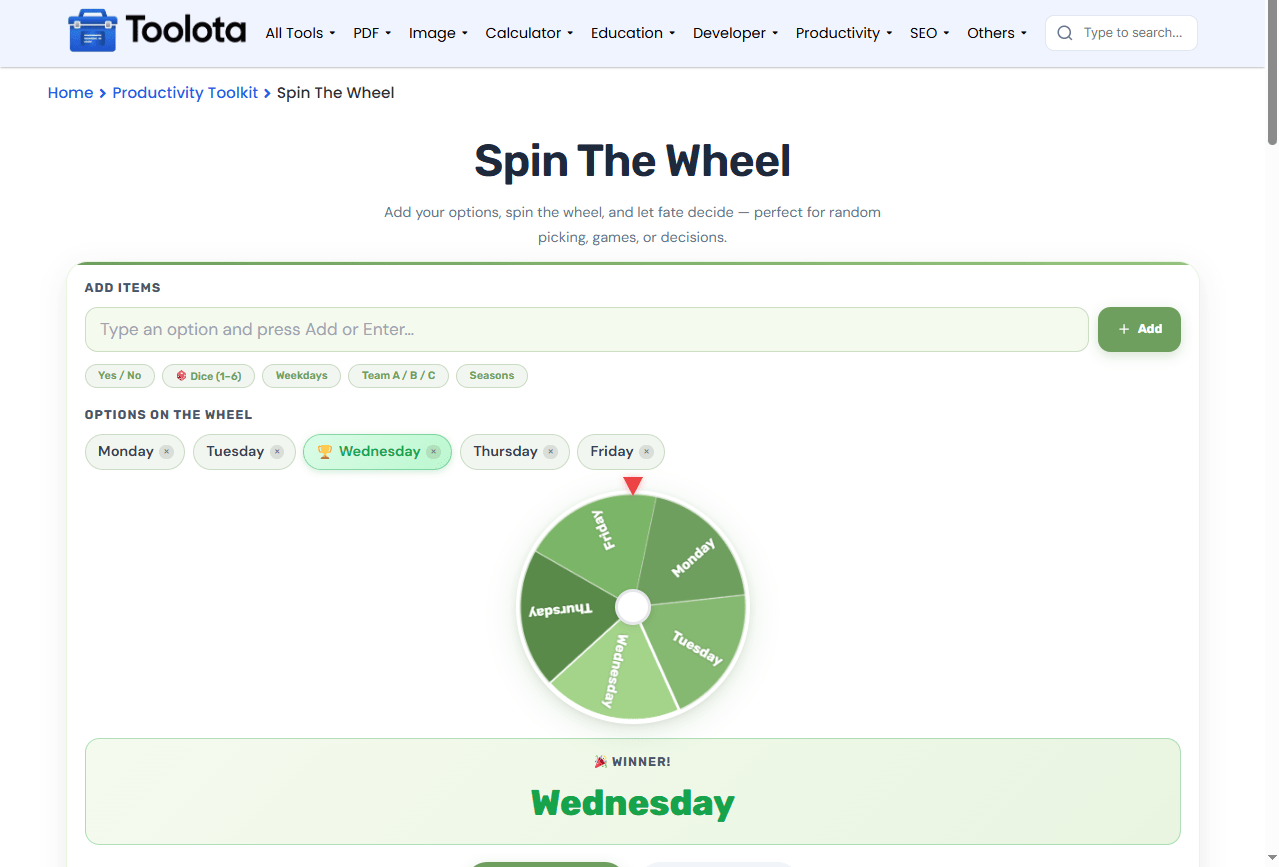
Spin the wheel to make quick decisions, pick random winners, or settle debates with a single click. This free custom spin wheel lets you add any options you want, from simple yes/no choices to complex lists of names or tasks. The wheel spins with realistic animation, plays satisfying sound effects, and instantly reveals the winner. Whether you need a random picker for a game, a decision wheel for daily choices, or a fun way to select a team, this tool delivers fast results every time. Simply input your items, click rotate, and allow the wheel to make the decision.
Add unlimited custom items via the text input (up to 20)
Quick‑add presets: Yes/No, Dice (1–6), Weekdays, Teams, Seasons
Colorful, segmented wheel with clear labels on each slice
Smooth spin animation with variable speed and gradual deceleration
Instant winner display with a bold result banner and celebration effect
Full spin history with timestamps for tracking every outcome
Delete individual options with a single click using the × button
Clear all items and reset the wheel with one action
Pointer and center hub for precise, accurate results
Fully responsive design that works on phones, tablets, and desktops

type a name, task, or choice into the input field and press Add.

click any preset button to instantly populate common lists.

the result appears on the wheel and in the highlighted result box.

hit the Spin! button and watch the animation run.

scroll through the spin history to see past winners and times.
“How do I pick a random option quickly? Simply input your selections, click Spin, and the wheel will take care of the rest within seconds.
add exactly the options you need, from team names to daily chores.
every spin is saved with a timestamp so you never lose a result.
add or delete items in seconds, or clear everything at once.
load common lists instantly with one tap on the preset buttons.
ticking sounds during the spin and a rising tone at the end make every round engaging.
fully responsive on mobile, tablet, and desktop screens.
The wheel divides your options into equal slices, each painted with a distinct color. When you spin, the wheel rotates at a fast speed and gradually slows until it stops. The slice directly under the fixed red pointer determines the winner. The center hub keeps the rotation steady, while built‑in audio cues — rhythmic ticks during the spin and a short victory chord at the end — make the result feel final and satisfying.The history list retains all previous spins, providing a detailed record of each decision taken.
Use presets to save time when you need common lists like weekdays or dice numbers instantly.
Keep item names short and clear so they display legibly on the wheel slices.
Delete unwanted items with the × button before spinning to avoid clutter and confusion.
You can add up to 20 custom items at a time.
Yes, click the × button next to any item tag to delete it immediately.
Yes, every spin is automatically recorded with a timestamp in the history panel.
They instantly load common lists like Yes/No, Dice, Weekdays, Teams, and Seasons.
The wheel spins with a randomized speed and deceleration; the slice aligned with the pointer at the end is the winner.
Yes, the Clear All button removes every item and resets the wheel to empty.
Toolota is your all-in-one online tools platform. Fast, simple, and free utilities designed to make everyday digital tasks easier and smarter.
