
Recent Tools
No tools found matching your search.
↑↓ Navigate
←→ Category
↵ Select
esc Close
Generate strong, secure passwords with customizable criteria for maximum protection.
A strong password generator is your first line of defence against account theft. This free tool builds secure, random passwords in seconds, letting you choose length, character sets, and exclusions. You get instant strength feedback and a copy button to use your password anywhere. Are you looking for a reliable password generator for your banking app, email, or social media accounts? Everything runs in your browser, nothing is saved or sent anywhere, and you get a fresh password each time you click.
Here is everything you can control and see in this tool:
Adjustable Length Slider – set any length from 4 to 64 characters.
Uppercase Letters (A–Z) – include capital letters for added variety.
Lowercase Letters (a–z) – the foundation of any strong password.
Numbers (0–9) – add digits to break up alphabetic patterns.
Symbols (!@#$%^&*) – include special characters for maximum complexity.
Exclude Ambiguous Characters – remove easily confused letters like 0, O, l, and I.
No Duplicate Characters – force every character to appear only once.
No Sequential Characters – prevent obvious runs like “abc” or “123”.
Exclude Specific Characters – type any characters you want to omit manually.
Strength Bar – see each generated password rated from “Very Weak” to “Very Strong
Copy to Clipboard – one‑click copy button with visual confirmation.
Regenerate Button – refresh the password with the same settings instantly.
Session Stats – track total generated passwords, current length, and active character sets.
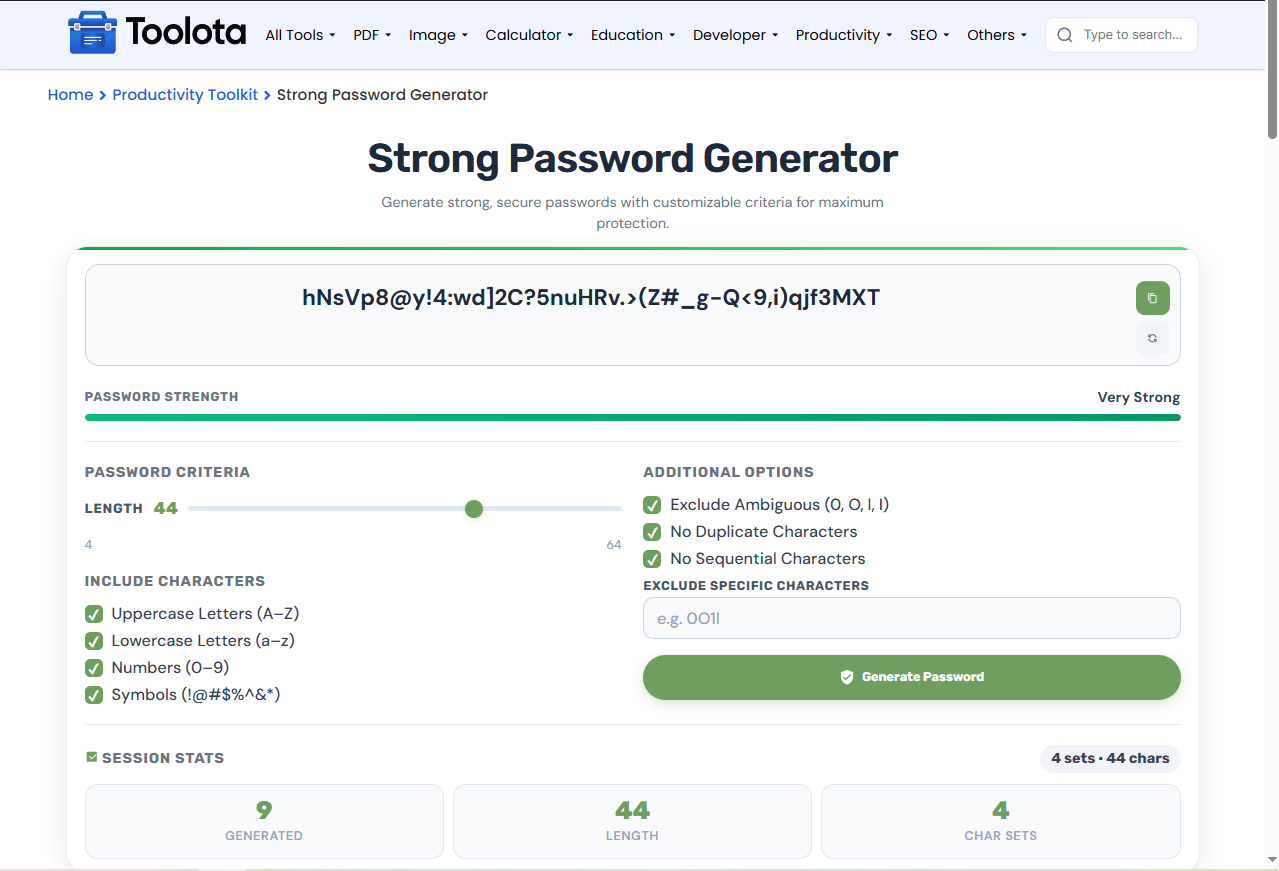
Follow these steps to create a secure password in under 30 seconds:

drag the slider (4–64) to choose how many characters you need.

check Uppercase, Lowercase, Numbers, and/or Symbols.

The tool creates a random password and displays it instantly.

toggle ambiguous, duplicate, or sequential restrictions, or type custom characters to skip.

tap the copy icon (or use Ctrl+C) and paste it into your sign‑up form.
“How do I make a password that’s both strong and easy to remember?” — use the length slider around 16–20 characters, enable all four character sets, and turn on “”Non-Consecutive Characters” to maintain a random but legible appearance.
you decide exactly which letters, digits, and symbols appear.
avoid ambiguous, duplicate, or sequential characters with one click.
see how many passwords you’ve generated and which sets are active.
the strength bar updates as soon as you generate, so you never guess.
no extra clicks; copy and paste directly into your app.
passwords never leave your browser; nothing is saved or sent online.
This random password maker starts with your selected character pools (uppercase, lowercase, numbers, symbols), then strips out any characters you chose to exclude. It randomly picks one character at a time until it hits your target length. If “No Duplicates” is on, it removes each used character from the pool; if “No Sequential” is on, it re-rolls the entire password if a sequence is found. The strength meter evaluates the outcome considering length, diversity, and lack of pattern. The strength meter then scores the result on length, character variety, and lack of patterns, so you see a clear rating before you copy it.
Combine your generated credentials with a secure text file and export it to PDF using a word to pdf converter for password backup storage.
Encode text strings or tokens for web workflows using a base64 encoder. Note that Base64 is an encoding, not encryption.
Generate secure random pins and numerical sequences using a random number generator 1-100 alongside your passwords.
Digital security relies on creating strong, unguessable strings as evaluated by password strength guidelines.
A strong password generator is a tool that creates random, high‑entropy passwords using custom rules for length, character types, and exclusions.
It evaluates your password based on length, character diversity, and pattern avoidance, then assigns a score from Very Weak to Very Strong.
Yes – type any characters (e.g., 0O1l) into the “Exclude Specific Characters” field, and they will be removed from the generated result.
No. All processing happens locally in your browser. Passwords are never saved, transmitted, or logged.
It ensures every character in your password appears only once, which increases entropy but limits maximum length to the size of your chosen character pool.
It prevents obvious patterns like abc or 123 from appearing, making the password harder to guess through pattern‑based attacks.
Toolota is your all-in-one online tools platform. Fast, simple, and free utilities designed to make everyday digital tasks easier and smarter.
