Strip comments and whitespace to compress CSS to its smallest form.
CSS Minifier Online helps you strip comments and unnecessary whitespace from your stylesheets to deliver leaner, faster-loading CSS. Whether you’re preparing a production build or cleaning up a messy file, this tool removes every byte you don’t need. Paste your code, upload a file, or pull CSS from a URL — the compression happens instantly. With just one click, you can compress CSS code and see exactly how much space you’ve saved. It’s a straightforward way to minify CSS stylesheet content without breaking your styling rules. And if you require a reliable CSS optimizer tool for routine chores, this free online minifier is ideal for your workflow.
This tool combines everything you need for quick, painless CSS compression in one clean interface.
File upload — Import .css files directly from your device with a single click
URL fetch — Pull CSS from any public URL without copying and pasting
Sample CSS — Load demo code instantly to test the minifier
Paste from clipboard — Paste copied CSS with one button
Clear input — Reset the editor with a single click
Auto-minify — Compression runs automatically as you type or paste
Manual minify — Process your CSS whenever you’re ready
Line numbers — Track your code with dynamic, wrap-aware line counting
Word wrap toggle — Switch between wrapped and single-line views
Font size controls — Increase or decrease text size for comfortable reading
Copy minified output — Copy the compressed result to your clipboard
Download minified file — Save the compressed CSS directly to your device
Compression stats — See bytes saved and percentage reduced after each minify
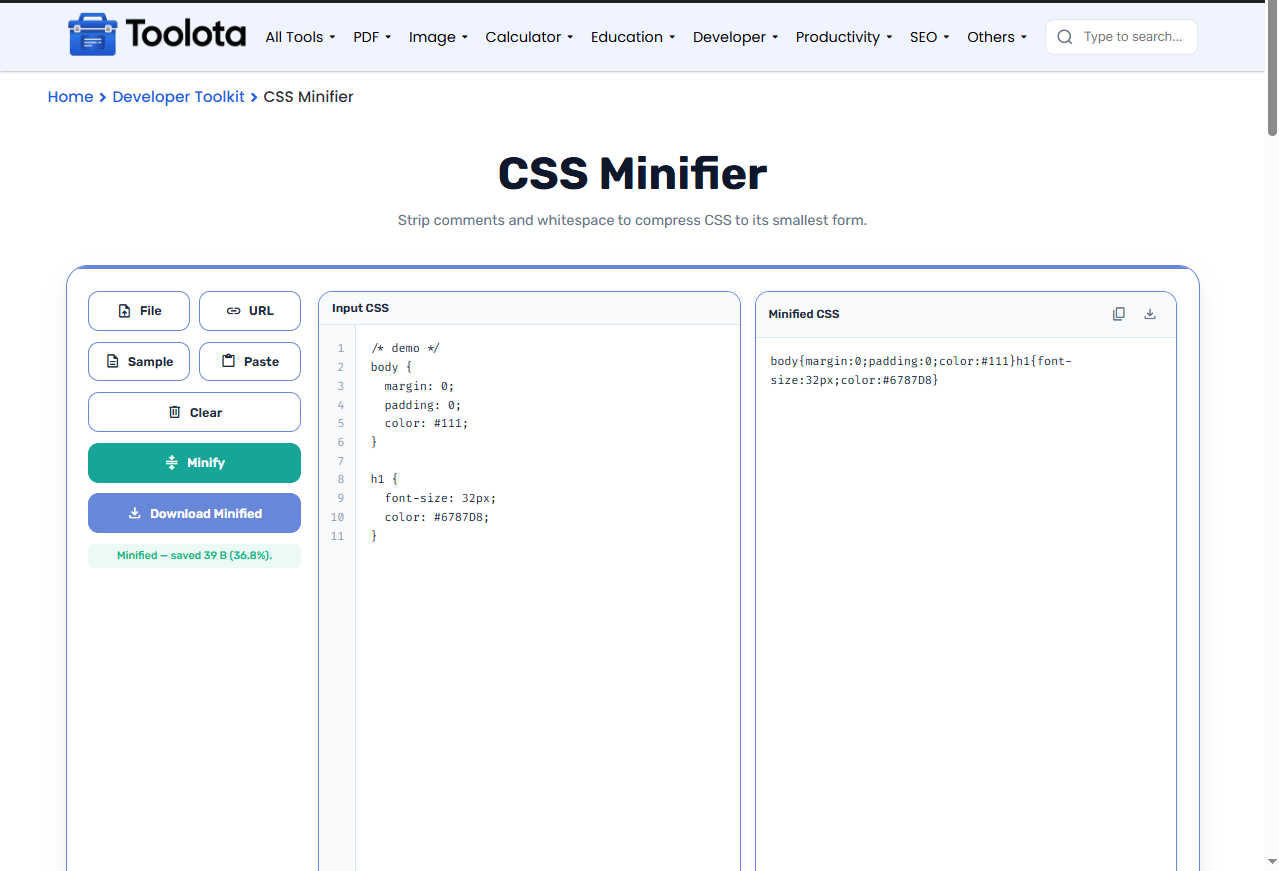
The workflow is straightforward and tolerant; while you don’t have to follow a rigid sequence, this is the most direct approach.

Paste code into the editor, upload a file, fetch from a URL, or load the sample.

Click the green "Minify" button to process your stylesheet.

The compressed CSS appears instantly in the output panel on the right.

Use the copy icon or download button to save your minified code.

The hint bar shows exactly how many bytes you trimmed and the percentage reduction.
You can also type directly into the editor and watch the minified output update automatically — no button pressing required.
These are the real advantages you get from this tool — nothing more, nothing less.
Open the page and start compressing right away. No accounts, no friction.
See compression stats instantly so you know exactly what you're saving.
Adjust font size and toggle word wrap to make the code comfortable to inspect.
Paste, upload, fetch, or sample. However your CSS arrives, this tool handles it.
The minified result stays readable and error‑free, preserving your actual CSS rules.
Save your minified file without copying, pasting, or renaming manually.
Run the minifier on your final CSS only — keep your development copy fully commented and readable.
Use the URL fetch to minify external stylesheets without downloading them first.
Compare before and after sizes to spot unusually large selectors that could be simplified further.
When you minify CSS, you’re not just making the file look smaller — you’re removing characters the browser doesn’t need to parse. Comments, extra spaces, line breaks, and unnecessary semicolons all get stripped. The browser reads the same rules but processes them faster because there’s less data to transfer. The tool shows you two numbers: the raw size saved (in bytes) and the percentage reduction. A typical stylesheet with heavy commenting can shrink by 20–30% or more. Especially with mobile connections, this provides your visitors with true bandwidth and load-time improvements.
It removes comments, whitespace, line breaks, and extra characters from your CSS to reduce file size without changing how the code works.
No. The minifier only strips non‑essential formatting and comments. All selectors, properties, and values remain intact.
Yes. Use the “File” button to upload any .css file from your computer, and the tool loads it automatically.
Savings depend on how much commenting and whitespace you have. Most stylesheets shrink by 15–30%, sometimes more.
Yes. You can use it as many times as you want — no account, no login, no limits.
Yes. Use the “Download Minified” button or the download icon in the output panel to save your file instantly.
Toolota is your all-in-one online tools platform. Fast, simple, and free utilities designed to make everyday digital tasks easier and smarter.
