
Recent Tools
No tools found matching your search.
↑↓ Navigate
←→ Category
↵ Select
esc Close
Add or remove VAT from any amount instantly. Supports custom rates and multiple currencies.
Use this free VAT Calculator to quickly calculate the VAT amount, net price, and total price including VAT. Enter the original amount and select your VAT rate to instantly see the VAT breakdown. Whether you are checking product prices, invoices, or business expenses, this calculator makes VAT calculations simple and easy to understand.

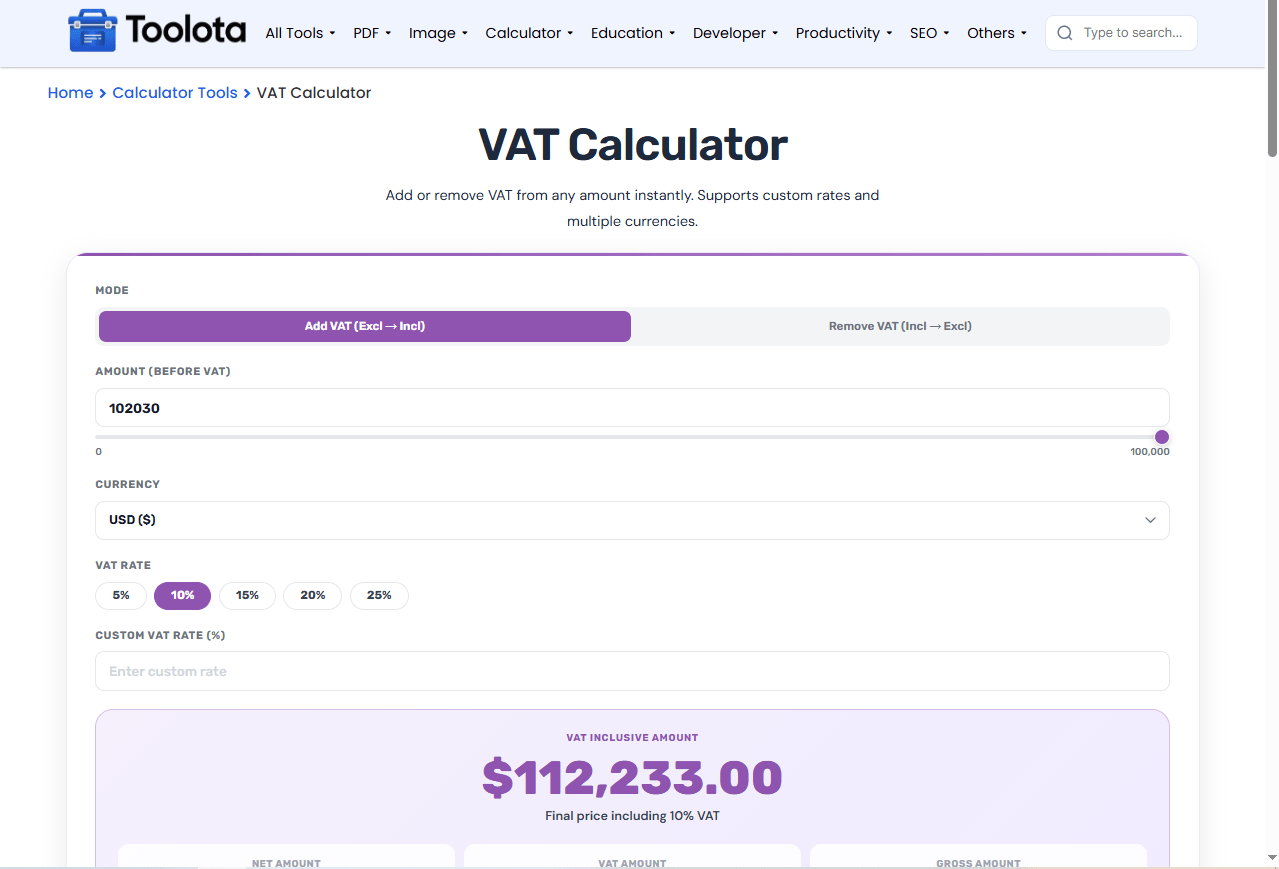
Click either "Add VAT (Excl → Incl)" to calculate the final price including tax, or "Remove VAT (Incl → Excl)" to find the original price before tax.

Type or slide to set your amount. Then click a preset VAT rate chip (like 20%) or enter a custom VAT rate in the field below.

The tool shows the VAT-inclusive (or VAT-exclusive) amount as soon as you enter a value, along with a breakdown of net, VAT, and gross amounts in your chosen currency.
Add/Remove Toggle: Switch between “Add VAT (Excl → Incl)” and “Remove VAT (Incl → Excl)” with one click.
Currency Selector: Choose from USD ($), EUR (€), GBP (£), INR (₹), AED, SAR, or BDT (৳).
VAT Rate Chips: Quick-select preset rates: 5%, 10%, 15%, 20%, or 25%.
Custom VAT Rate: Enter any rate from 0 to 100% using the custom input field.
Amount Slider: Drag the slider or type directly into the number input for quick adjustments.
Selling internationally and need a similar sales tax breakdown? The GST Calculator works the same way for GST-based systems.
Apply a discount before tax by running the pre-VAT price through the Discount Calculator first.
VAT is ultimately percentage math on a price — the Percentage Calculator handles any other percent-based pricing question.
As explained in official UK government VAT guidance, most goods and services are charged at the standard rate, with reduced or zero rates applying to specific categories.
Whether you need to add VAT to a net price or remove VAT from a gross price, the calculator applies the selected VAT rate consistently to your entered amount.
Adjust amounts quickly with the slider or type precisely. Both fields stay perfectly synced.
No need for separate converters. This VAT calculator online displays results in 7 major currencies with proper symbols.
The colored result card clearly shows your net amount, VAT amount, and gross amount side by side.
Unlike basic calculators, this tool automatically changes its logic based on your selection. When you choose “Add VAT” , the label changes to “Amount (Before VAT)” and the result shows the VAT inclusive amount. Change to Remove VAT , and the outcome is the VAT-exclusive amount as the label updates to Amount (Incl. VAT). A short note under the result also changes, so you always know whether you are looking at the final price or the pre-tax price.
Select “Add VAT” mode, enter your net amount, choose a VAT rate, and the tool shows the gross amount including tax.
Yes. Click “Remove VAT (Incl → Excl)”, enter the gross amount, and the tool calculates the original net amount before VAT.
The custom rate overrides the preset chips, and the VAT rate note updates instantly to show your entered percentage.
You can choose USD, EUR, GBP, INR, AED, SAR, or BDT. The currency symbol updates automatically on all results.
Yes. Dragging the slider updates the number field, and typing into the number field syncs the slider position.
Toolota is your all-in-one online tools platform. Fast, simple, and free utilities designed to make everyday digital tasks easier and smarter.
