
Recent Tools
No tools found matching your search.
↑↓ Navigate
←→ Category
↵ Select
esc Close
Paste or type your text, pick a case style, and instantly convert — then copy it with one click.
A case converter online free helps you change text case instantly without retyping. Paste your text, pick a case style, and see the result immediately. Whether you need uppercase for headings, lowercase for consistency, or title case for formatting, this tool handles it all. Convert text case to sentence, camel, snake, kebab, or alternate cases with one click. Duplicate the outcome to your clipboard and continue your task. Cease modifying the case manually — allow the tool to handle it on your behalf.
UPPERCASE — Converts every letter to capital letters.
lowercase — Changes all characters to small letters.
Title Case — Capitalizes the first letter of every word.
Sentence case — Capitalizes only the first letter of each sentence.
camelCase — Removes spaces and capitalizes each word after the first.
snake_case — Replaces spaces with underscores, all lowercase.
kebab-case — Replaces spaces with hyphens, all lowercase.
aLtErNaTe — Alternates letters between lowercase and uppercase.
Real‑time stats — Shows character, word, line, and sentence counts as you type.
Copy result — Copies the converted text to your clipboard with one click.
Clear input — Empties the text area instantly for a fresh start.
Conversion history — Stores your last 20 conversions for quick reference.
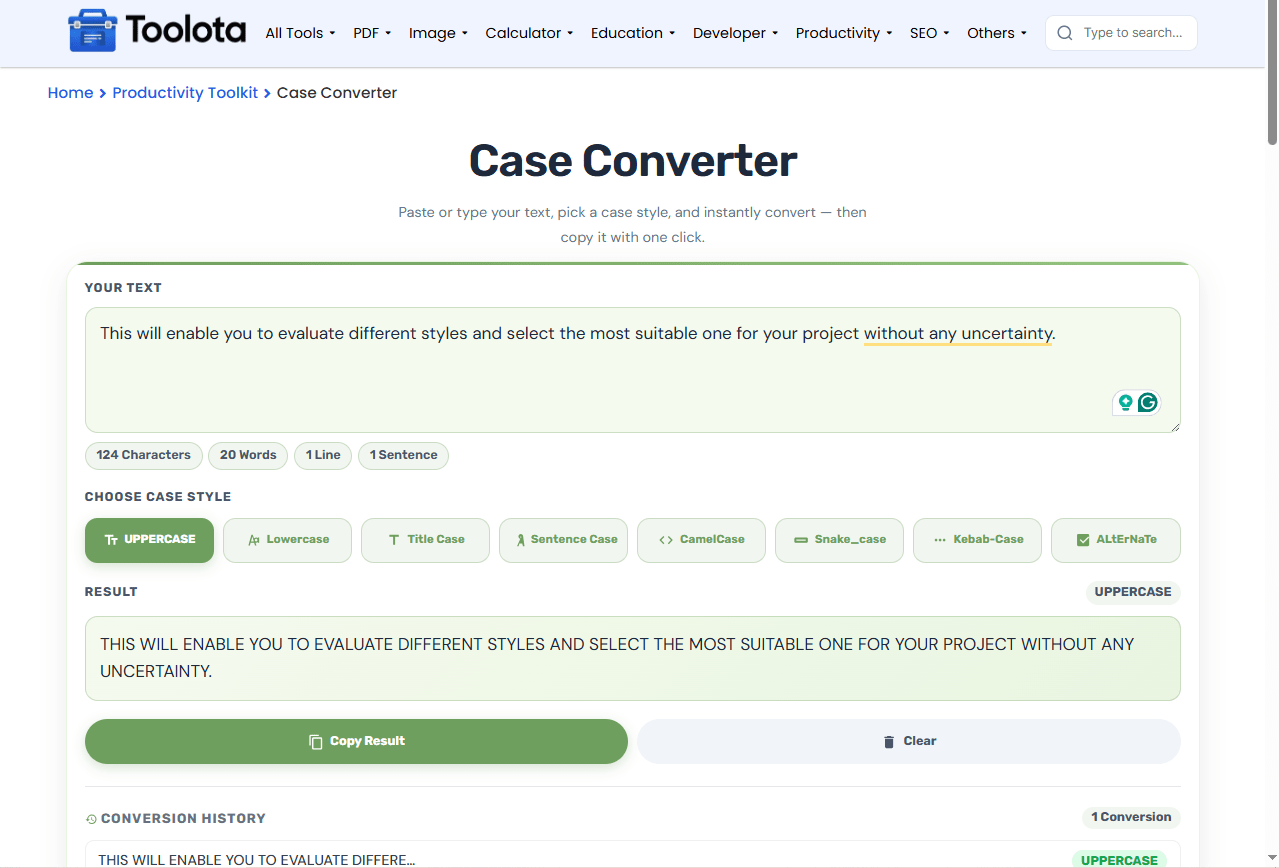

Paste or type your text into the input area.

Select a case — click any of the eight style buttons (uppercase, lowercase, title, sentence, camel, snake, kebab, alternate).

Review the result — the converted text appears instantly in the output box.

Copy — press the “Copy Result” button to save it to your clipboard.

Clear — use the “Clear” button to reset and convert new text.
“Just paste your text, pick uppercase or any other case, and copy the result. It’s that simple.”
See character, word, line, and sentence counts update live, so you always know the size of your text.
No reloads or delays; the result appears the moment you click a button.
Your recent conversions are saved, so you never lose a useful variation.
From uppercase to alternate, every common style is available in one place.
The copy button puts the formatted text directly into your clipboard, ready to paste.
Clean, focused interface — just paste, convert, and move on.
Your text changes based on clear rules. Uppercase makes text stand out, while lowercase keeps it calm and readable. Title case works great for headlines, and sentence case flows naturally for paragraphs. Technical cases like camel, snake, and kebab are perfect for coding and file naming. Each conversion appears instantly, so you can compare styles and pick the one that suits your project.
Measure total character limits and spacing constraints for formatted text using a character counter after case conversion.
Calculate exact word counts for formatted documents using a word counter online to meet length requirements.
Generate clean, web-friendly permalinks from formatted titles using a url slug generator for publishing.
Standardizing text formatting relies on established rules of letter case in typography and digital text editing.
It changes the capitalization of any text you paste into uppercase, lowercase, title case, sentence case, camel, snake, kebab, or alternate formats.
Yes, this tool is completely free with no hidden charges, registration, or usage limits.
Paste your text and click the UPPERCASE button — every letter becomes a capital instantly.
Title case capitalizes the first letter of every word, while sentence case only capitalizes the first word of each sentence.
Yes. camelCase, snake_case, and kebab-case are specifically designed for programming, file naming, and URLs.
Your last 20 conversions are stored in the conversion history section, so you can revisit previous results at any time.
Toolota is your all-in-one online tools platform. Fast, simple, and free utilities designed to make everyday digital tasks easier and smarter.
