Track your daily hydration, hit your goal, and build a healthy habit — one sip at a time.
| Date | Amount | vs Goal | Level |
|---|
Water Intake Tracker Online helps you log every sip and reach your daily hydration target. Whether you’re aiming for two liters or more, this tool makes monitoring your intake simple and visual. Track how much you drink and see your progress instantly. This online tracker provides quick drink logging, detailed history, and insightful reports. Using a Hydration Goal Tracker helps build healthy habits effortlessly. Just set your goal, log your drinks, and let the tool handle the rest.
Set Daily Goal — Adjust your water target in milliliters using a dedicated input and save it instantly.
Quick Add Drink Sizes — Choose from four preset sizes (Small to X-Large) with +/- buttons to adjust each value.
Drink Type Tabs — Switch between Water, Tea, Juice, Coffee, and Milk with a single click.
Custom Amount + Type — Log any exact milliliter amount and enter a custom drink name.
Note-Taking Field — Attach a short note to every entry (e.g., “Post-workout” or “Feeling dehydrated”).
Progress Bar & Stats — Visual bar fill plus consumed, goal, and remaining amounts update in real time.
Motivational Messages — Dynamic text feedback changes as you approach or hit your daily target.
Today’s Log List — Full entry history with time stamps, icons, and one-click delete buttons.
Note Modal Viewer — Click any note bubble to open a detailed popup with full entry info.
Weekly Bar Chart — See a seven-day overview with color-coded bars showing daily intake vs. goal.
Monthly Heatmap — Calendar-style grid with color intensity based on how close you were to your target each day.
Overview Dashboard — Displays days tracked, average intake, best day, and goal achievement ratio.
Top Days Table — Ranked list of your best hydration days with percentage and level badges.
Copy Log to Clipboard — Export today’s full log as plain text with one button.
Download PDF & CSV — Generate printable PDF reports or CSV files for deeper analysis.
Clear All Data — Fully reset your log and stored history via a confirmation modal.
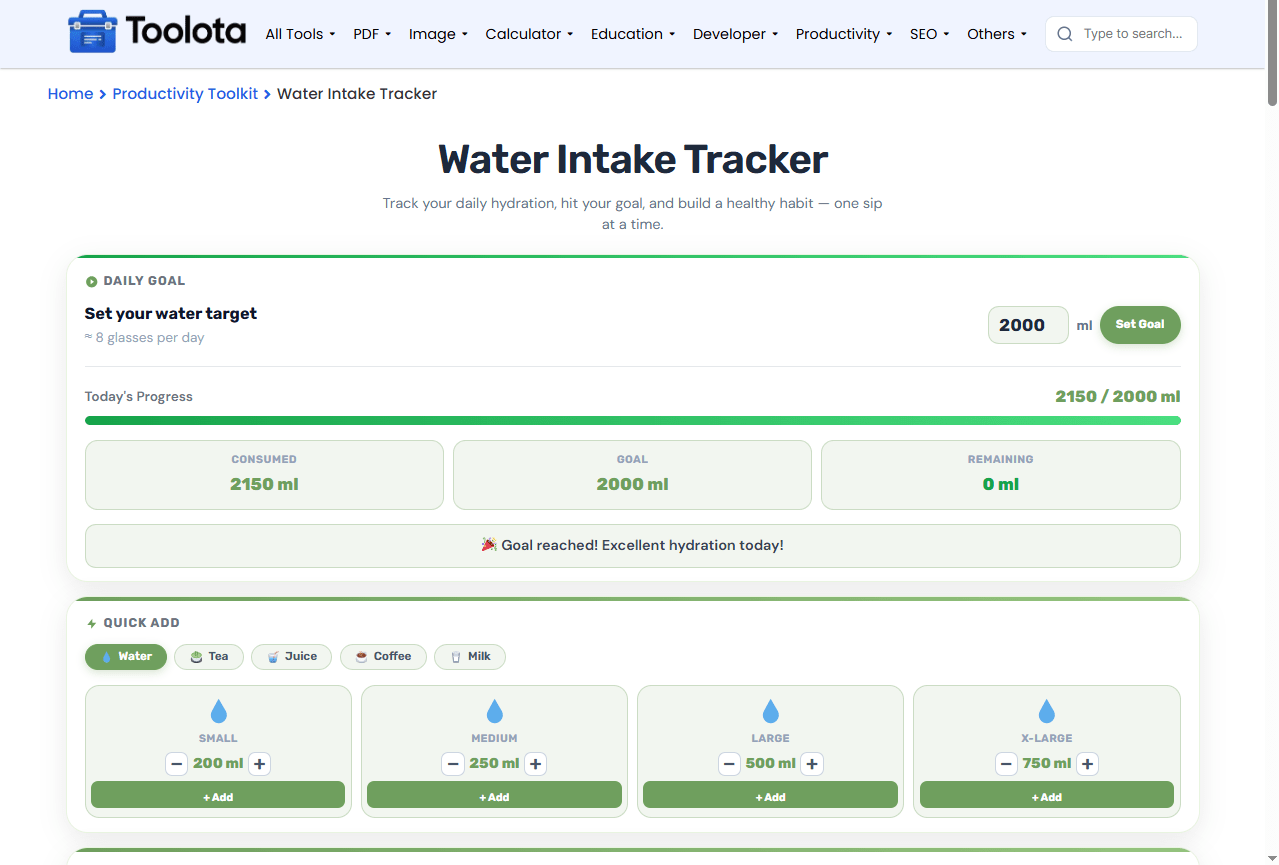

Set your daily hydration goal using the number input and press the "Set Goal" button.

Pick your drink type (Water, Tea, Juice, Coffee, or Milk), then adjust any preset size using the + or – controls.

Click the "+ Add" button on any quick card to log that drink instantly, or use the custom section to enter a specific amount and a personal note.

Watch the progress bar and stats update automatically. The remaining amount tells you exactly how much more you need.

Switch to the Report tab to explore weekly charts, monthly heatmaps, and download your data.
How do I use this hydration tracker? Just set a goal, tap a drink size, and let the tool show your progress in real time.
Enter any milliliter target from 500 ml to 5000 ml. The tool adapts instantly and shows your progress visually.
Log why you drank each glass. Perfect for tracking hydration patterns around workouts, meals, or medical advice.
Generate PDF reports for healthcare visits or CSV files for personal spreadsheets with one click.
The progress bar, percentage fill, and motivational messages keep you engaged throughout the day.
The bar chart and heatmap reveal your consistency over time, not just today's total.
Delete individual entries or clear everything with a confirmation prompt. No surprises.
The weekly bar chart and monthly heatmap work together to tell a complete story. The heatmap uses color intensity—ranging from light green to deep green—to show how close you came to your goal each day. A dark green block means you hit or exceeded your target, while a lighter block signals room for improvement. The weekly chart highlights today’s bar in a distinct shade, making it easy to compare the current day against the rest of the week. These visuals convert raw figures into actionable patterns, making it easier to see which days require additional focus.
Use the custom note field to log activities alongside your water intake, like “after gym” or “before bed,” to discover what drives your hydration habits.
Adjust the four quick-add preset sizes (using +/-) to match your actual glass, bottle, or mug volumes for faster logging.
Check the monthly heatmap regularly—it highlights consistent vs. inconsistent days at a glance, so you can adjust your routine early.
Type your target in milliliters into the goal input box and click the “Set Goal” button. The progress bar and stats update immediately.
Yes. Select from Tea, Juice, Coffee, or Milk using the drink tabs, or type any custom drink name in the custom amount section.
The top card displays a progress bar, a percentage value, and three stats: Consumed, Goal, and Remaining milliliters.
Each entry in the log list has a small delete icon (✕). Click it to remove that specific drink from your day.
It displays the last seven days with bar heights representing total intake. Today’s bar is highlighted, and bars turn green when you meet your goal.
Yes. Use the “Clear All Data” button at the bottom of the log card. A confirmation modal will pop up to prevent accidental deletion.
Toolota is your all-in-one online tools platform. Fast, simple, and free utilities designed to make everyday digital tasks easier and smarter.
