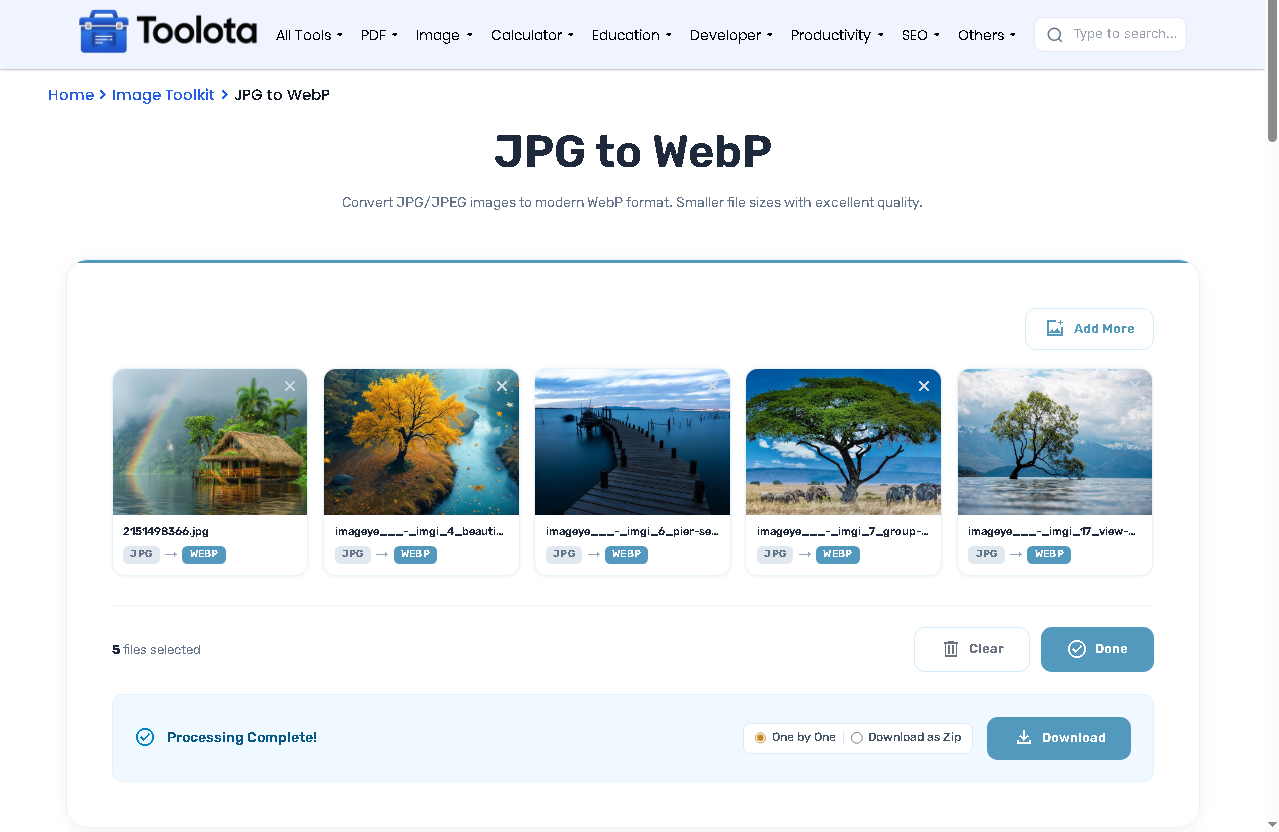
Convert JPG/JPEG images to modern WebP format. Smaller file sizes with excellent quality.
Drag & Drop your JPG images here
or click anywhere in this box to browse files
* Higher quality results in larger file sizes.
Processing images...
Convert JPG/JPEG images to modern WebP format. Smaller file sizes with excellent quality.
Drag & Drop your JPG images here
or click anywhere in this box to browse files
* Higher quality results in larger file sizes.
Processing images...
Want to convert JPG to WebP directly in your browser? This tool lets you drag & drop multiple JPG/JPEG images, adjust output quality from 10% to 100%, and download each file individually or as a single ZIP archive. WebP images often retain excellent visual quality while reducing file size, making your site faster. Nothing is uploaded to a server, so everything stays on your device.


Drag & drop JPG files onto the dashed zone, or click anywhere in that box to browse files from your computer.

Move the Output Quality slider – the value updates live (e.g., 90%). Higher numbers mean larger WebP files with better detail.

Click the Convert to WebP button. A progress bar appears. Once finished, a green success banner shows “Processing Complete!”

Choose between “One by One” (each file downloads separately) or “Download as Zip” (all WebP files in one compressed folder), then click the blue Download button.

Need to start over? Use Clear (red‑border button).
If your website needs the file even smaller after conversion, run the WebP output through Compress Image.
Need to resize before converting? Use Resize Image first to set the right dimensions.
Working with the reverse conversion instead? WebP to JPG Converter handles that direction.
WebP supports both lossy and lossless compression in the same format, which is part of why it typically produces smaller files than JPG without a visible quality trade-off.
No server upload → private and instant
See what you’re converting before processing
Convert all selected JPGs with one click
Balance between file size and visual fidelity
Save time when converting multiple images
An integrated picture lightbox (popup viewer) is included in this tool. Click on any thumbnail within the file list following conversion to open a full-size overlay. You may:
Why is this smart? You can verify the quality of each converted WebP before downloading. The lightbox is fully keyboard‑accessible and responds to arrow keys.
Drag your JPG files into the drop zone, adjust quality, and click “Convert to WebP” – all done in your browser at no cost.
Yes. The file list accepts many images, and you can download them individually or as one ZIP file.
Only if you lower the Output Quality slider. At 90‑100%, WebP usually looks identical to the original JPG but with smaller size.
Use the “Clear” button to remove all, or “Change” to add more – each file also has a close icon to delete it separately.
Yes – the HTML processes everything locally. No images are uploaded to any server.
Limited only by your device memory. Most common JPGs work without problem.
Toolota is your all-in-one online tools platform. Fast, simple, and free utilities designed to make everyday digital tasks easier and smarter.