Drag & Drop your images here
or click anywhere in this box to browse files
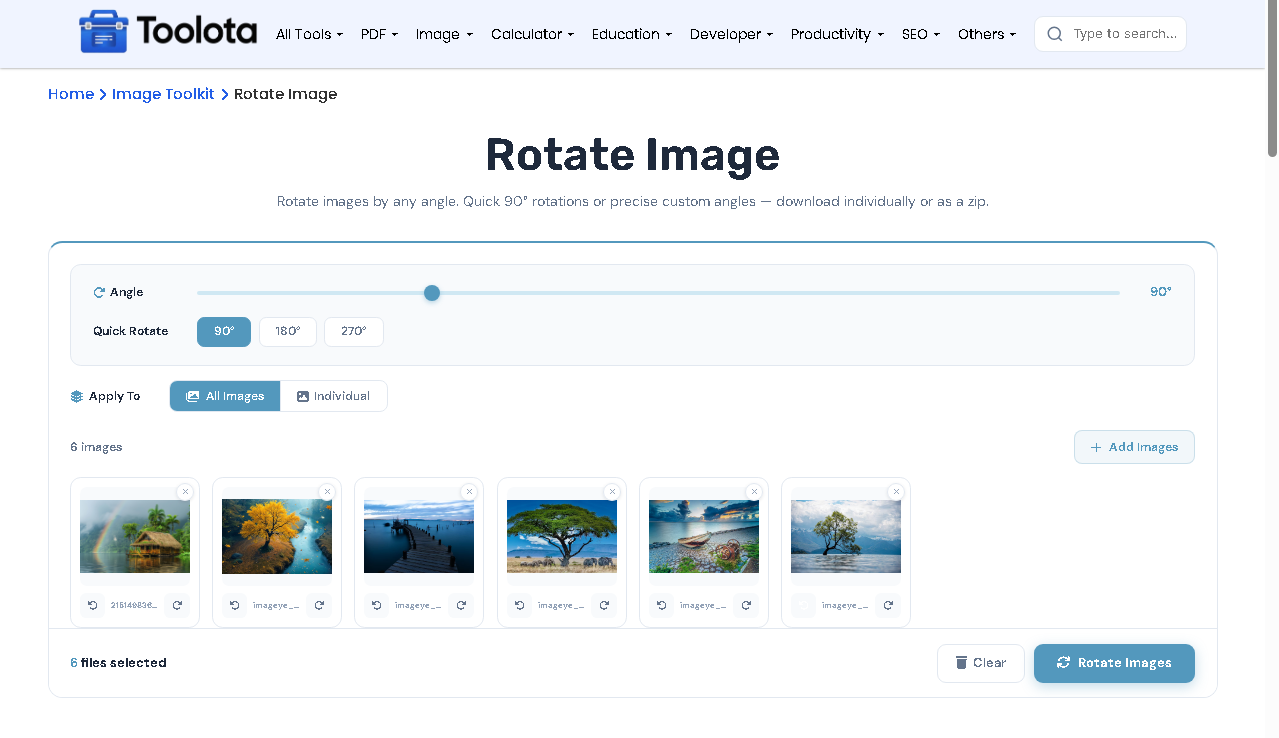
Need to Rotate image online quickly? This tool lets you upload pictures, adjust rotation from 0° to 360° using a slider or quick 90° buttons, and see live previews instantly. You can rotate a single photo or apply the same angle to all images at once, making it perfect for photographers, designers, or anyone fixing crooked shots.

Drag & drop files into the upload zone or click to browse. The tool accepts all common image formats.

Use the slider to pick any degree between 0 and 360, or click the 90°, 180°, or 270° preset buttons for faster adjustment.

Switch between "All Images" to rotate everything at once, or "Individual" mode to select specific photos from the gallery.

Click the Rotate Images button. Once processing completes, download each file one by one or save everything as a single ZIP archive.

Use the “Individual” mode with the selection checkboxes to rotate only specific photos while leaving others untouched.
The progress bar shows loading status for large files – wait for all previews to finish before rotating.
For PNG images with transparency, the tool preserves the background as white automatically.
Click any image thumbnail to open the full-size modal, where you can also rotate and delete.
Every slider movement shows the exact rotation on your images instantly, no guessing required.
All processing happens inside your browser. Your images never leave your computer.
Upload dozens of photos and rotate them simultaneously with one click, saving massive time.
Fine-tune rotation to any exact degree, not just fixed 90° increments like basic editors.
What makes this image angle changer different? You get two independent rotation layers. First, each image has its own +/-90° buttons for fine-tuning individual photos. Second, a master slider applies a global rotation to all selected images on top of their individual adjustments. This implies that you may first straighten each picture individually, then rotate the entire collection at once to achieve a consistent overall angle. When you change either control, the live image preview updates right away.
Yes, everything runs in your browser using HTML5 Canvas. Your files stay on your device.
Switch to “All Images” mode, set your angle, and click Rotate Images – all photos rotate together instantly.
Any angle from 0° to 360° using the slider, plus quick 90°, 180°, and 270° preset buttons.
Yes, select the ZIP option after processing and click Download to save all images in a single compressed folder.
Yes, the interface is responsive and works on mobile browsers with touch support.
Toolota is your all-in-one online tools platform. Fast, simple, and free utilities designed to make everyday digital tasks easier and smarter.