Divide a PDF document into multiple smaller PDFs. Extract specific pages or split every page.
Drop your PDF here
or click to select a file
Building PDF...
Need to split PDF online quickly without installing software? This tool lets you divide any PDF document into smaller files right in your browser. Whether you wish to divide each page into individual PDFs or extract particular pages, everything is done locally on your device.
Based on the HTML interface, here’s what this PDF page extractor offers:
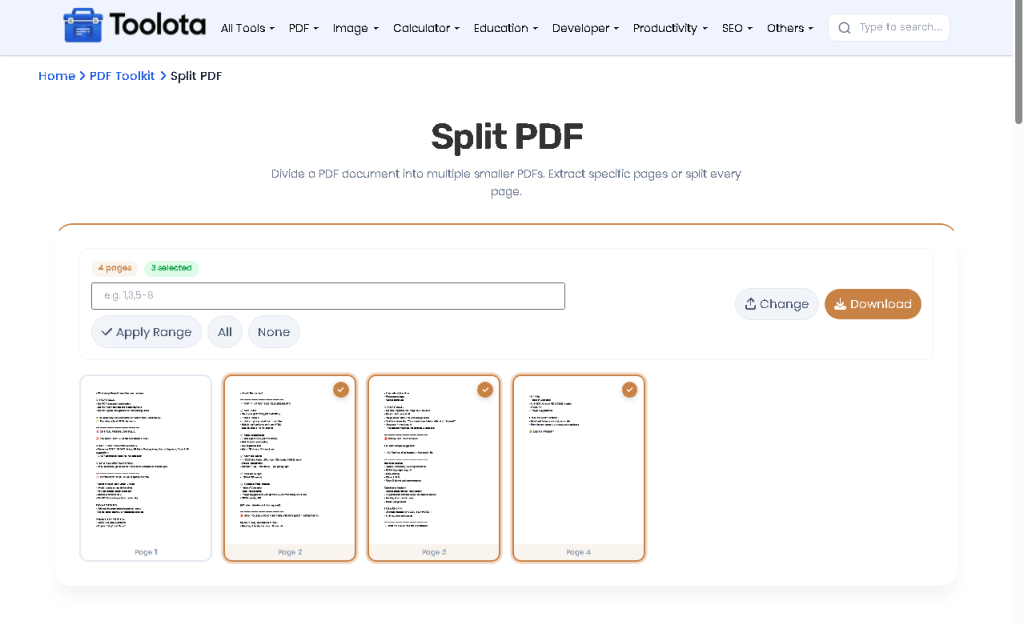
Follow these simple steps using the actual interface controls:

Click the drag area or drag a PDF file into the drop zone. The upload icon circle with scissors icon indicates the upload area.

Select either "Extract Pages" card or "Split All Pages" card. The selected method highlights with a border and background color.

In the range input field, type pages like "1-5, 8, 11-13" to specify which pages to extract.

Press the orange "Split PDF Online" button to start processing. A progress bar appears showing real-time status.

Once complete, click the download button to save your split PDF or ZIP file.
All splitting happens locally. Your files never leave your computer.
The range input accepts complex formats like "1-5, 8, 11-13" automatically.
The "Split Another PDF" button resets everything instantly.
The drag area changes color on hover, and selected method cards highlight clearly.
Visual progress bar and status text keep you informed during splitting.
When you split PDF online using this tool, the interface communicates with the pdf-lib library to rebuild documents from scratch. For range extraction, the system parses your comma-separated values, converts ranges like “1-5” into individual page indices, then creates a brand new PDF containing only those pages. For splitting all pages, the tool loops through every page, generates separate PDF documents for each, compiles them into a ZIP archive using JSZip, and presents a single download.The progress bar updates after each page, and request. AnimationFrame keeps the user interface from becoming unresponsive during demanding tasks.
No. The HTML uses pdf-lib library locally in your browser. Your file never leaves your device.
Single pages (5), ranges (1-10), or combinations (1-5, 8, 11-15). All work automatically.
Every page becomes a separate PDF file, and all are packaged into a single ZIP download.
The tool does not include password handling features based on the HTML code.
The tool shows real-time status so you know processing is active, especially for larger documents.
Toolota is your all-in-one online tools platform. Fast, simple, and free utilities designed to make everyday digital tasks easier and smarter.
