
Repair PDF
Fix corrupted or damaged PDF files. Rebuilds file structure to resolve common errors.
Drag & Drop Corrupted PDF
or click to browse
> Ready to analyze...
File Repaired!
The PDF structure has been rebuilt successfully.
Fix corrupted or damaged PDF files. Rebuilds file structure to resolve common errors.
Drag & Drop Corrupted PDF
or click to browse
filename.pdf
...
> Ready to analyze...
The PDF structure has been rebuilt successfully.
When you need to Repair PDF files that won’t open or show errors, this tool gives you two recovery paths. It first attempts a PDF structure rebuild to fix broken references and object streams. If that fails, it offers a visual reconstruction method to rescue readable content from severely corrupted PDF files.
Based purely on what the tool provides:
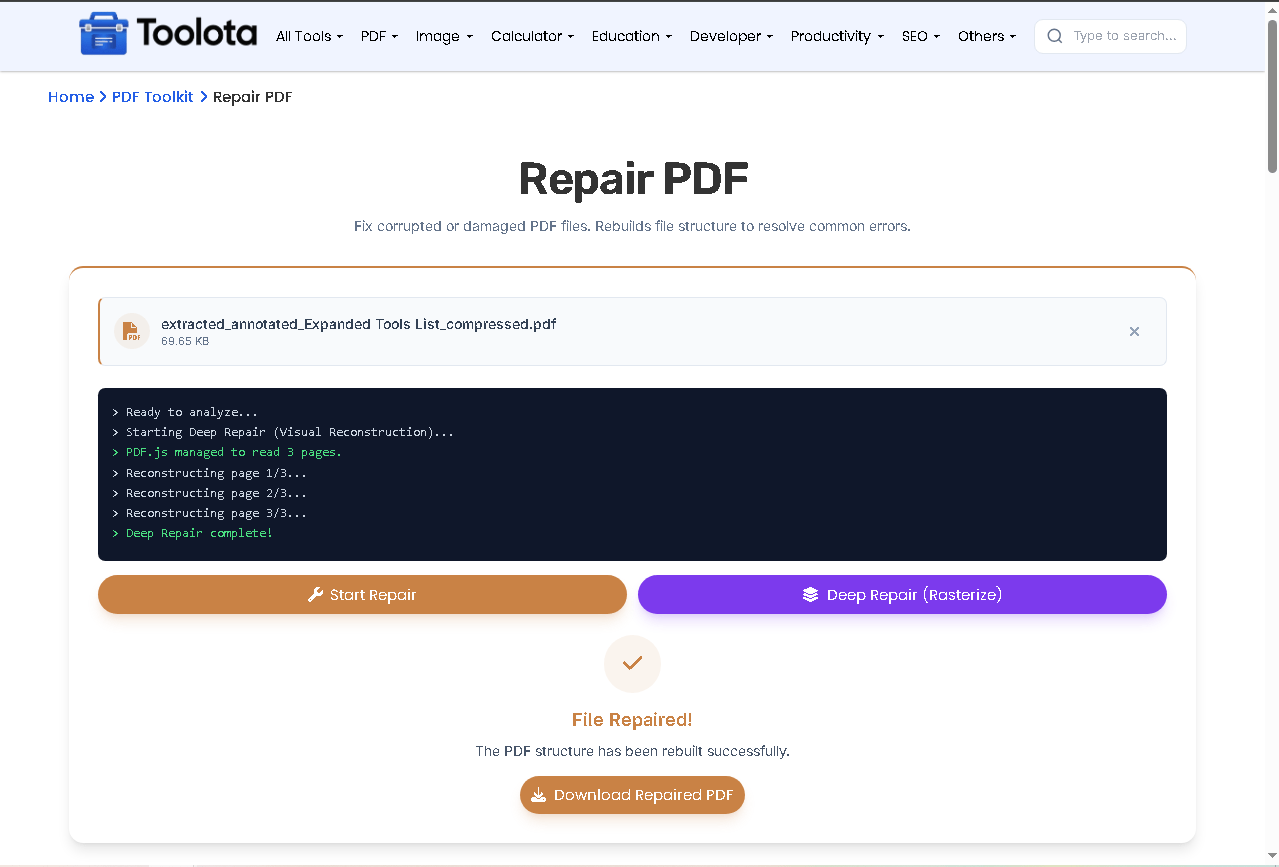

drag a damaged PDF into the highlighted area or click to browse.

the tool runs a PDF structure rebuild and logs each action.

the “Deep Repair (Rasterize)” button appears automatically.

the tool renders each page as an image and embeds it into a new PDF.

once successful, the download button becomes active.
The console log shows real‑time messages: page count, success or error details, and repair progress.
This tool doesn’t just copy your file – it actively rebuilds it. The first method performs a PDF structure rebuild by reloading the document with pdf‑lib, ignoring encryption flags, and saving a clean version. If that fails because the internal cross‑reference table is too damaged, the tool switches to deep repair. In deep repair, PDF.js renders every page onto a canvas, then embeds those images as JPEGs into a brand‑new PDF. The rasterization process maintains visual information from severely damaged files while sacrificing text selection capabilities. The precise method that worked is shown in the console log.
Start your Repair PDF session by simply dragging a corrupted file into the highlighted zone or clicking to browse your device.
Every action – from “Ready to analyze” to page counting and error messages – appears in real time, so you never guess what’s happening.
Once the PDF structure rebuild or deep repair finishes, the download button activates instantly with a renamed, repaired file.
First, the tool rebuilds the PDF structure rebuild automatically; if that fails, a deep repair button appears to rasterize pages using PDF.js.
Your damaged PDF never leaves your computer. No upload, no server, no privacy risk – all repair logic runs locally.
It handles broken XRef tables, missing endstream markers, object stream errors, and files that fail basic PDF parsing. For visual‑only corruption, deep repair can recover readable pages.
No. Deep repair uses rasterization – pages become images. Text will not be selectable or searchable, but the visual appearance is preserved.
No. Everything runs inside your browser using pdf‑lib and PDF.js. The file never leaves your device.
It only appears when the structural PDF structure rebuild fails. The tool then gives you the option to try visual recovery.
The current version does not have a cancel button, but both repair methods usually finish within seconds for moderate‑sized files.
Toolota is your all-in-one online tools platform. Fast, simple, and free utilities designed to make everyday digital tasks easier and smarter.