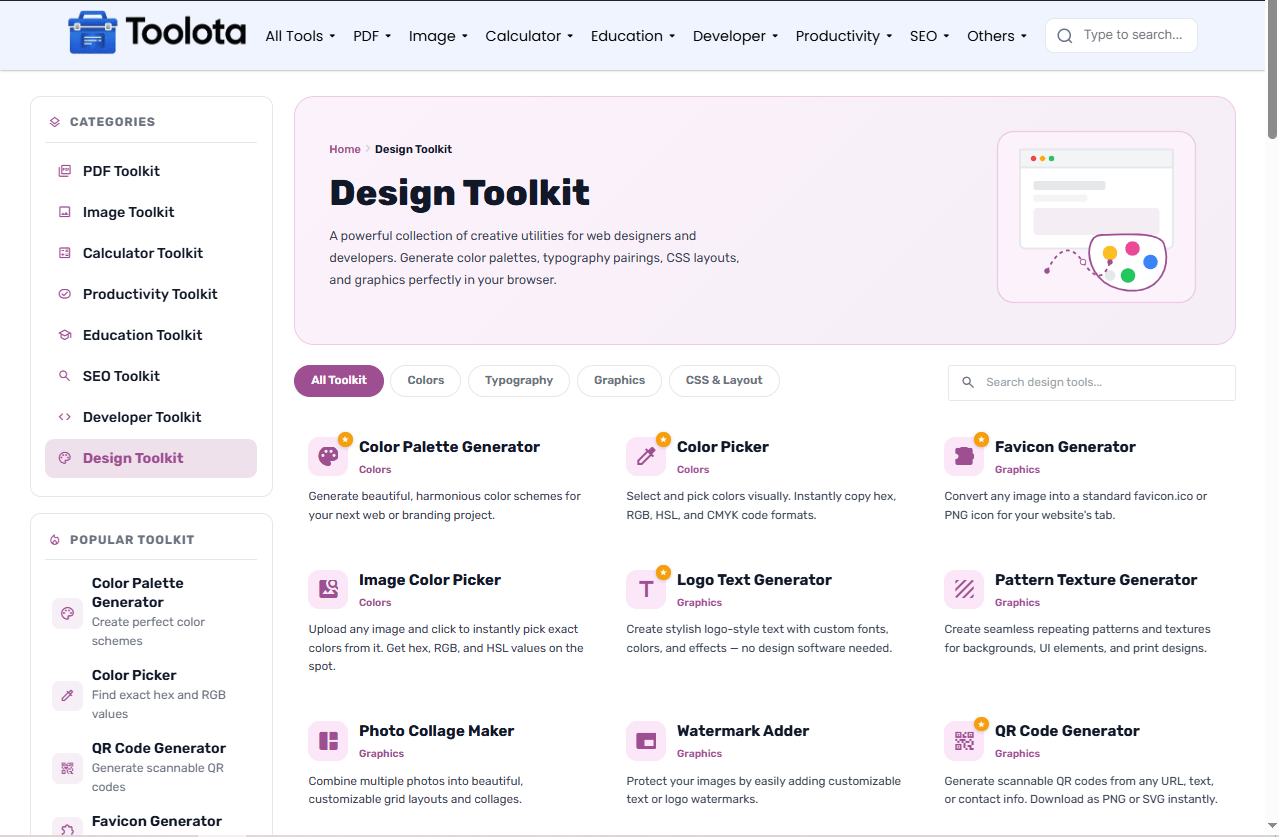
Design Toolkit
A powerful collection of creative utilities for web designers and developers. Generate color palettes, typography pairings, CSS layouts, and graphics perfectly in your browser.
No tools found matching your search.

A powerful collection of creative utilities for web designers and developers. Generate color palettes, typography pairings, CSS layouts, and graphics perfectly in your browser.
No tools found matching your search.

A Design toolkit gives you everything you need to create stunning visuals, color schemes, and graphics — from generating QR codes to picking perfect color palettes. This complimentary online collection helps content producers, developers, and designers work more quickly without expensive program. Whether you’re developing a brand identity, making social media visuals, or designing a website, these free design tools function right in your browser. No watermarks, no registration, and professional results right away.
Navigating a large collection of free design tools is simple with this interface. Just follow these steps:

Find Your Tool Use the search bar if you know exactly what you need (like "QR code" or "palette"), or click the category pills — Colors, Typography, Graphics, or CSS & Layout — to browse by design type.

Each tool displays its name, category, and a short description. Click any card to open its dedicated page and start creating.

Adjust colors, fonts, sizes, and effects using the tool's controls. Most tools update in real-time as you make changes.

Download your finished design as PNG, SVG, or other formats. No email required, no watermarks.
How do I utilize this student loan calculator? Just fill in the three boxes, press the button, and your complete payment breakdown will instantly appear.
This design toolkit covers every step of your creative workflow. Every instrument on this website is absolutely free, in contrast to other websites that limit features or demand money. Here’s what you can do today:
Color Palette Generator — Generate beautiful, harmonious color schemes for your next web or branding project.
Color Picker — Select and pick colors visually. Instantly copy hex, RGB, HSL, and CMYK code formats.
Image Color Picker — Upload any image and click to instantly pick exact colors from it. Get hex, RGB, and HSL values on the spot.
Website Color Maker — Test your color palettes directly on simulated website UI layouts before coding.
Hex to RGB — Quickly convert standard Hex color codes into RGB or RGBA with opacity adjustments.
Favicon Generator — Convert any image into a standard favicon.ico or PNG icon for your website’s tab.
Logo Text Generator — Create stylish logo-style text with custom fonts, colors, and effects — no design software needed.
Pattern Texture Generator — Create seamless repeating patterns and textures for backgrounds, UI elements, and print designs.
Photo Collage Maker — Combine multiple photos into beautiful, customizable grid layouts and collages.
Watermark Adder — Protect your images by easily adding customizable text or logo watermarks.
QR Code Generator — Generate scannable QR codes from any URL, text, or contact info. Download as PNG or SVG instantly.
The design toolkit gives you more than just outputs. When you generate a color palette, you see complementary, analogous, and triadic color relationships. When you create a QR code, you can test it immediately to ensure it scans correctly. You know precisely what you’re making thanks to the visual feedback and context that each tool offers.
Color Palette Generation — Start with one main color and let the tool generate complementary colors automatically. This creates harmonious schemes without guesswork.
QR Code Testing — After generating a QR code, always test it with your phone before using it in print or digital materials. Check that it links to the correct URL.
Favicon Sizing — When creating a favicon, upload a square image at least 512×512 pixels. The tool will handle resizing for all devices and browsers.
Most computers come with basic image viewers, but they can’t generate color palettes or create QR codes. Here’s why millions use online suites:
Skip the expensive software downloads. These free design tools run entirely in your web browser.
We continuously improve tools and add new features. You get the latest version automatically.
Windows, Mac, Linux, or even iPadOS — if you have a browser, you have a full-featured design studio.
Your designs stay private. We don't store your uploaded images or created content.
A design toolkit is a collection of online tools that help create color palettes, graphics, logos, QR codes, and visual content without installing software.
Yes. Every tool in this collection is completely free to use. No hidden paywalls, premium tiers, or forced sign-ups required.
Absolutely. All tools are free to use for personal and commercial purposes. No attribution required.
No. All tools are accessible instantly without registration or login.
Yes. The entire design toolkit is responsive and works on smartphones, tablets, and desktop browsers.
Toolota is your all-in-one online tools platform. Fast, simple, and free utilities designed to make everyday digital tasks easier and smarter.