
PDF to Word
Convert your PDF documents into editable Word (DOCX) files instantly. Preserves text content for easy editing.
Click to upload or drag and drop
PDF files only (Max 50MB each)
Convert your PDF documents into editable Word (DOCX) files instantly. Preserves text content for easy editing.
Click to upload or drag and drop
PDF files only (Max 50MB each)
Converting...
Convert PDF to Word | PDF to DOCX Converter Tool Free
If you need to quickly Convert PDF to Word this straightforward interface allows you to transform static documents into an editable DOCX format. Simply place your documents into the dotted upload box and allow the system to analyze the information. It is simple to keep track of the queue and obtain your revised text in a matter of seconds, regardless of how many files you have.
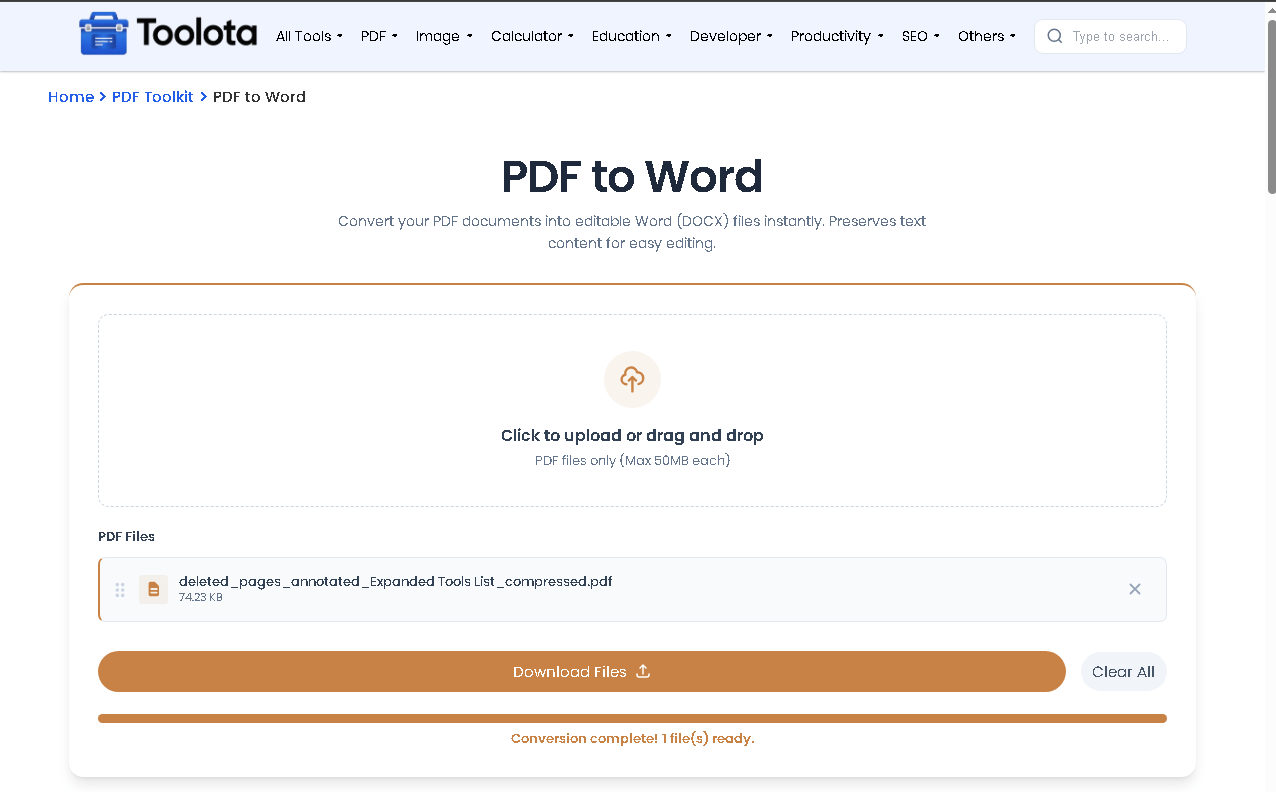

Drag your PDF files into the dashed drop zone or click the area to select files from your storage.

Review the populated list of files to ensure the correct documents are prepared for processing.

Click the primary action button to Convert PDF to Word and start the extraction process.

Monitor the live progress bar as the tool performs the multiple PDF conversion task.

Select the final download button once it appears to save your editable DOCX format files directly to your device.
Prevents uploading files larger than 50MB, ensuring browser stability and reliable processing.
Alerts you immediately if a non-PDF file is accidentally selected to maintain document integrity.
Acts as a reliable document formatting tool by automatically setting output text to a professional font.
Transitions smoothly from file upload to conversion without the need for complex menu navigation.
When you Convert pdf to word using this system, it follows specific processing rules for text placement. It reads each page of the document sequentially, recognizing text blocks and their vertical spacing. In order to make sure your last Word file isn’t simply a huge, unreadable wall of text, it automatically formats any significant vertical gaps as distinct paragraphs.
No. All processing happens inside your browser. Your files are never sent to any external server.
Upload multiple files and the tool Converts PDF to Word them sequentially, then downloads all as a ZIP archive.
The tool detects the error and displays a message. Remove the password from the PDF before uploading.
Yes, as long as it does not exceed the 50MB (52,428,800 bytes) threshold, it will be accepted into the queue.
Toolota is your all-in-one online tools platform. Fast, simple, and free utilities designed to make everyday digital tasks easier and smarter.