Calculate tip amount, total bill, and split among multiple people instantly.
Need a Tip Calculator Online that works instantly? Enter your bill amount, choose a tip percentage, and see the total bill right away. You can also split the cost among multiple people to get the exact per-person amount. The solution is displayed instantly using this tool: the tip is ₹450, the total is ₹2,950, and each person pays ₹737. 50. Without using a phone, how can you determine the gratuity? Use this gadget before making a payment.

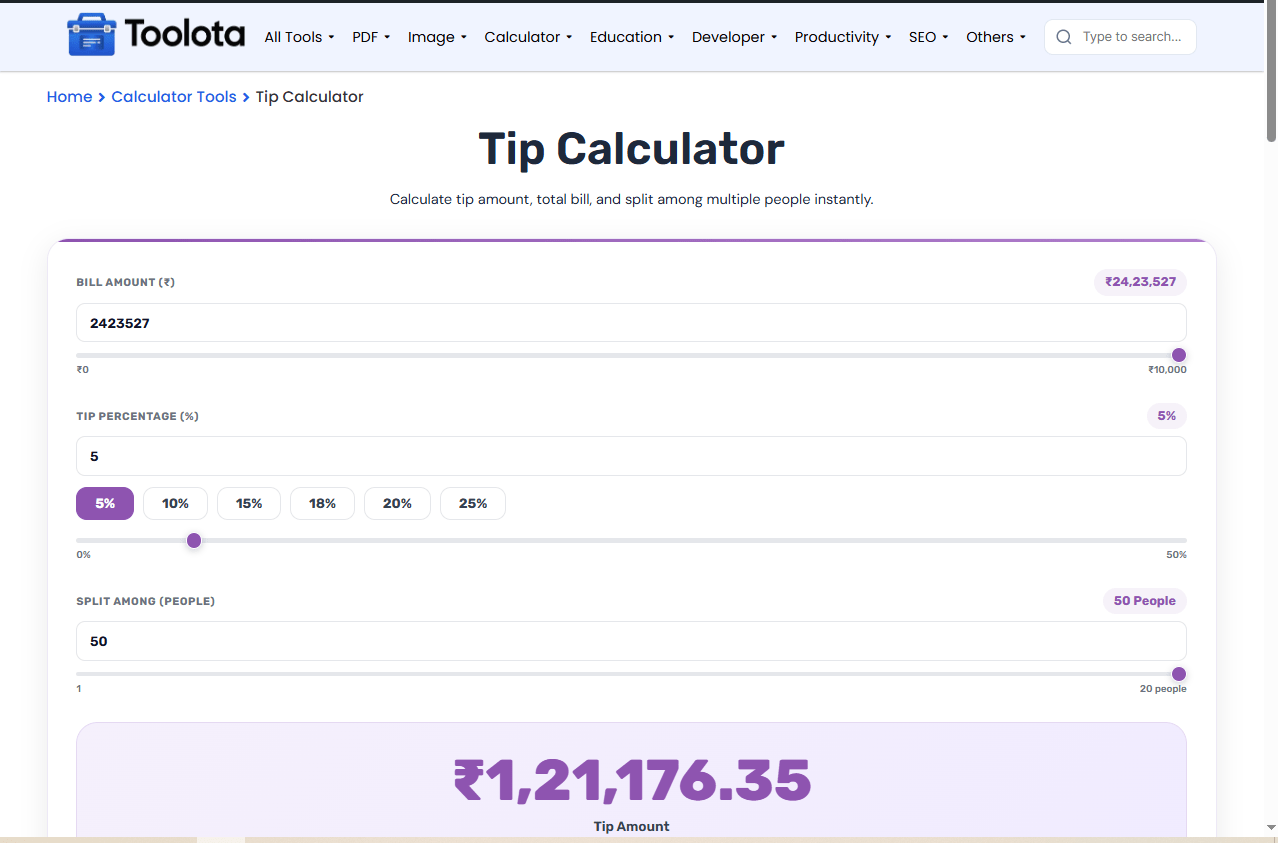
Type or slide to set your bill amount between ₹0 and ₹10,000. The label updates live.

Click a preset button (5%–25%) or drag the slider up to 50%. The tip percentage displays as a number and percentage label.

Adjust the "Split Among (People)" slider from 1 to 20. The label changes from "Person" to "People" automatically.

The purple results panel instantly shows the tip amount, total bill including tip, per person cost, and tip per person.

Click the "Reset" button to clear all fields and start over.
Bill Amount Slider & Number Input – Enter any amount from ₹0 to ₹10,000 using the number field or drag the slider.
Tip Percentage Buttons & Slider – Choose preset percentages (5%, 10%, 15%, 18%, 20%, 25%) or use the slider for any value up to 50%.
Split Among People Control – Adjust from 1 to 20 people using the number input or range slider.
Real-Time Tip Amount Display – Shows tip amount, total bill, per-person total, and tip per person instantly.
Calculate & Reset Buttons – One-click calculate or reset all fields to zero.
Use the slider for quick adjustments – the number field updates automatically.
For groups larger than 20, calculate per person first, then multiply manually.
The tip buttons highlight when selected, so you always know your current percentage.
Click “Reset” between different bills to clear all values to zero.
Every field has both a number input and a slider, so you can type or drag.
See total bill, per-person amount, and tip per person in one results panel.
Works perfectly on mobile, tablet, and desktop screens. ems.
Six preset buttons cover common tipping rates from 5% to 25%.
Clear all fields instantly without refreshing the page.
Divides both bill amount and tip percentage across your group size.
The moment you adjust any number, the purple results panel updates. The largest number shows your tip amount. Below that, three boxes display your total bill (bill + tip), the amount per person (total ÷ people), and the tip per person (tip ÷ people). How do I split a ₹2,500 bill with 4 people at 18% tip? The solution is displayed instantly using this tool: the tip is ₹450, the total is ₹2,950, and each person pays ₹737. 50. How can you calculate a tip without using a phone? Before you pay, utilize this tool.
Enter your bill amount and tip percentage using the number fields or sliders. The tool shows your tip amount instantly in the purple panel.
Yes. Use the “Split Among (People)” slider or number input to divide the total bill equally among up to 20 people.
Common tip percentages are 15%, 18%, and 20%. This tool includes preset buttons for 5%, 10%, 15%, 18%, 20%, and 25%.
Yes. The results panel displays “Tip/Person” so you know exactly how much each person contributes to the tip.
Yes, this is a completely free online tool with no hidden fees or sign-ups required.
Toolota is your all-in-one online tools platform. Fast, simple, and free utilities designed to make everyday digital tasks easier and smarter.
