
Recent Tools
No tools found matching your search.
↑↓ Navigate
←→ Category
↵ Select
esc Close
Calculate discounted prices, find what percentage off you're getting, or work backwards from a sale price. 3 tools in 1.
Looking for a fast way to work out a discount? This tool instantly shows your final price, the total amount you save, and the exact percentage off. This 3-in-1 tool covers every common case: calculate the price after a discount, find what percentage off you’re getting, or work backwards from a sale price to discover the original price.

Use the tabs at the top: "Price & %", "Find % Off", or "Find Original". Each mode answers a different question.

Type your values in the input fields. The tool accepts Indian Rupees (₹) with prefix and works with decimals.

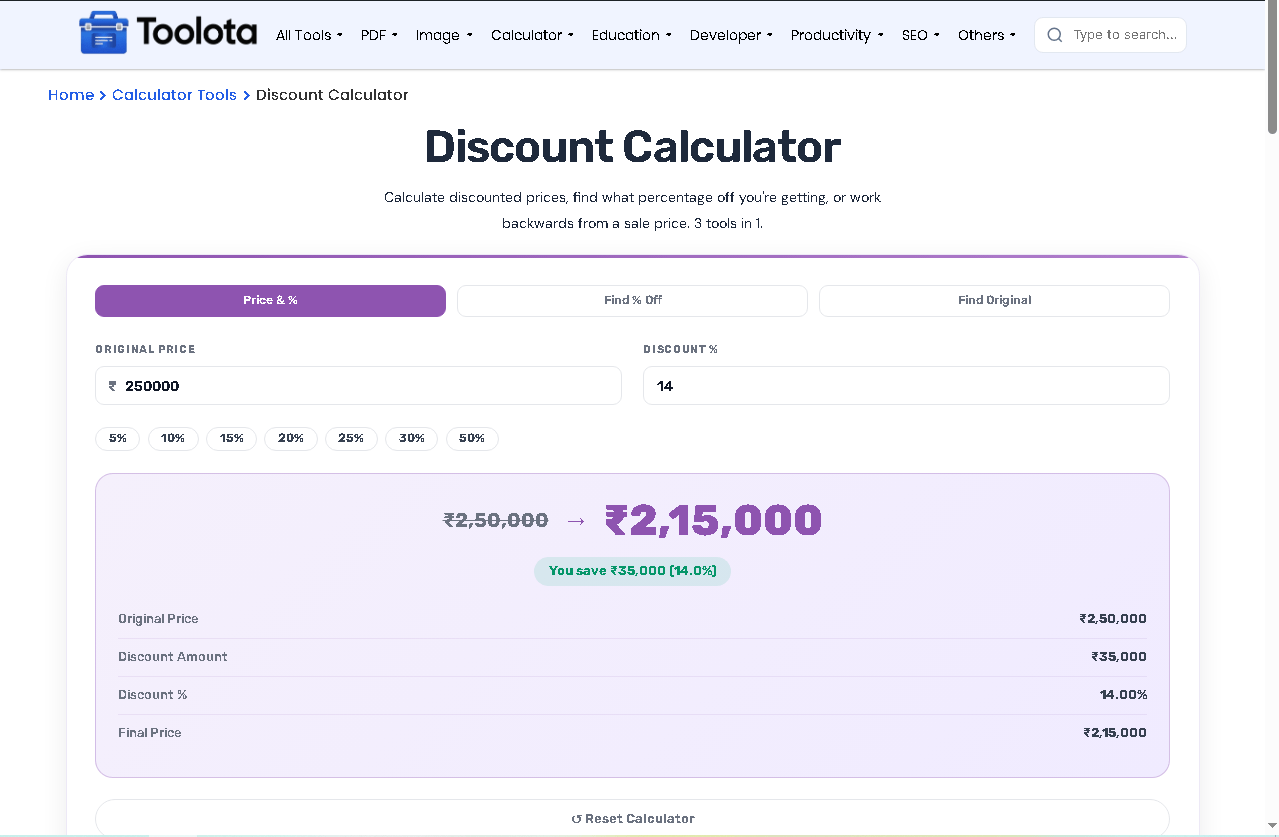
As you type, the tool displays: original price → final price, savings badge, discount amount, discount percentage, and final price in a detailed breakdown.

In "Price & %" mode, click any preset chip (5% to 50%) to auto-fill the discount percentage instantly.

Click the "↺ Reset Calculator" button to clear all fields and start a fresh calculation
| Feature | Description |
|---|---|
| Price & % Mode | Enter original price + discount % → get final price and saving instantly |
| Find % Off Mode | Enter original price + sale price → tool calculates your discount percentage |
| Find Original Mode | Enter sale price + discount % → discover the original price before discount |
| Savings Badge | Visual badge shows “You save ₹X (X%)” for instant clarity |
| Discount Chips | One-click preset buttons: 5%, 10%, 15%, 20%, 25%, 30%, 50% |
| Reset Button | Clear all fields with one click using the reset calculator button |
| Real-time Calculation | Results update as you type – no submit button needed |
| Detailed Breakdown | Shows original price, discount amount, discount %, and final price separately |
Before you shop, check the item’s real value using the Percentage Calculator to compare deals across different percentage-off offers.
If you’re planning a big purchase on EMI after the discount, the EMI Calculator shows your monthly payment on the final price.
For business owners applying discounts to invoices, pair this with the GST Calculator to get the correct tax-inclusive final price.
What this tool calls “discount” is mathematically a percentage reduction applied to a base value, which is why the same formula works for markdowns, coupons, or reverse price lookups.
✅ 3 tools in 1 – Switch between modes instead of using a separate page for each question
✅ Quick deal checks – Test several discounts in seconds by tapping a preset chip instead of typing each percentage
✅ Visual savings badge – See exactly how much money you keep in your pocket
✅ Mobile responsive – Works perfectly on phones, tablets, and desktops
✅ Clean interface – Card design with gradient stripe and readable fonts
✅ Zero clutter – Only what you need: inputs, chips, results, and reset
✅ Complete breakdown – Shows original price, discount amount, discount %, and final price separately
Usually you start from a price tag, but sometimes you only know what you paid. Find Original mode works backwards from that number. In “Find Original” mode, enter the sale price you paid (₹1600) and the discount percentage you received (20%), and the tool instantly reveals the original price was ₹2000. This mode helps you verify whether a deal was actually good, or check what a product originally cost before a store applied a markdown. It’s perfect for savvy shoppers who want to track real savings over time.
Select a tab (Price & %, Find % Off, or Find Original), enter your numbers, and see results instantly – no button clicking required.
Yes. Switch to the “Find Original” tab, enter the sale price and discount percentage, and the tool calculates the original price automatically.
Price & % calculates the final price from original + discount percentage. Find % Off calculates the discount percentage from original + sale price.
The tool shows ₹ (Indian Rupees) as prefix, but you can enter any numeric value – the math works the same for dollars, euros, or any currency.
The tool rounds to two decimal places for accuracy and uses exact formulas (original × discount ÷ 100 for savings, original – savings for final price).
Yes. The tool is fully responsive with compact styling for phones – inputs, tabs, chips, and results all resize and stack properly.
Toolota is your all-in-one online tools platform. Fast, simple, and free utilities designed to make everyday digital tasks easier and smarter.
