
Recent Tools
No tools found matching your search.
↑↓ Navigate
←→ Category
↵ Select
esc Close
Full-featured scientific calculator with trig, log, power functions, history, and DEG/RAD mode.
Need a scientific calculator online that handles everything from basic arithmetic to advanced trigonometry? This full-featured tool includes sin, cos, tan, inverse trig functions, logarithms, natural logs, square root, power functions (xʸ), factorial, percentage, and absolute value. The interface is clean and uncluttered, letting you toggle between DEG and RAD modes, view your calculation history, and click any prior result to use it again.
Trigonometric Functions: sin, cos, tan, sin⁻¹, cos⁻¹, tan⁻¹
Logarithmic Functions: log (base 10) and ln (natural log)
Power & Root: xʸ (power), √ (square root)
Constants: π (pi) and e (Euler’s number)
Advanced Operations: factorial (n!), percentage (%), absolute value (|x|)
Angle Mode Toggle: DEG (degrees) / RAD (radians) buttons
Live Expression Preview: Shows your input as you type
History Panel: Stores last 8 calculations — click to reuse any result
Keyboard Support: Type numbers, operators, Enter for equals, Backspace to delete
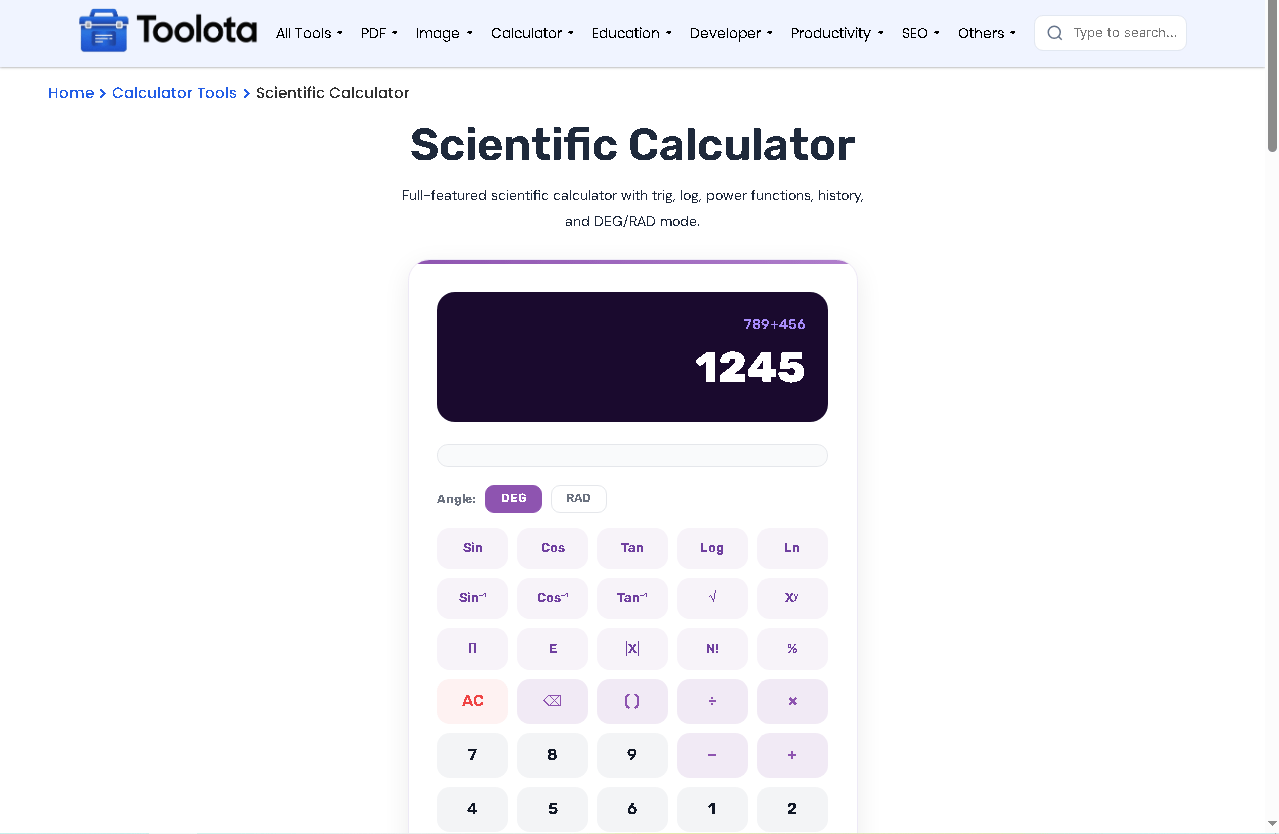
Using this tool is straightforward is straightforward. Click any button on the keypad to build your expression — the display shows your current equation above and the live result below. For trig functions, first choose DEG or RAD mode depending on your angle unit. Press “AC” to clear everything or “⌫” to delete the last character. When your expression is ready, hit “=” to compute the final result. The answer automatically saves to the history panel; click any history item to reload that value instantly.
Need to convert your result into another measurement system? The Unit Converter picks up right where this calculator leaves off.
For a data set instead of a single expression, the Average Calculator handles mean, sum, and count in one step.
Working with a spread of numbers? The Standard Deviation Calculator measures how much your values vary from the average.
Remember that trig functions always compute in radians internally — switching to DEG mode just converts your input before the calculation runs.
Unlike basic calculators, this scientific calculator online gives you a dual-display system. The top line (expr) shows your raw input — for example, “sin(30)+log(100)”. The bottom line (result) shows the live evaluated number as you type. Once you press “=”, the full equation moves to the history panel. After that, you may select any previous entry (such as 5 × 5 = 25) and that amount immediately turns into your working value. As a result, iterative computations can be carried out in a continuous manner.
The calculator uses scoped CSS — it won't affect or inherit styles from your website
Click any past calculation from the history panel to reuse the answer
On smaller screens, function buttons adapt to keep the core keys usable
See the result update as you type, no need to press equals for every check
Use your physical keyboard for numbers, operators, Enter, Backspace, and Escape
Yes. It includes sin, cos, tan, and their inverses with DEG/RAD mode support.
Press “log” for base-10 logarithm and “ln” for natural log (base e).
No. History resets when you reload the page, but it stores up to 8 entries during your session.
Yes. Use “√” for square root and “xʸ” for raising any number to any power.
Yes. Press number keys, operators (+, -, *, /), Enter for equals, Backspace to delete, and Escape to clear all.
Toolota is your all-in-one online tools platform. Fast, simple, and free utilities designed to make everyday digital tasks easier and smarter.
