
Recent Tools
No tools found matching your search.
↑↓ Navigate
←→ Category
↵ Select
esc Close
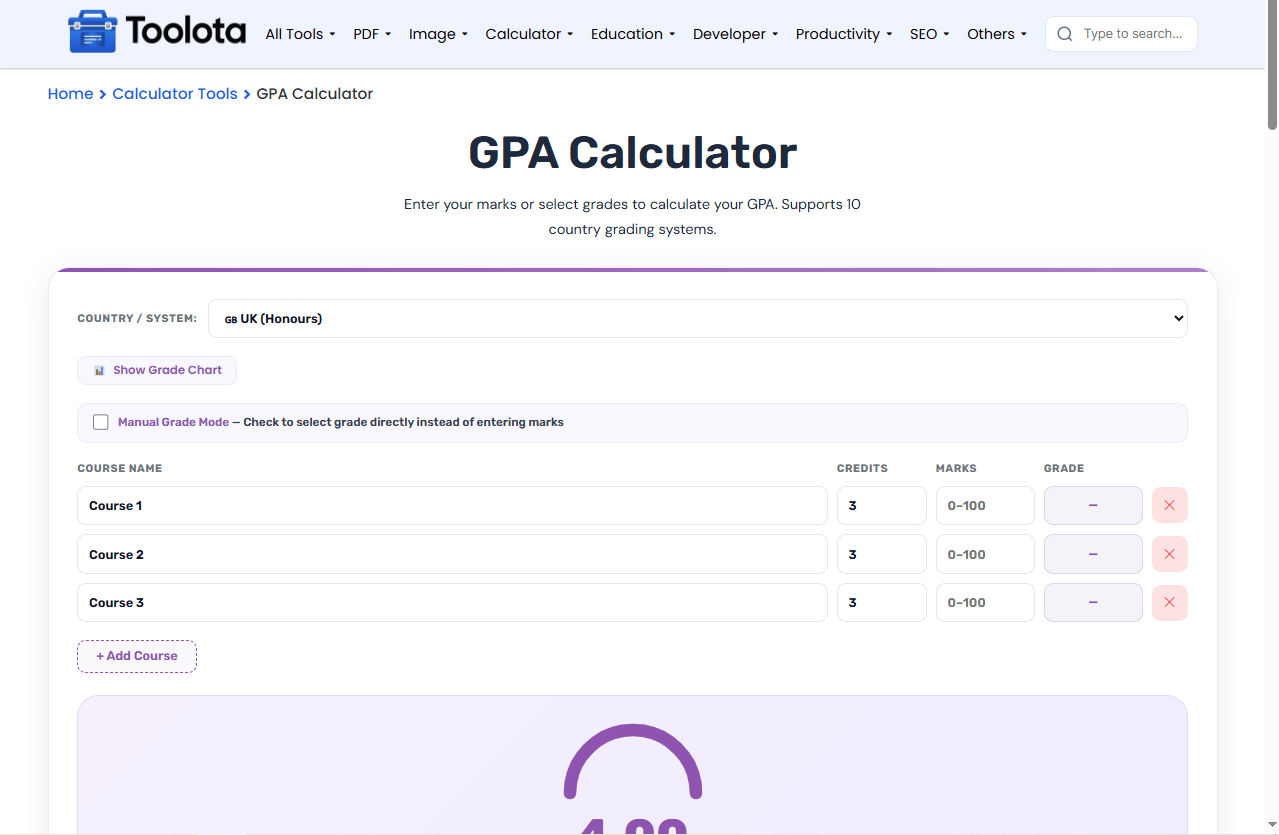
Enter your marks or select grades to calculate your GPA. Supports 10 country grading systems.
Need a GPA calculator online that actually adapts to your country’s grading system? This tool lets you convert marks to grade points or select grades manually across 10 different systems including USA (4.0), India (CBSE 10-point), Bangladesh, UK, Canada, Australia, Germany, France, Pakistan, and South Korea. The calculator shows your grade point average with a visual progress arc as soon as you add your courses and enter marks or select grades.

Open the dropdown labeled "Country / System" and choose your grading system. The tool supports 10 different countries – from Bangladesh’s 5.0 scale to South Korea’s 4.5 scale.

Click the “+ Add Course” button to create rows. For each course, enter the name, credit hours (1–10), then either:
Marks Mode (default): Type your percentage marks (0–100)
Manual Grade Mode: Check the box and select letter grades from a dropdown
The grade point average updates automatically as you type.

The result panel displays your calculated GPA, letter grade equivalent, total credits, total grade points, and number of courses. The purple arc fills proportionally to show your standing on the scale.
10 Country Systems – Bangladesh, India, USA, UK, Canada, Australia, Germany, France, Pakistan, South Korea
Dual Input Modes – Enter marks (0–100) or select letter grades directly
Adjustable Credits – Each course can have 1–10 credit hours
Live Grade Chart – Click to see the full grade scale for any country
Dynamic Course List – Add or remove unlimited courses
Visual Progress Arc – Animated SVG ring showing your GPA percentage
Letter Grade Conversion – Automatically shows your letter grade equivalent
Need to convert one specific assignment’s raw score into a letter grade first? The Grade Calculator handles single-assessment grading before you roll it into your overall GPA here.
Some programs weigh attendance alongside academic performance — check your attendance percentage with the Attendance Calculator.
Applying somewhere that asks for your score as a percentage instead of a GPA? The Percentage Calculator helps you turn your marks into a percentage of the total
GPA scales aren’t standardized worldwide — a grade point average on a 4.0 scale in the US means something different from a 5.0 scale in Bangladesh, which is exactly why this tool needs country-specific conversion logic.
Unlike basic calculators, this tool adapts its grade scale instantly when you change countries. A 85% mark becomes an A in USA but an A+ in Bangladesh.
Click "Show Grade Chart" to see exactly which marks map to which grades and points for your selected country.
Whether you have percentage marks or letter grades ready, switch modes with one click. Perfect for transcript entry.
Every input triggers an instant recalculation, so your GPA updates as you type. The Calculate button simply refreshes the result on demand
When you use this tool, the conversion logic changes based on your country selection.
Whether you are working out a single semester or a full year of courses, the tool applies the right grade scale automatically.
Select your country, add courses, enter your marks (0–100), and the tool automatically shows your GPA based on that country’s grade scale.
Yes, each course has a credits field where you can enter any number from 1 to 10 – the calculation weights courses by their credit value.
Marks Mode requires percentage numbers to auto-convert to grades; Manual Grade Mode lets you pick letter grades from a dropdown without entering marks.
Yes. Add all courses from one semester, enter their marks or grades, and the tool calculates your semester GPA based on the selected grading system
Each country uses a different grading scale and grade boundaries – switching countries applies that system’s conversion rules to your entered marks.
Toolota is your all-in-one online tools platform. Fast, simple, and free utilities designed to make everyday digital tasks easier and smarter.
