
Recent Tools
No tools found matching your search.
↑↓ Navigate
←→ Category
↵ Select
esc Close
Test your typing speed and accuracy. Set a time limit, start typing, and see your WPM.
A typing speed test free is the fastest way to measure your words per minute and track typing accuracy. This online tool gives you real-time feedback on your WPM, accuracy percentage, and error count. Whether you’re preparing for a job that requires fast typing, practicing with fresh paragraphs using the change button, or just want to improve your keyboard skills, you can start testing immediately.
How do you check your typing speed online? Simply choose a time limit between 1 and 5 minutes, tap the typing area, and start typing the displayed text. The tool tracks every keystroke and highlights correct and incorrect characters as you go. At the end of each test, you’ll see your WPM score, accuracy rate, total keystrokes, and number of errors — all in one clear results modal.
Selectable Test Durations — Choose from 1, 2, 3, 4, or 5-minute typing sessions to match your practice needs
Real-Time WPM Display — See your typing speed update live as you type
Accuracy Percentage — Track how many characters you type correctly
Progress Bar — Visual indicator showing how much time remains
Character-by-Character Feedback — Correct letters appear in dark text; errors show in red with underline
Current Character Highlight — See exactly which character you need to type next
Virtual Keyboard — Toggle on-screen keyboard with key highlighting for visual learners
Hints Toggle — Turn visual keyboard hints on or off
Test History Log — Previous results saved with timestamp, WPM, and accuracy
Results Modal — Summary showing WPM, accuracy, total keystrokes, and error count
Reset and Retry — Quick restart or try again after completing a test
Confetti Animation — Visual celebration when you finish a test
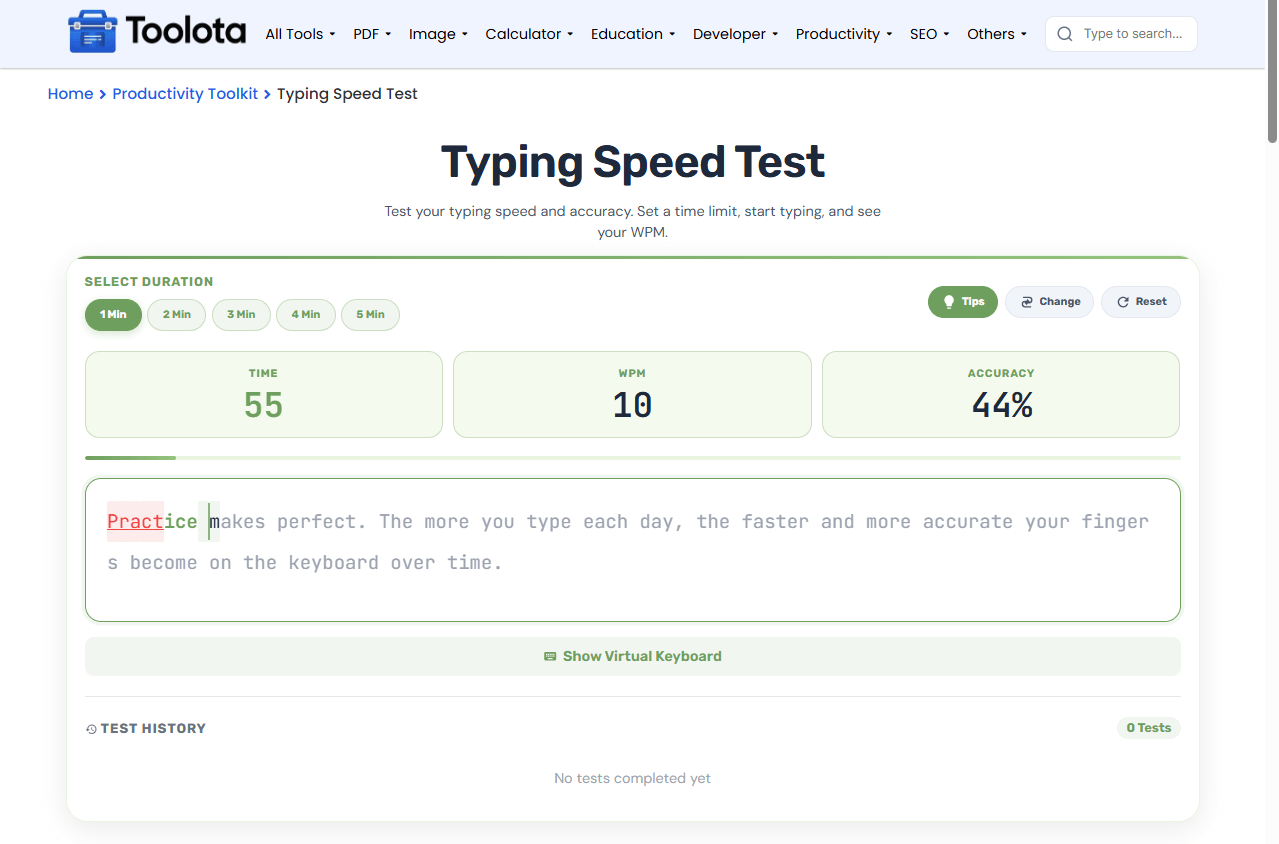

Click on 1, 2, 3, 4, or 5 minutes

The overlay shows "Tap to Start Typing"

Each character highlights as you type

WPM and accuracy change in real time

The modal shows WPM, accuracy, keystrokes, and errors

Scroll down to see past test results
So if you’re wondering, “How fast do I type?” — just start the test and find out. The tool handles all the tracking on your behalf.
Start testing immediately without creating an account
Perfect for learners who need visual key references
Every mistake is highlighted so you can improve
See your typing speed and accuracy update as you type
Track your progress over time with saved results
Choose test lengths that match your practice goals
Your typing speed test free results are broken down into WPM, accuracy, keystrokes, and errors. WPM represents how many words you can type per minute, with one word equal to five keystrokes. The accuracy percentage shows the ratio of correct keystrokes to total keystrokes. If you see a lower accuracy score, focus on typing correctly before increasing speed. The error count helps you identify problem keys, while the history log lets you track improvement over multiple tests. Combined, these metrics give you a complete picture of your typing skill level.
Measure your exact typing duration and set custom time trials using a stopwatch online during practice sessions.
Track daily practice routines and record streak progress using a habit tracker online for consistent improvement.
Set targeted Words Per Minute (WPM) goals and monitor monthly progress with a goal tracker online to build keyboard speed.
Touch typing proficiency relies on muscle memory and ergonomic positioning outlined in touch typing methodology.
WPM stands for Words Per Minute. It measures how many words you can type in 60 seconds, where one word equals five keystrokes.
Accuracy is the percentage of correct keystrokes divided by total keystrokes. If you type 100 characters with 5 errors, your accuracy is 95%.
Yes. The tool works immediately in your browser with no account or registration required.
You can choose from 5 time options: 1, 2, 3, 4, or 5 minutes per test session.
Yes. The keyboard adapts to both desktop and mobile layouts, with larger keys for touch typing.
The tool loads a fresh paragraph so you can practice with new text at any time.
Toolota is your all-in-one online tools platform. Fast, simple, and free utilities designed to make everyday digital tasks easier and smarter.
