
Recent Tools
No tools found matching your search.
↑↓ Navigate
←→ Category
↵ Select
esc Close
Build lasting routines. Track streaks, monitor progress with heatmaps, and get weekly reports — all in one place.
A habit tracker online helps you build better routines by keeping every daily action visible and measurable. This free tool lets you add habits, check them off each day, and watch your progress grow. Whether you want to track daily habits like reading, exercising, or meditating, this habit tracker gives you a clear weekly view, comprehensive reports and heatmaps for each month. You can track your habits, monitor your longest streaks, and remain motivated with visual feedback. No signup is necessary; simply launch the website to begin creating better routines now.
Add habits with custom emojis, categories, and colors
Daily checkboxes for each habit with visual completion status
Progress ring showing today’s completion percentage
Today’s stats: total habits, completed today, best streak
Weekly view with day-by-day habit tracking
Monthly heatmap view for long-term progress
Weekly report with completion percentages per habit
Category filter to focus on specific habit types
Streak tracking with 🔥 badges for motivation
Data saved automatically in your browser
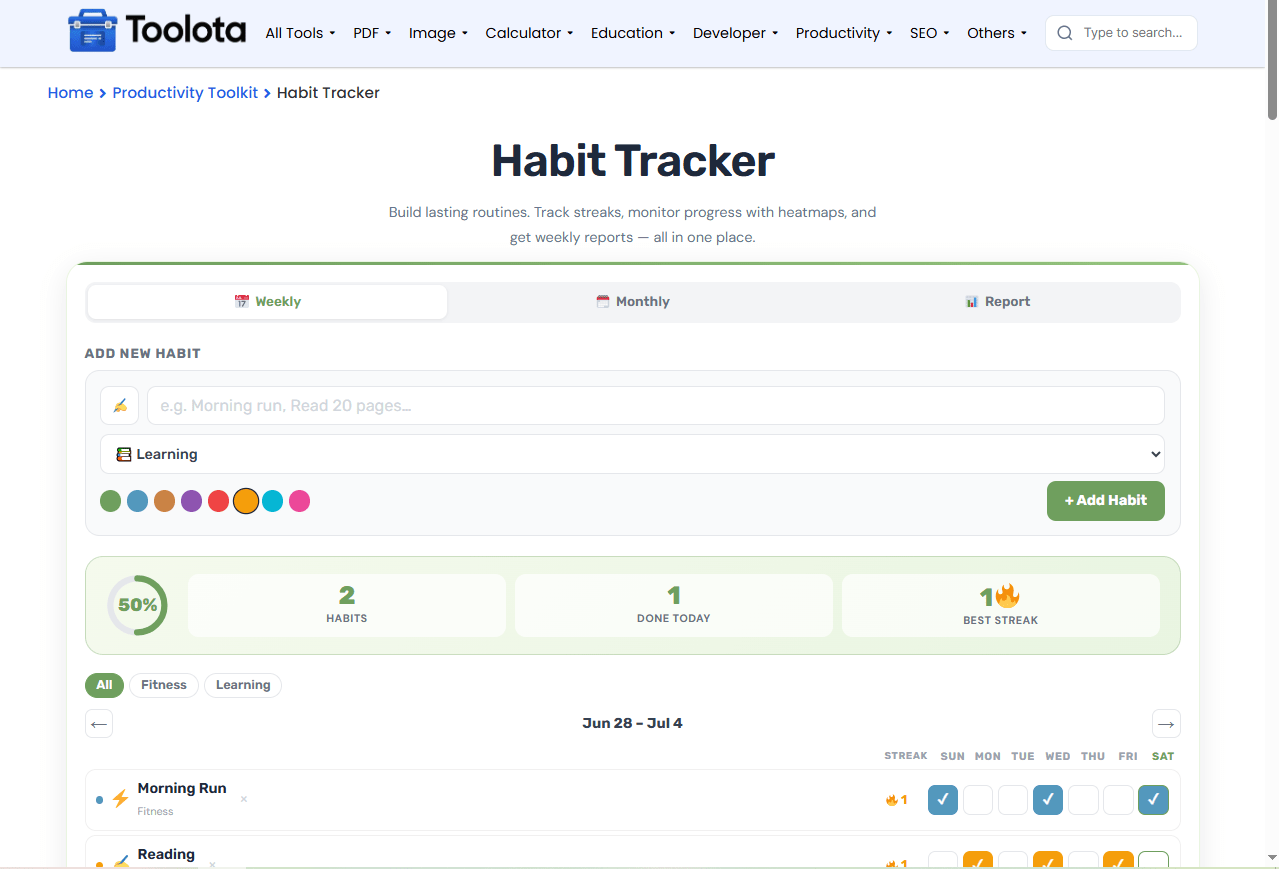

Type a habit name, pick an emoji, choose a category, and select a color.

Click the checkboxes for each day to mark a habit as done.

Watch your streak counter grow as you maintain daily consistenc

Use the tabs to see weekly, monthly, or report views of your progress.
The interface is straightforward: add a habit, tick it off daily, and monitor your weekly development to maintain consistency.
See your daily completion rate instantly with a color-coded ring.
Switch between weekly, monthly heatmap, and detailed report views.
Your data stays in your browser — no account needed, no data loss.
Every habit shows its current streak, keeping you motivated to maintain consistency.
Choose emojis, colors, and categories for every habit you add.
Get a clear summary of how you performed across all habits each week.
The weekly report shows your completion percentage for each habit over the past 7 days. The monthly heatmap displays each day’s activity with color intensity — darker shades mean more consistent tracking. The progress ring updates daily to show how many habits you’ve completed today. Your best streak is calculated automatically based on consecutive days of completing a habit. These insights help you identify which routines are working and where you need more focus.
Connect new behavioral targets directly to overarching milestones using a goal tracker online to monitor high-level completion rates.
Maintain consistent hydration routines by coordinating daily logs with a water intake tracker online during habit execution.
Schedule recurring activity time slots into your daily schedule using a daily planner to avoid missing streak targets.
Long-term behavioral formation relies on habit modification techniques to reinforce positive behavioral patterns effectively.
A habit tracker online is a digital tool that helps you monitor daily routines, mark completions, and view progress over time.
The tool counts consecutive days you’ve completed a habit. Missing a day resets the streak to zero.
Yes — the interface is fully responsive and works on phones, tablets, and desktops.
Your data is saved locally in your browser using localStorage. No data is sent to any server.
Click the × button next to any habit in the weekly view to remove it permanently.
Lighter shades indicate fewer completions, and darker shades show more consistent tracking for that habit.
Toolota is your all-in-one online tools platform. Fast, simple, and free utilities designed to make everyday digital tasks easier and smarter.
