Logo Text Generator

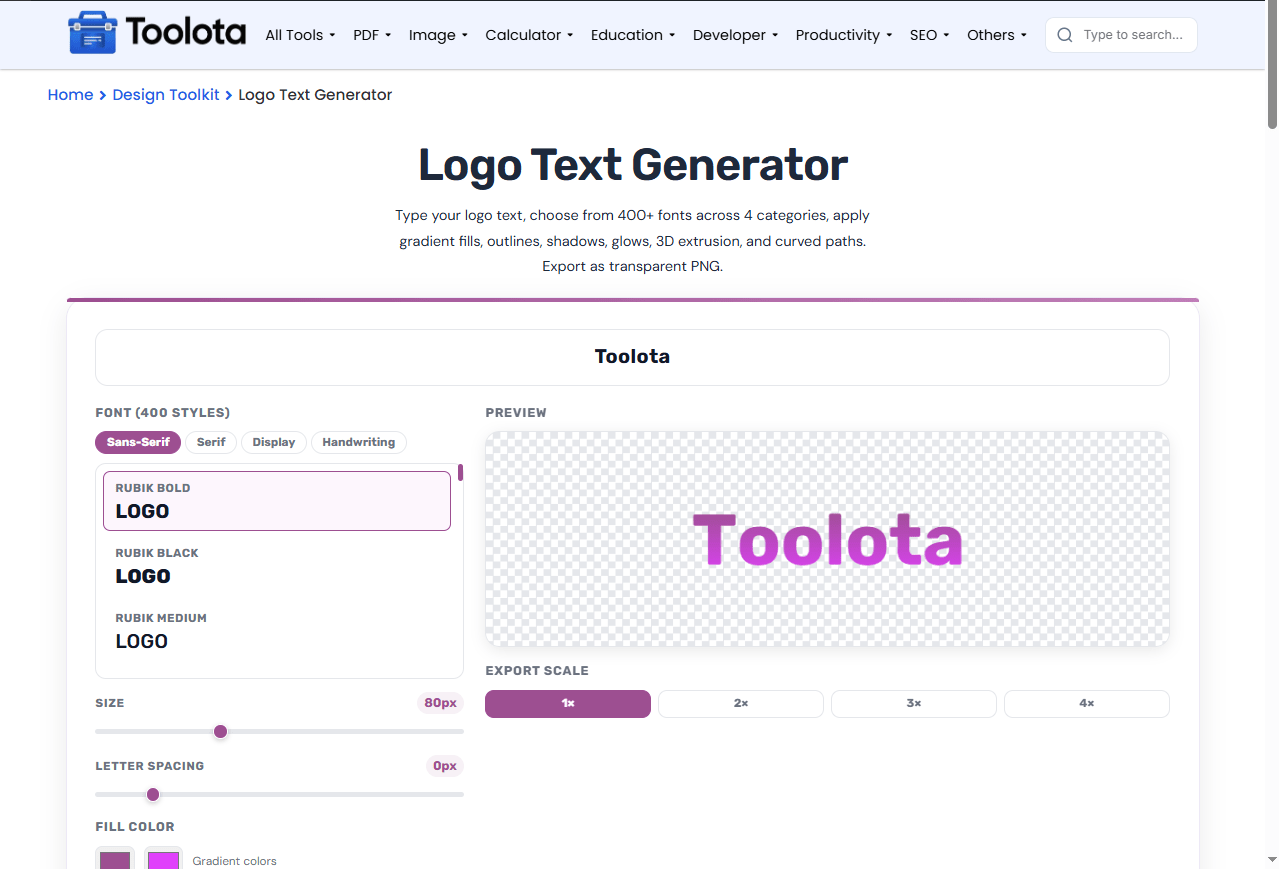
Design modern text logos with 400+ curated fonts, rich gradients, 3D extrusions, curved paths, glowing outlines, custom crops, and transparent or solid background downloads.

Font (400 styles)
Size 80px
Letter Spacing 0px
Fill Color
Gradient colors
Gradient Angle 90°
Quick Style Presets
Effects
Text Path
Skew (Italic)0°
Preview Canvas
Backdrop:
Background & Export Transparent (No BG)

Checked: PNG & WebP download with a transparent background. Uncheck to download them with the solid background color. JPG always uses the solid background color.

Background Color:
Export Scale
Other Tools

Free Logo Text Generator | Create a Custom Text Logo Online

A logo text generator helps you create professional-looking text logos in seconds without design software. This free online tool offers over 400 fonts across four categories — Sans-serif, Serif, Choose from various options like Display and Handwriting to discover the ideal style for your brand. Customize your text by modifying its size, spacing between letters, and slant, then add gradient fills, 3D extrusion, neon glow, or rainbow effects. Once satisfied with the design, save your logo as a transparent PNG file suitable for websites, social media platforms, or merchandise.

Fonts, Effects And Export Controls In One Place (

  • 400+ fonts across Sans-serif, Serif, Display, and Handwriting categories

  • Gradient color picker with adjustable angle for custom fills

  • Outline effect with color and width controls

  • Shadow and glow effects for depth and visibility

  • 3D extrude effect adds depth to your text

  • Reflection effect creates a mirrored bottom layer

  • Neon glow and striped overlay effects for creative styling

  • Rainbow and emboss effects for unique visual styles

  • Text path options: Straight, Arc Up, Arc Down, Wave, Circle, and Zigzag

  • Letter spacing and skew controls for fine-tuning typography

  • Export scale options (1×, 2×, 3×, 4×) for high-resolution downloads

  • Quick style presets: Neon, Chrome, Fire, Ice, Gold, Rainbow, Vintage, Cyber, Emboss, Comic

  • Randomize button for instant design inspiration

  • Export options — download as PNG, JPG, or WebP with a transparent or solid background (transparency works with PNG and WebP)

Logo Text Generator Toolota

Why Small Brands Enjoy Designing Wordmarks Here

1

Enter your text —

Type your brand name or logo text in the input field (max 30 characters).

2

Choose a font —

Browse 400+ fonts across four categories and click any font to apply it instantly.

3

Adjust size and spacing —

Use the sliders to set font size (20–200px) and letter spacing.

4

Apply colors and effects —

Pick gradient colors, set the angle, and toggle effects like outline, shadow, glow, 3D, reflection, neon, striped, rainbow, or emboss.

5

Select a text path —

Choose from Straight, Arc Up, Arc Down, Wave, Circle, or Zigzag, and adjust the curve amount.

6

Export your logo —

Choose the export scale and click the download button to save your logo as a transparent PNG.

To make a text logo online, type your text, pick a font, adjust the effects, and download the file. No registration is needed.

Why Choose This Logo Text Generator

🎨 400+ Fonts —

A huge selection across four categories means you'll find the exact style for any brand or project.

📦 Multiple Export Scales —

Download at 1×, 2×, 3×, or 4× resolution for crisp logos at any size.

⚡ Real-Time Preview —

See your changes instantly on the canvas as you adjust fonts, colors, and effects.

🔄 Randomize Button —

Stuck for ideas? Click Randomize for a fresh combination of font, colors, and effects.

How Your Text Logo Comes Together

The tool builds your logo by rendering each character individually on the canvas. When you adjust letter spacing, each letter moves independently while keeping its width and alignment. Effects like gradient, outline, and glow are layered over the text — outline strokes the edges, glow applies a soft halo, and gradient fills the letters with your chosen colors. The curve choices relocate every character on a path, changing a straight line of text into an arc, ripple, or complete circle. The end result is an image file (PNG, JPG, or WebP) with your changes preserved.

Pro Tips

Pick your brand colors before you start typing — the Color Palette Generator builds a complementary or analogous scheme you can plug straight into the gradient fill.

Once your wordmark is done, extend the same identity into a matching browser icon with the Favicon Generator.

Exporting as a transparent PNG works because PNG stores an alpha channel, which is what lets your logo sit on any background without a white box around it.

Frequently Asked Questions
What is a logo text generator?

A logo text generator is an online tool that lets you create custom text-based logos using different fonts, colors, effects, and layouts.

Yes. The export button saves your logo as a transparent PNG file with no background.

The tool includes over 400 fonts across four categories: Sans-serif, Serif, Display, and Handwriting.

You can apply gradient, outline, shadow, glow, 3D extrude, reflection, neon, striped, rainbow, and emboss effects.

Yes. You can choose Straight, Arc Up, Arc Down, Wave, Circle, or Zigzag paths and adjust the curve amount.