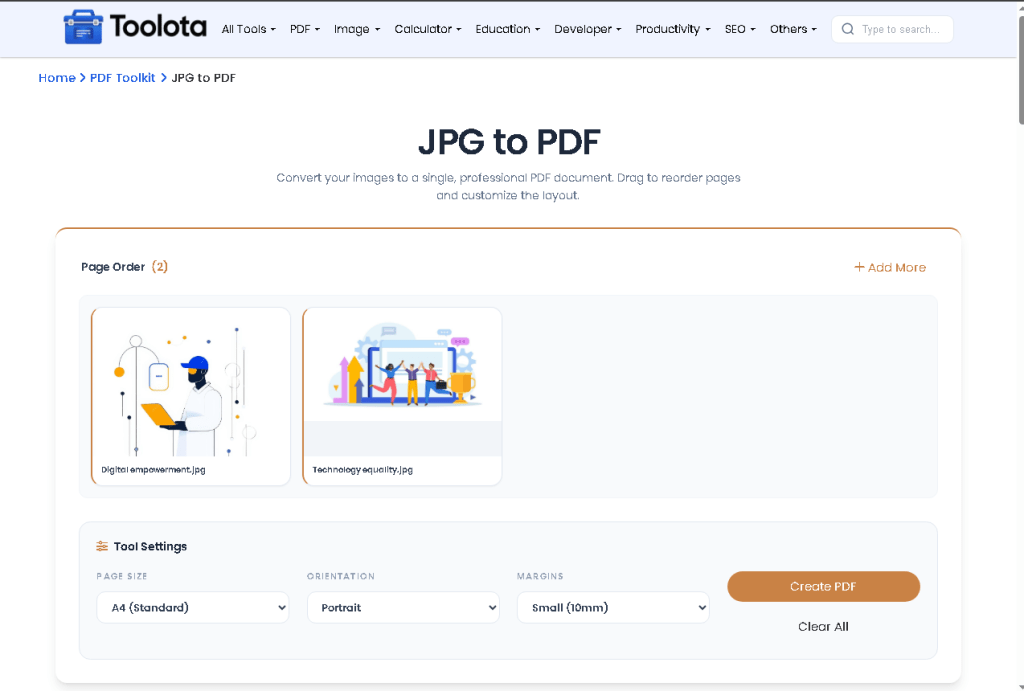
Multi-Image Upload Support — Upload multiple JPG, PNG, or WebP files in one go. The drop zone accepts both click-to-browse and direct drag-and-drop, so getting files in is instant.
Drag-to-Reorder Page Control — After upload, every image appears as a draggable card inside a preview grid. Rearrange the page order exactly how you want before converting.
Page Size Selection — Choose between A4 (Standard), US Letter, or Fit to Image Size. The tool adjusts each PDF page to match your selected format.
Orientation Options — Set pages to Portrait, Landscape, or let the tool decide automatically with the Auto (Smart) setting based on each image’s dimensions.
Add More Files Anytime — An “Add More” button stays visible inside the workspace, letting you bring in additional images without clearing what’s already uploaded.
- Individual File Removal — Each preview card shows a trash icon on hover. Remove any single image without disrupting the rest of the batch.
-
Live Progress Tracking — A real-time progress bar displays conversion status page by page — from “Initializing PDF engine” through to “Done.”