Sharpen your math skills with fun challenges! Choose your level and start practicing.
Great effort! Keep practicing to improve.
A math practice tool helps children strengthen their arithmetic skills through interactive problem-solving. This free online tool lets kids work through addition, subtraction, multiplication, and division problems at their own pace. With timed questions, streak tracking, and achievement badges, it turns learning into an engaging experience. Parents and teachers can use this math practice online tool to support kids learning math in a structured yet playful way. The tool adapts to different skill levels, making it suitable for beginners and advanced learners alike.
Operation Selection — Choose from addition, subtraction, multiplication, division, or mixed operations.
Difficulty Levels — Ten difficulty settings from Easy (1-10) to Ultimate (1-100).
Problem Count Control — Practice with 5, 10, 15, or 20 problems per session.
Timed Questions — Each problem has a countdown timer that adjusts based on difficulty.
Real-Time Feedback — Instant correct/incorrect responses with visual animations.
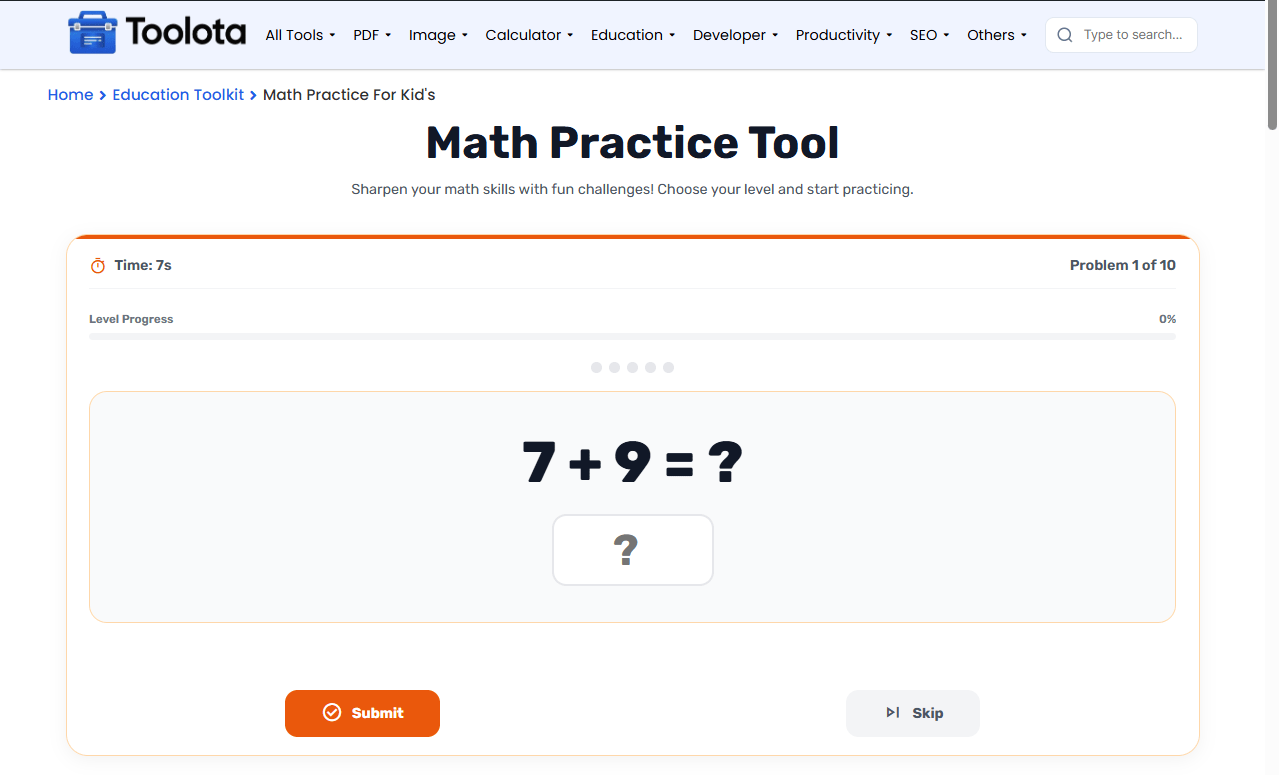
Correct Streak Tracker — Five-dot indicator showing consecutive correct answers.
Progress Bar — Visual level completion tracker during practice.
Score Dashboard — Live counts for correct, incorrect, and skipped answers.
Results Summary — Final percentage score with emoji reaction and time taken.
Achievement Badges — Earn rewards for perfect scores, streaks, and no mistakes.
Trophy & Medal System — Special recognition for outstanding performance.
Skip Option — Move past challenging problems without penalty.
Reset Function — Restart the practice session anytime.
Practice Again — One-click restart after completing a session.
Confetti & Fireworks — Celebratory animations for high scores.

Choose an operation type, difficulty level, and number of problems from the dropdown menus.

Begin your math session. The first problem appears with a timer.

Enter the number in the input field and click Submit or press Enter.

See if you got it right, wrong, or skipped. Watch the streak indicator update.

After completing all problems, see your score, time, achievements, and medals.
“How do I start practicing math? Just pick your settings, hit Start Practice, and answer each problem before time runs out. The tool tracks everything for you.”
The tool evaluates your answers in real time. Each correct answer adds to your streak and increases your final score. Incorrect answers reset the streak but don’t stop the session. Skipped problems move you forward while the timer tracks your pace. At the end, your percentage score reflects your overall accuracy. From 😭 for low ratings to 🤩 for great achievements, the emoji reaction corresponds to your performance level. For perfect ratings, five or more consecutive rounds, no errors, no skips, and rapid completion times, bonus achievements are unlocked.
Start with easier difficulty levels to build confidence before moving to harder ones.
Use the Mixed Operations setting to prepare for varied math challenges.
Try to maintain a streak of 5 or more to unlock the streak achievement badge.
Practice addition, subtraction, multiplication, division, or mixed problems in one session. Switch operations anytime to focus on specific skills.
Know right away if your answer is correct with visual cues, animations, and color-coded responses. Green for correct, red for wrong.
Each question has a countdown timer that adjusts based on difficulty, helping children learn to work efficiently.
Emoji reactions, floating stars, trophy animations, and fireworks make math practice feel like a game.
Ten difficulty levels from Easy (1-10) to Ultimate (1-100). Start simple and progress to challenging problems as skills improve.
Streaks, achievement badges, medals, and celebratory confetti keep learners engaged and excited to improve.
Live score dashboard shows correct, incorrect, and skipped counts. Level progress bar visualizes completion status.
Choose 5, 10, 15, or 20 problems per session. Skip challenging questions or reset anytime to start fresh.
You can practice addition, subtraction, multiplication, division, or choose mixed operations.
Each question has a countdown timer. The time limit depends on the difficulty level you select.
Yes, click the Skip button to move past any problem. The correct answer will be shown.
You see your final score, time taken, achievements, medals, and an emoji reaction.
Yes, difficulty levels range from Easy (1-10) to Ultimate (1-100), making it suitable for different ages and skill levels.
Toolota is your all-in-one online tools platform. Fast, simple, and free utilities designed to make everyday digital tasks easier and smarter.
