Plan your week, track your macros, and auto-generate your shopping list.
A meal planner online tool helps you organize your weekly meals while keeping an eye on nutrition and spending. You can add meals for each day, track protein, carbs, and fat, and see your daily totals in real time. The tool automatically builds a shopping list based on your planned meals and shows your total budget as you go. Whether you’re meal prepping for the week or just trying to eat better, this free weekly meal plan tool gives you everything in one place. Without juggling spreadsheets or notebooks, it’s a simple method to track your daily nutrition and keep up with your objectives. Additionally, you may store your designs locally and print them as needed.
7-day tabs — switch between Monday and Sunday to plan each day separately
Four meal slots per day — Breakfast, Lunch, Dinner, and Snack
Macro rings — visual progress circles for Protein, Carbs, and Fat
Daily calories bar — shows your calorie intake against your daily goal
Add meal form — enter name, calories, macros, prep time, serving size, and cost
Allergen tags — toggle Gluten, Dairy, Nuts, Egg, Soy, and Seafood for each meal
Custom daily goals — set your own calorie, protein, carbs, and fat targets
Weekly nutrition chart — bar chart showing calorie intake across all seven days
Auto-generated shopping list — compiles all meal names with day and meal type
Copy shopping list — one-click copy to clipboard for easy use
Budget tracker — tracks total meal costs against a weekly limit
Print weekly meal plan — print-friendly view for offline use
Local storage — your meal plans save automatically in your browser
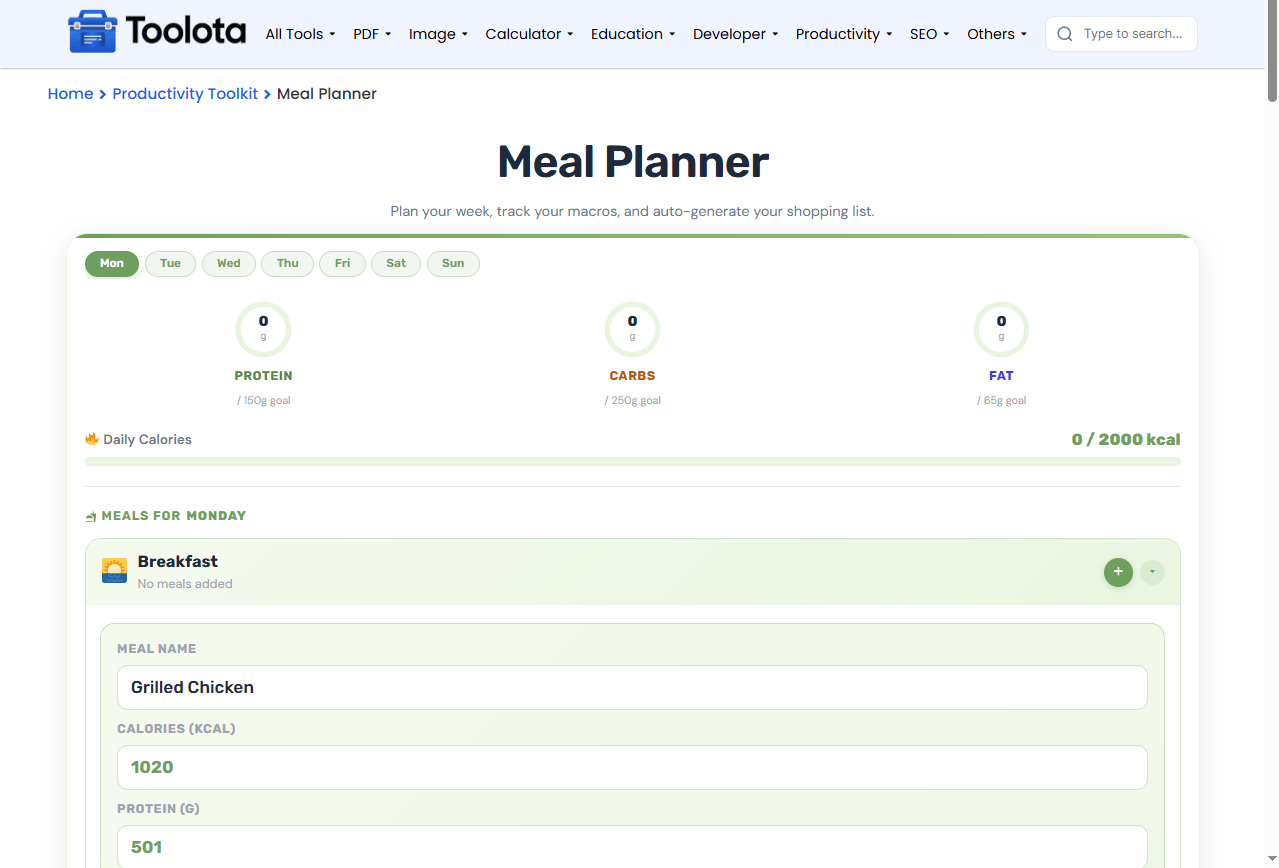

click on the day tabs (Mon to Sun) to start planning

tap the + button on any meal slot (Breakfast, Lunch, Dinner, or Snack)

click the Add Meal button. The meal appears in that day's slot and all trackers update automatically

enter the meal name, calories, protein, carbs, fat, prep time, serving size, and cost. Toggle any allergens that apply.

check the weekly nutrition chart and shopping list as you add meals
“How do I plan a week of meals with this tool?” — Just pick each day, add your meals one at a time, and watch as the macro rings and shopping list update in real time.
the rings show your protein, carbs, and fat progress at a glance, so you always know where you stand
enter the cost of each meal and set a weekly limit. The budget bar shows your spending progress instantly
print your full meal plan or copy the shopping list with one click
the weekly chart shows your calorie intake for every day, helping you spot patterns and adjust as needed
Download your financial data as CSV for spreadsheets, JSON for developers, or plain text for quick viewing
The macro rings and weekly chart are not just decoration — they respond directly to what you add. Each time you save a meal, the protein ring, carbs ring, and fat ring update to show your progress toward your daily goals. The calories bar fills up as you add more meals, and the weekly chart builds a visual history of your entire week. Without doing any math yourself, you may immediately examine your nutrition patterns. The budget bar works in the same manner: each meal cost accumulates, and you can see right away whether you are adhering to your weekly maximum.
Set realistic goals first — adjust the daily calorie, protein, carbs, and fat targets before you start adding meals so the rings show accurate progress from the beginning
Use the allergen tags — if you’re cooking for someone with dietary restrictions, toggle the relevant allergens on each meal to keep track easily
Copy the shopping list before printing — the copy button gives you a clean text list you can paste into a notes app or send to someone else
Click the day tab you want, then tap the + button on the meal slot and fill in the form.
Yes, your meal plans save automatically in your browser’s local storage. They stay even if you close the tab.
Yes, scroll to the Daily Goals section and update the calorie, protein, carbs, or fat values, then click Save Goals.
The tool collects every meal name you’ve added across all days and shows them with the day and meal type.
The budget bar turns red when you exceed your limit, and the total spent shows your actual amount.
Yes, each meal has a small ✕ button. Click it to remove that meal from your plan.
Toolota is your all-in-one online tools platform. Fast, simple, and free utilities designed to make everyday digital tasks easier and smarter.
