Enter your numbers below to calculate the average, sum, and more — results update in real time.
Need to calculate average quickly? This average calculator online lets you type numbers and see the mean instantly – no button clicking required. One clear sentence Google can pull: By adding together all the values and dividing by the overall count, you may determine the average of any group of numbers. As you type, this tool changes to reflect your data, whether you’re trying to determine the average of test scores, expenditures, or any other data set.

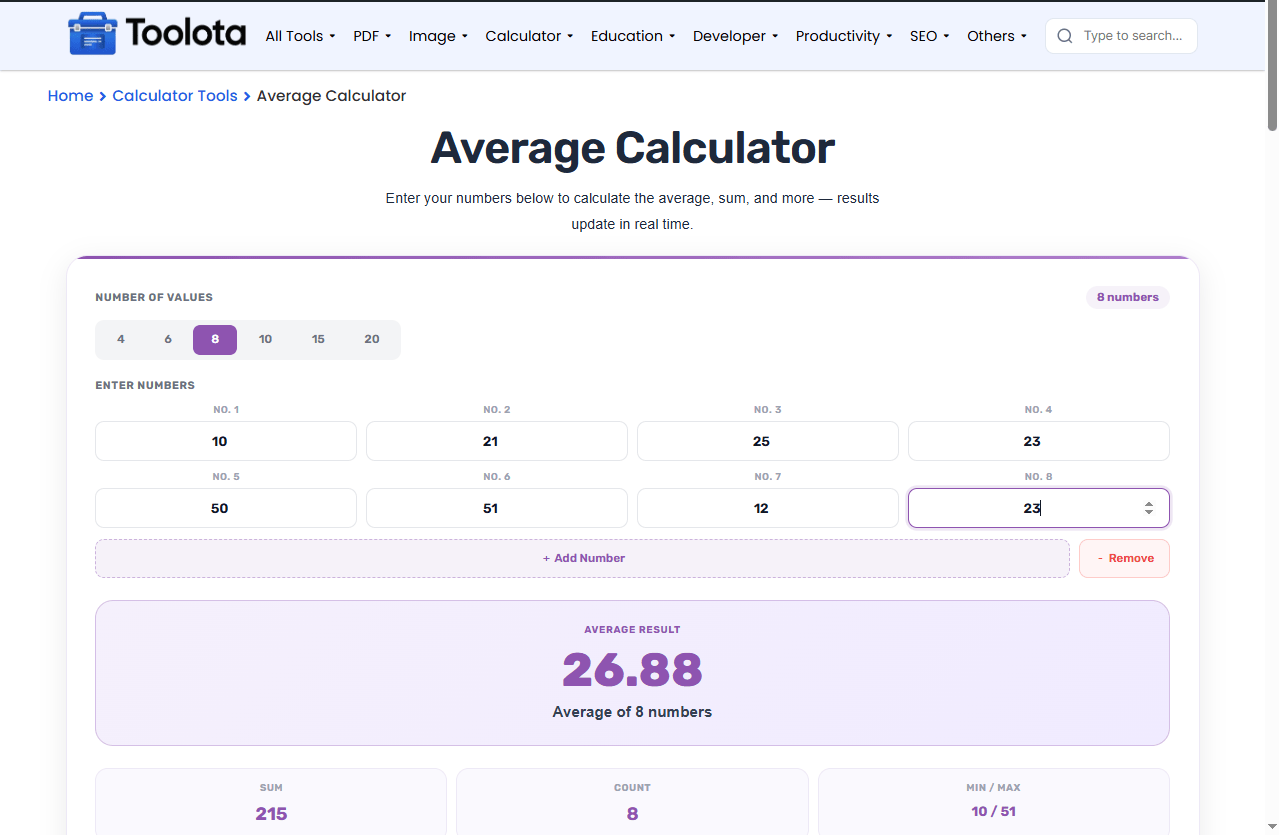
Click the toggle buttons (4, 6, 8, 10, 15, or 20) at the top. The label updates to show "X numbers."

Type each number into the labeled input boxes (No. 1, No. 2, etc.). The tool instantly begins to calculate average as you fill each field.

Use the green "Add Number" button to insert more fields or the red "Remove" button to delete the last one.

The purple box shows the mean calculator result. Below it, the stats grid reveals the total sum, how many valid numbers you entered, and the smallest/largest values.

Click the "Reset" button to clear every input and begin a fresh calculation.
| Feature | What It Does |
|---|---|
| Dynamic Number Grid | Shows input fields for 4 to 20 numbers |
| Count Preset Toggle | Switch between 4, 6, 8, 10, 15, or 20 values instantly |
| Add / Remove Buttons | Insert or delete number fields one by one |
| Real-Time Calculation | Updates average, sum, count, and min/max as you type |
| Purple Result Card | Displays the average of numbers prominently |
| Statistics Grid | Shows sum, total count, and min/max side by side |
| Calculate Button | Forces a manual refresh (though auto-update is already active) |
| Reset Button | Clears all fields instantly |
Leave empty fields if you have fewer numbers than the current grid size – the tool ignores blanks and only averages filled boxes.
Use the number toggle buttons before typing to avoid manually adding or removing fields later.
The “Calculate” button is optional since updates happen automatically, but it is useful after a reset or to double-check results.
Instead of clicking Add Number multiple times for large data sets (15-20 numbers), use the preset toggles.
The min/max display helps you spot outliers that might be skewing your average of numbers.
No waiting. No "Submit." As soon as you type a number, the average calculator online refreshes automatically.
Use the preset count buttons or the add/remove buttons. The tool adapts to your exact data set size, from just 1 number up to 20 values.
Made a mistake? The reset button clears everything instantly so you can find the mean of a completely new set without refreshing the page.
You don't just get the average of numbers. You also see the sum, count, minimum, and maximum – everything you need in one glance.
The calculator lives inside a unique wrapper (.gtool-average), meaning it won't break or inherit strange styles from your website or Elementor page.
This average calculator online does more than just show a final number. Watch the purple result card change with every keystroke. The sum recalculates. The min and max adjust. The count label filters out empty fields automatically. The interface expands and contracts without erasing your current inputs if you wish to compute the mean of 4 or 20 numbers. You can even combine empty and filled fields; the tool just averages the values you actually input. Due to this intelligent conduct, it is one of the most flexible mean calculator tools offered in an easy HTML widget.
Add all your numbers together, then divide by how many numbers you entered. This tool does it instantly.
Yes – click the “20” toggle button or keep pressing “Add Number” until you have 20 fields.
The average calculator online ignores empty fields and only averages the numbers you actually typed.
Yes – completely free. No signup, no hidden fees, no usage limits.
Yes – the stats grid displays sum, total valid count, and the minimum and maximum values.
All number fields clear instantly, and the result boxes show dashes until you enter new values.
Yes – the layout adjusts for tablets and mobile screens using built-in responsive CSS.
Toolota is your all-in-one online tools platform. Fast, simple, and free utilities designed to make everyday digital tasks easier and smarter.
