Calculate population or sample standard deviation with full statistics — mean, median, mode, variance, range, and dot plot.
This Standard Deviation Calculator turns a list of numbers into a complete statistical summary in one click. Whether you need population standard deviation or sample standard deviation, the tool automatically adjusts its formula. It instantly shows the mean, variance, range, and even a dot plot, giving you a clear answer ready for reports or analysis.

Type or paste your numbers into the "Enter Your Data" text area. The placeholder 4, 7, 13, 2, 9, 11, 5 shows the correct format.

Click either "Population (σ)" or "Sample (s)" depending on your data set. The active button turns purple.

Press the purple "Calculate" button. The Standard Deviation Calculator shows the SD in large text at the top, followed by mean, variance, range, and a full statistical breakdown.
Population & Sample Modes – Toggle between “Population (σ)” and “Sample (s)” using dedicated buttons. The calculator updates the formula and label instantly.
Complete Statistics Output – Automatically calculates and displays mean, median, mode, variance, range, count, min, max, and sum.
Interactive Dot Plot – Visualizes every data point as a dot, with a green marker for the mean, helping you see data distribution at a glance.
Flexible Data Input – Enter numbers separated by commas, spaces, or new lines inside the large text area.
Clear & Calculate Actions – One button runs the calculation, another clears all fields and results with a single click.
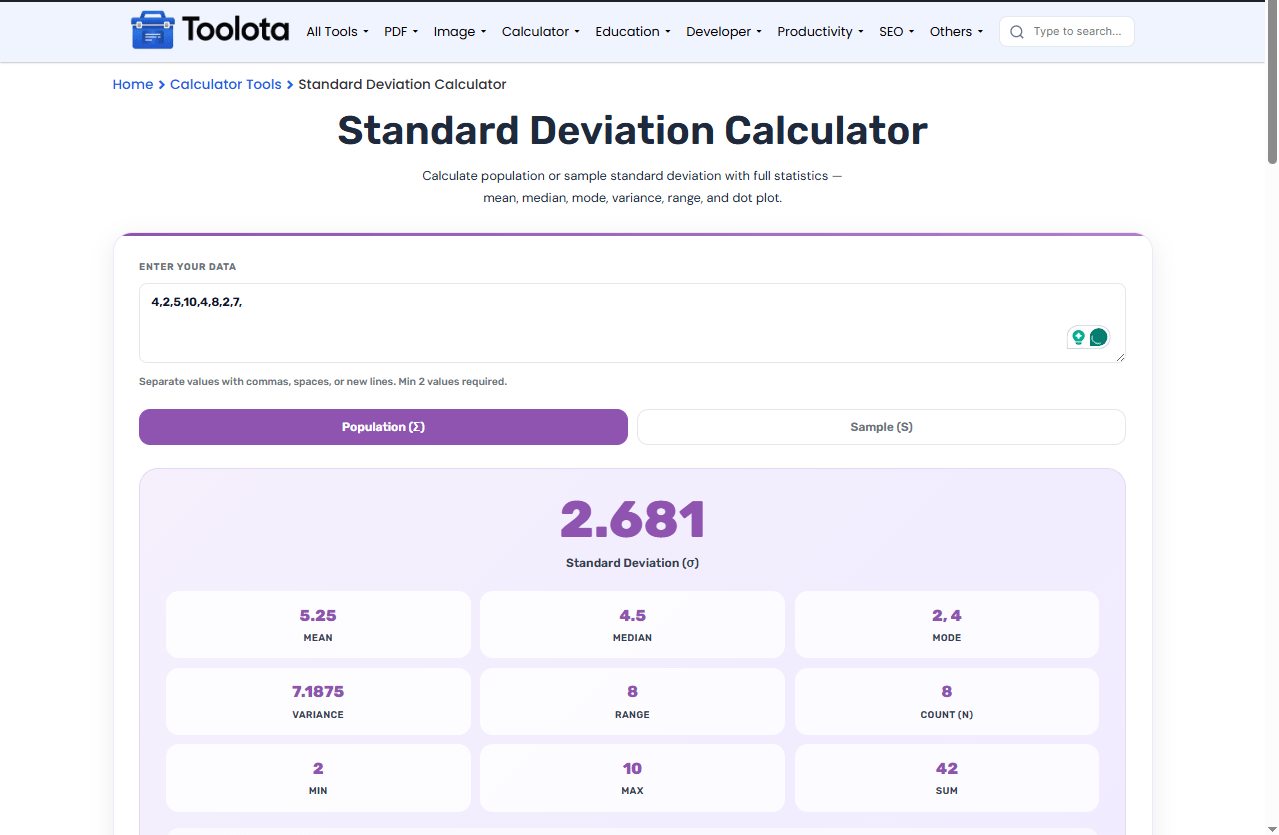
Use commas or line breaks – the input field accepts both for quick pasting from spreadsheets.
Switch between population and sample mode without re-entering your numbers to see how the SD changes.
Hover over any dot in the plot to see its exact value (title attribute).
No need for multiple tools. This calculator provides mean, median, mode, variance, and range all on one screen.
The progress bar changes color based on your percentage (green for A, purple for B, orange for C, etc.), giving you an instant visual of your final letter grade range.
Paste data, switch modes, and recalculate without refreshing the page.
Correctly applies the n vs. n-1 denominator for population standard deviation and sample standard deviation.
The dot plot lets you spot outliers and see how tightly numbers cluster around the mean.
This Standard Deviation Calculator includes a built-in dot plot that activates every time you calculate. Below the statistics grid, each number from your list becomes a small purple dot. If you need to find range or understand spread, the dots show gaps and clusters instantly. A green dot marks the mean position. For people who learn better visually, this turns abstract numbers into a clear picture of how your data behaves.
Population standard deviation divides by n (total count), while sample standard deviation divides by n-1 to better estimate a larger group.
Yes, the results panel displays mean, median, and mode together for easy comparison.
The calculator works with any set of 2 or more numbers. The dot plot scales automatically.
Yes, the green mean dot moves if the mean changes, but the data dots remain the same.
Yes, variance appears in the statistics grid right below the mode value.
Toolota is your all-in-one online tools platform. Fast, simple, and free utilities designed to make everyday digital tasks easier and smarter.
