Calculate your weighted average grade, find what you need on the final exam, or check your overall score instantly.
Need a grade calculator online that instantly converts your assignment scores into a final letter grade? This tool calculates weighted averages and tells you exactly what score you need on your final exam. You simply add your assignments with their weights, or switch to “Final Exam Goal” mode to see the required score. This calculator, for example, displays the percentage you need to earn on the final to reach your objective if your present grade is 78% and the final accounts for 40% of your grade.

Click either the "Weighted Average" tab to track all your coursework, or the "Final Exam Goal" tab to calculate what you need on your last test.

In Weighted Average mode: Type assignment names, your scores (0–100), and each weight %. Click “+ Add Assignment” for more rows. Delete any row with the red “✕” button.
In Final Exam Goal mode: Fill in the four fields: Current Grade (%) , Current Weight (%) , Target Grade (%) , and Final Exam Weight (%) .

The result panel automatically shows your numeric grade (e.g., "85.3%"), the corresponding final letter grade (e.g., "B"), and a colored progress bar. Below that, you see total weight, grade points, and the number of items.
| Feature | What It Does |
|---|---|
| Dual Tabs | Switch between “Weighted Average” and “Final Exam Goal” modes. |
| Dynamic Assignment Rows | Click “+ Add Assignment” to add unlimited assignments with name, score, and weight %. |
| Real-Time Inputs | Type in any field – scores, weights, current grade – and see results update instantly. |
| Final Goal Calculator | Enter current grade %, its weight %, target grade %, and final weight % to get the score needed. |
| Visual Progress Bar | A colored fill bar shows your percentage toward the top grade. |
| Letter Grade Conversion | Automatically converts your final percentage to a letter grade (A, B, C, D, or F). |
| Grade Stats Panel | Displays total weight %, grade points, and number of items entered. |
| Reset Button | Clears all custom entries and loads three sample assignments. |
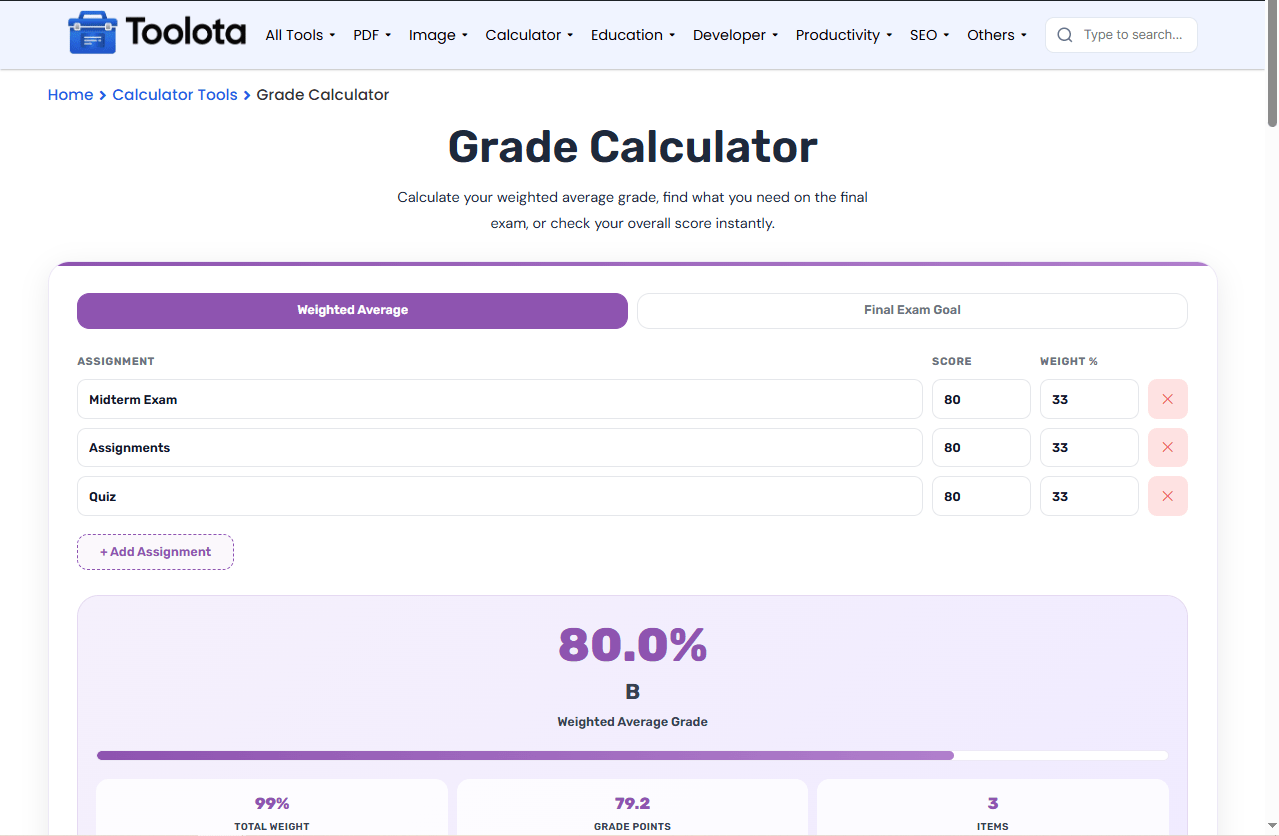
Match weights to 100% – For accurate weighted average, ensure all assignment weights sum to 100%. The “Total Weight” stat shows your current total.
Use decimal scores – Score fields accept decimals (e.g., 87.5), giving more precise results than whole numbers.
Click Reset to see examples – The Reset button loads three sample assignments (Midterm, Assignments, Quiz) showing proper format.
Final Exam mode check – “Current Weight” + “Final Exam Weight” should equal 100% for valid calculations. If needed score exceeds 100%, the tool warns “very challenging!”
Delete unused rows – Click the red ✕ button on any assignment row to remove it instantly.
No need to search separately for a weighted average tool and a final exam goal tool – both are built into this single grade calculator online.
The progress bar changes color based on your percentage (green for A, purple for B, orange for C, etc.), giving you an instant visual of your final letter grade range.
Unlike fixed calculators, this one lets you add, name, and delete as many assignments as you need – perfect for courses with 3 items or 15 items.
If the calculated score needed is above 100%, the tool adds a warning message: "very challenging! Focus on current grade." This helps you set realistic goals.
This grade calculator online does more than just average numbers – it acts as a final grade predictor and goal setter simultaneously. While you track your weighted assignments in the first tab, you can instantly switch to the second tab and ask: “What score do I need on my final to raise my B to an A?” The instrument responds with a precise proportion.This reducesguessing and allows you to prioritize yourstudies based on actual data ratherthan emotions.
Add each assignment using the “+ Add Assignment” button, then enter your score (0–100) and its weight %. The tool automatically calculates the weighted average.
Switch to the “Final Exam Goal” tab and enter your current grade, its weight, your target grade, and the final exam’s weight. The calculator shows the exact percentage needed.
Yes, the result panel automatically shows the corresponding letter grade (A, B, C, D, or F) based on your final percentage.
Click the red circle button with the “✕” symbol at the end of any assignment row to remove it immediately.
The calculator still shows your grade based only on the entered items. The “Total Weight” stat tells you what percentage of your course you have entered.
Yes. Everything works inside your browser – no signup, no downloads, no hidden fees.
Toolota is your all-in-one online tools platform. Fast, simple, and free utilities designed to make everyday digital tasks easier and smarter.
