Enter your marks or select grades to calculate your GPA. Supports 10 country grading systems.
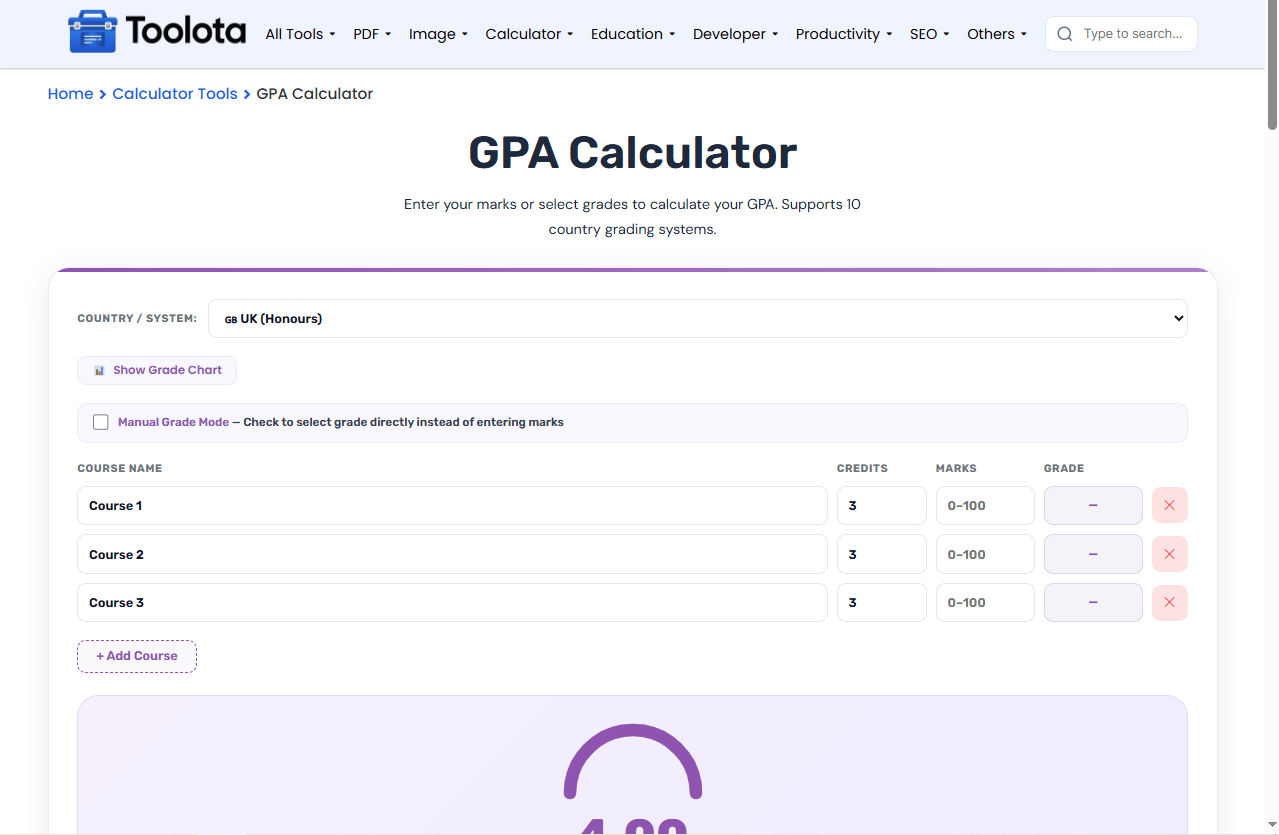
Need a GPA calculator online that actually adapts to your country’s grading system? This tool lets you convert marks to grade points or select grades manually across 10 different systems including USA (4.0), India (CBSE 10-point), Bangladesh, UK, Canada, Australia, Germany, France, Pakistan, and South Korea. The GPA calculator online immediately displays your grade point average with a visual progress arc after you input marks or select grades and just add your courses.

Open the dropdown labeled "Country / System" and choose your grading system. The tool supports GPA calculator online functionality for 10 different countries – from Bangladesh's 5.0 scale to South Korea's 4.5 scale.

Click the “+ Add Course” button to create rows. For each course, enter the name, credit hours (1–10), then either:
Marks Mode (default): Type your percentage marks (0–100)
Manual Grade Mode: Check the box and select letter grades from a dropdown
The grade point average updates automatically as you type.

The result panel displays your calculated GPA, letter grade equivalent, total credits, total grade points, and number of courses. The purple arc fills proportionally to show your standing on the scale.
10 Country Systems – Bangladesh, India, USA, UK, Canada, Australia, Germany, France, Pakistan, South Korea
Dual Input Modes – Enter marks (0–100) or select letter grades directly
Adjustable Credits – Each course can have 1–10 credit hours
Live Grade Chart – Click to see the full grade scale for any country
Dynamic Course List – Add or remove unlimited courses
Visual Progress Arc – Animated SVG ring showing your GPA percentage
Letter Grade Conversion – Automatically shows your letter grade equivalent
Credit hours matter – A 4-credit course affects your GPA four times more than a 1-credit course. Double-check your credit values.
Use Manual Mode for transcripts – If your transcript already shows letter grades, check the “Manual Grade Mode” box and select grades directly.
Click Show Grade Chart first – Before entering marks, open the grade chart to understand the passing marks and grade boundaries for your country.
Reset starts with 3 demo courses – Click Reset to see example entries and understand the format.
Unlike basic calculators, this tool adapts its grade scale instantly when you change countries. A 85% mark becomes an A in USA but an A+ in Bangladesh.
Click "Show Grade Chart" to see exactly which marks map to which grades and points for your selected country.
Whether you have percentage marks or letter grades ready, switch modes with one click. Perfect for transcript entry.
Every input triggers an instant recalculation – no submit button needed for the live preview (though the Calculate button is there for confirmation).
When you use this GPA calculator online, the conversion logic changes based on your country selection. For example, a mark of 85% converts differently:
USA (4.0) → A grade (4.0 points)
Bangladesh → A grade (4.0 points on 5.0 scale)
Germany (1–6) → 2.0 grade (Gut)
France (0–20) → 16/20 (Bien)
South Korea (4.5) → A grade (4.0 points)
People searching for grade point average calculator, CGPA converter, marks to grade converter, or semester GPA tool will find everything they need here. Automatic grade scale conversion across different global standards is also handled by the system.
Select your country, add courses, enter your marks (0–100), and the tool automatically shows your GPA based on that country’s grade scale.
Yes, each course has a credits field where you can enter any number from 1 to 10 – the calculation weights courses by their credit value.
Marks Mode requires percentage numbers to auto-convert to grades; Manual Grade Mode lets you pick letter grades from a dropdown without entering marks.
Yes – add all your courses from one semester, enter their marks or grades, and the tool calculates your exact semester GPA.
Each country uses a different grading scale and grade boundaries – switching countries applies that system’s conversion rules to your entered marks.
Toolota is your all-in-one online tools platform. Fast, simple, and free utilities designed to make everyday digital tasks easier and smarter.
