Calculate your Body Mass Index. Use the slider or type your exact value — results update in real time.
Need a quick BMI calculator online to check where your body mass index stands? This tool lets you enter your height (cm or ft/in) and weight (kg or lbs) to calculate your BMI instantly. The result shows your exact number, category from underweight to obese, and a visual scale — making it easy to understand your health range at a glance. This application will tell you precisely where you fall in the healthy BMI range of 18. 5 to 24. 9.
| Feature | Description |
|---|---|
| 📏 Dual Height Units | Switch between centimeters (cm) or feet + inches (ft/in) |
| ⚖️ Dual Weight Units | Choose kilograms (kg) or pounds (lbs) |
| 🎚️ Smart Sliders | Drag the range slider or type exact values |
| 📊 Visual BMI Scale | Color-coded scale shows where your result sits |
| 🏷️ Category Legend | Clear breakdown: Underweight, Normal, Overweight, Obese |
| 🔄 Real-time Updates | Results update as you type or slide |
| 🧹 Reset Button | Clear all fields with one click |
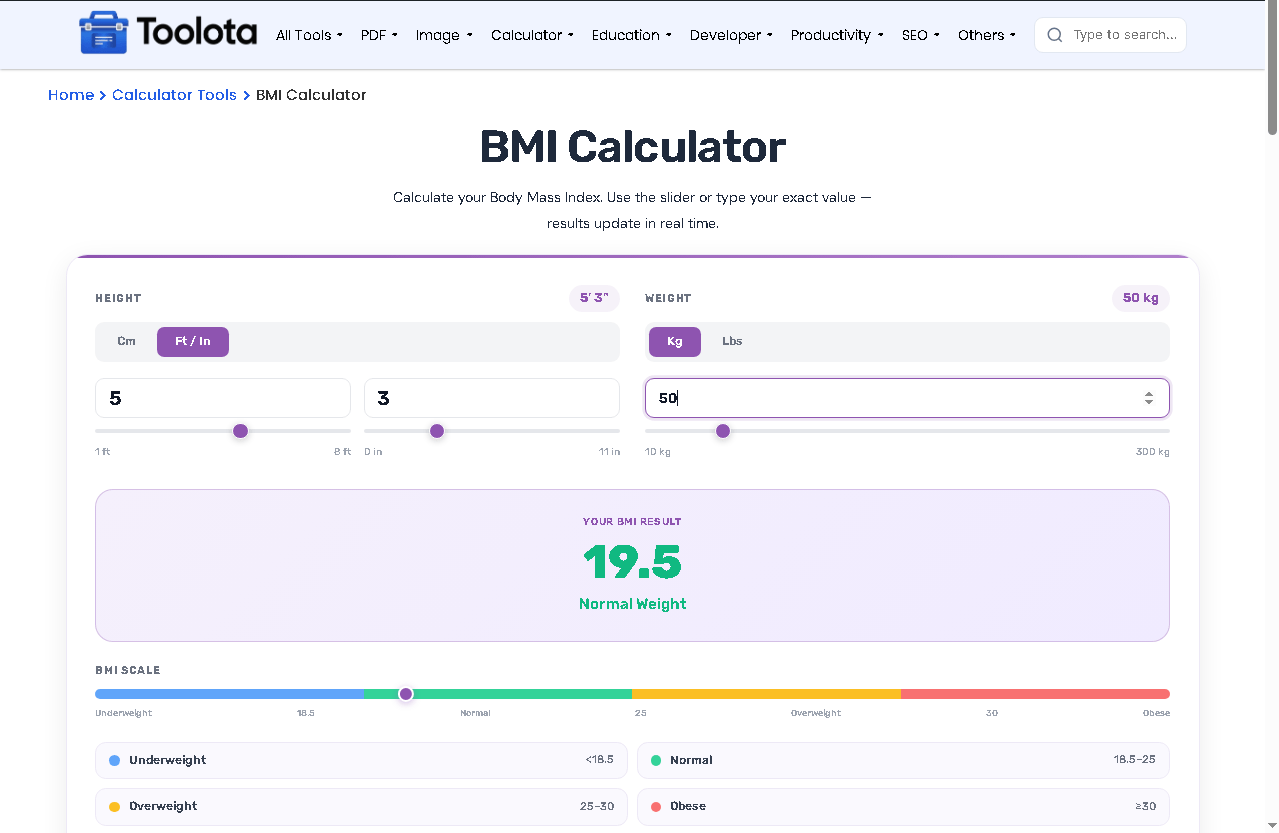

Tap "cm" for metric or "ft/in" for imperial. Then enter your height using the number field or drag the slider.

Tap "kg" for metric or "lbs" for imperial. Type your weight or use the slider to adjust.

Your BMI calculator online instantly shows your BMI number, weight category (underweight, normal, overweight, or obese), and a dot on the color scale showing exactly where you fall.

Click "Calculate" to refresh or "Reset" to clear everything and start over.
No payment, no signup, no hidden fees
The card layout adapts to any screen size. Use it on your phone, tablet, or desktop.
The colored BMI scale and category legend make it easy to see where you stand. The moving dot shows your exact position between underweight and obese.
Switch between metric and imperial without losing your place. Whether you want to calculate BMI in cm/kg or ft/lbs, it handles both.
Type, slide, or toggle — everything updates immediately. No waiting, no page reloads.
✅ Use the sliders first – Drag to your approximate value, then fine-tune by typing for precision.
✅ Check both units – If you’re unsure about your height in cm, switch to ft/in. The calculator works both ways.
✅ Watch the dot move – The purple marker on the BMI scale updates in real time. It’s the fastest way to see your position.
✅ Reset between users – One click clears everything, making it easy for multiple people to use the same session.
✅ BMI is a screening tool – It doesn’t measure body fat directly. Use it as a starting point, not a medical diagnosis.
The body mass index checker uses a color-coded system built right into the interface. A gradient track runs from blue (underweight) through green (normal), yellow (overweight), to red (obese). When you enter your height and weight, a purple dot moves along this track to show your exact position. Below the scale, four cards display each category with its BMI range — underweight (<18.5), normal (18.5–25), overweight (25–30), and obese (≥30). This visual approach helps you see not just your number, but how close you are to neighboring categories. To give you an immediate visual cue, the result panel also changes color in accordance with your category.
It measures body mass index using height and weight to see if you’re underweight, normal, overweight, or obese.
Below 18.5 = underweight. 18.5–25 = normal. 25–30 = overweight. Above 30 = obese.
It’s mathematically accurate using the standard BMI formula. But BMI doesn’t account for muscle mass or bone density.
It’s mathematically accurate using the standard BMI formula. But BMI doesn’t account for muscle mass or bone density.
No, results update automatically. The Calculate button is optional for refreshing.
Between 18.5 and 24.9 is considered a normal, healthy weight range for most adults.
Toolota is your all-in-one online tools platform. Fast, simple, and free utilities designed to make everyday digital tasks easier and smarter.
