Paste or type your text — get instant word count, reading time, and top words.
Word Counter Online gives you instant, accurate stats on any text you paste or type. It counts words, characters, sentences, and paragraphs the moment you start typing—no buttons to press. This word counter online also estimates reading time based on a standard 200 words per minute, so you know how long your content takes to read. Need to check the most common words in your text? It surfaces your top five frequent terms and shows them with a visual bar chart, giving you a quick online text analyzer right in your browser. This tool is beneficial for writers, students, and SEO experts, as it enables them to quickly grasp the meaning of their content.
Paste or type your text into a large, resizable text area.
Real-time word count updates as you write.
Character count shows total text length including spaces.
Sentence detection based on punctuation marks.
Paragraph count splits text by blank lines.
Reading time estimator (seconds or minutes based on 200 wpm).
Top 5 most frequent words displayed with frequency bars.
Unique words count badge showing vocabulary variety.
Automatic stopword filtering (ignores common words like “the”, “and”, “of”).
Copy your full text to clipboard with one click.
Clear the entire text area instantly with a single button.
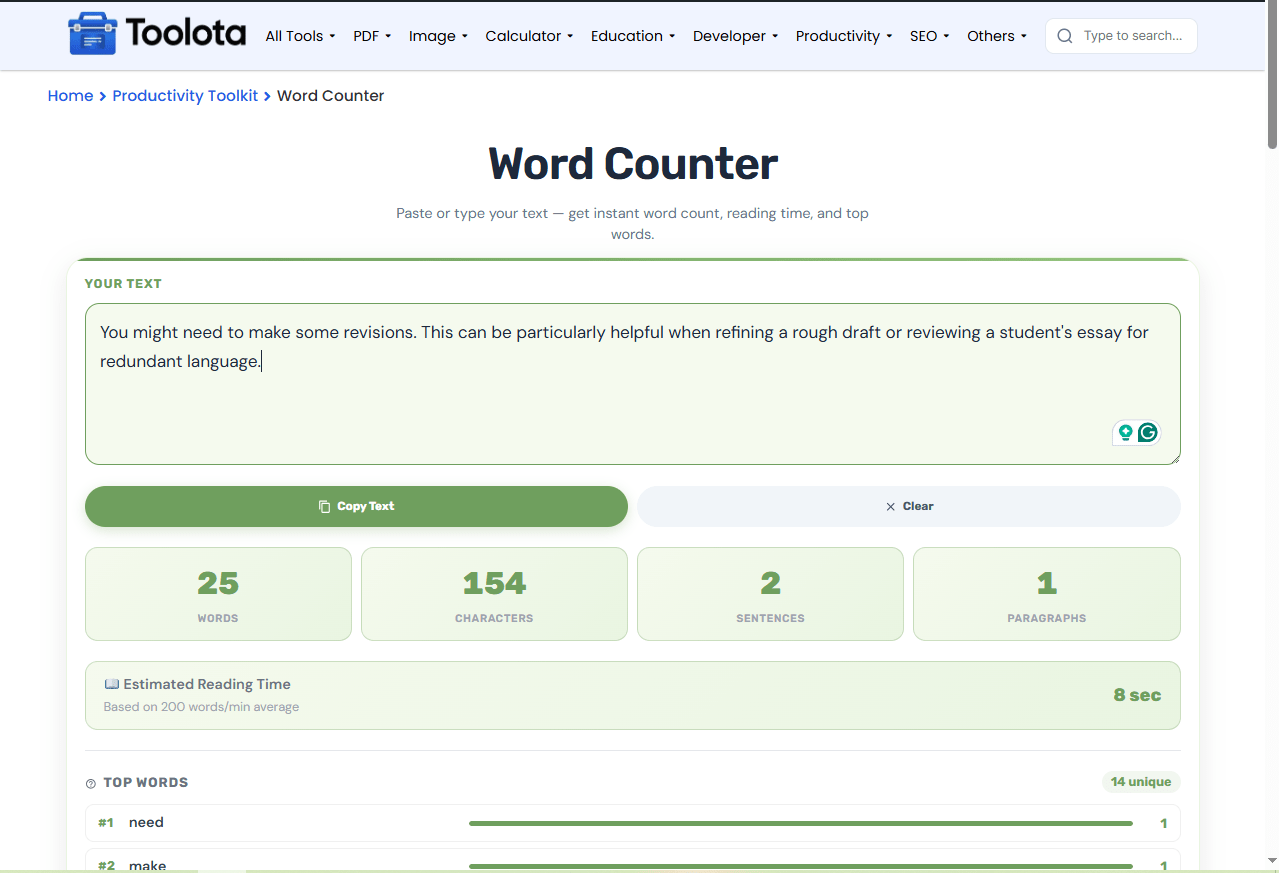

Just start writing in the "Your Text" box, or paste any existing text from your clipboard.

Counts for words, characters, sentences, and paragraphs refresh automatically with every keystroke.

Estimated reading time appears below the stats, and the top five frequent words show up with visual progress bars.

Scroll to the Budget Division section and enter spending limits for each expense category
Got a long article? Just paste it in—this word counter online handles it instantly. You’ll see exactly how many words and characters you possess without needing to click on anything.
No refresh or submit button needed. Every change updates the dashboard instantly.
Know exactly how long your text takes to read, perfect for blogs and presentations.
Copy your final text or wipe the slate clean without extra steps.
See which keywords dominate your text with bar charts and exact counts.
Stopwords are automatically removed from the top-word list so you see only meaningful terms.
The numbers here go beyond raw counts. Your word count defines content length for SEO or assignment guidelines. Reading time helps you match audience attention spans—under one minute works for quick updates, while longer pieces suit deep dives. The top words list reveals your main topics at a glance; if a term you didn’t intend appears frequently, You might need to make some revisions. This can be particularly helpful when refining a rough draft or reviewing a student’s essay for redundant language.
Use the top-words list to catch overused terms—if a filler word ranks high, swap in synonyms to improve flow.
Check reading time before publishing to ensure your post matches your target reader’s available time.
Start with the clear button each time you begin a new text so past data doesn’t interfere with fresh analysis.
It splits your text by spaces and filters out empty entries, giving you the total number of actual words.
It counts every character including spaces, so you see the full character length of your text.
Stopwords like “the”, “and”, and “of” are excluded so the top words show meaningful content terms only.
It uses 200 words per minute, a standard reading speed, so it is reliable for most general content.
Yes, the layout adapts to smaller screens, and the text area is fully resizable and touch-friendly.
The tool handles long texts without lag; everything updates instantly no matter the length.
Toolota is your all-in-one online tools platform. Fast, simple, and free utilities designed to make everyday digital tasks easier and smarter.
