Plan your day with ease. Add tasks, set priorities, and track your progress — all in one place.
A daily planner online helps you organize your day without the clutter of paper or complex software. Whether you’re managing work projects, personal to-dos, or study schedules, this tool gives you a clear view of what needs attention. You can add tasks, assign priority levels, and watch your progress update in real time. Designed for individuals seeking an uncomplicated method to manage their daily timetable without making it too intricate. Simply launch the tool, input your tasks, and begin marking them as completed. This application operates solely within your web browser and stores all data on your device.
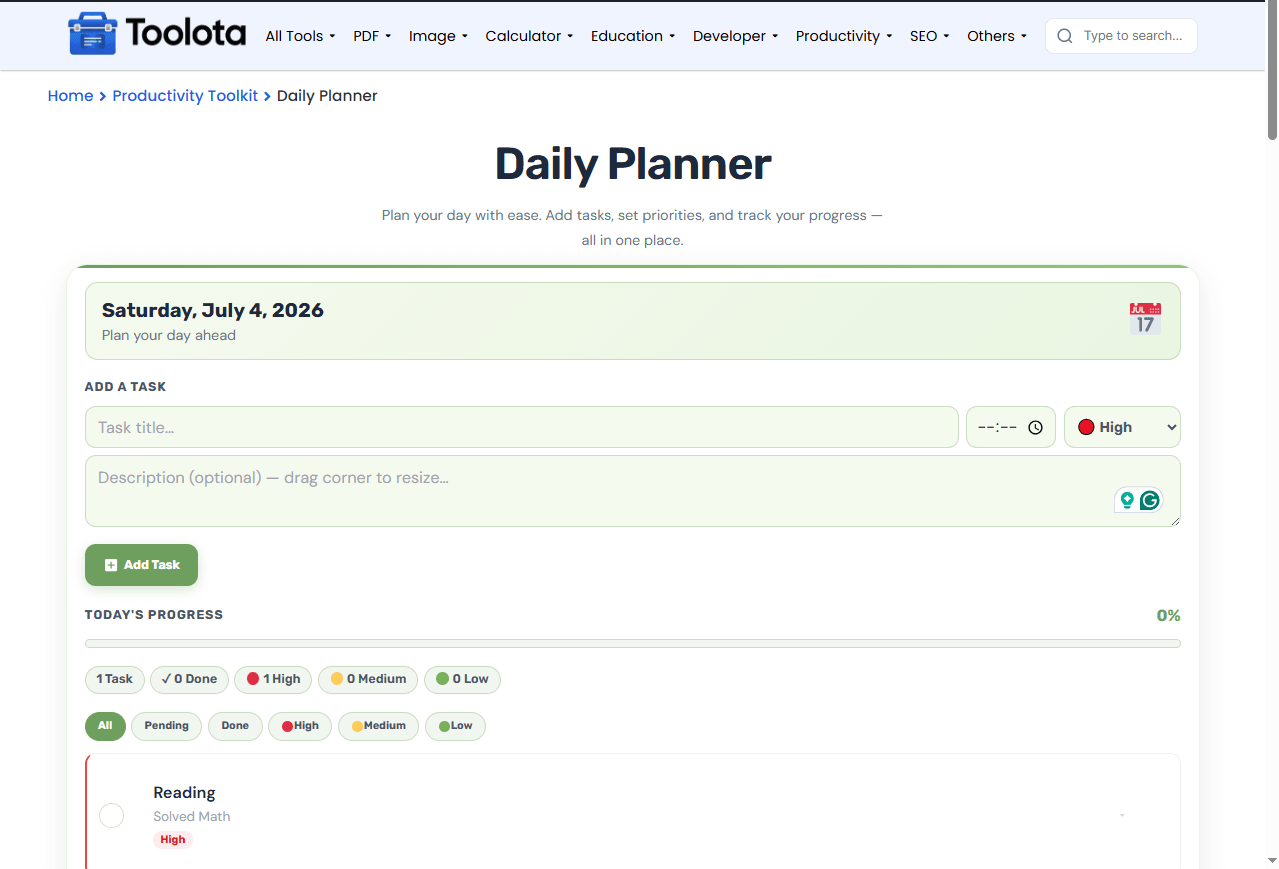
This daily planner online comes with practical features you can start using immediately:
Task title input — Add the main task name quickly
Time picker — Set a specific time for each task
Priority dropdown — Choose High, Medium, or Low priority
Description textarea — Add optional notes or details
Add Task button — Save new tasks with one click
Date display — Shows current day, month, and year
Progress bar — Visual percentage of completed tasks
Task list — Scrollable view of all your tasks
Checkbox toggles — Mark tasks complete with one tap
Expandable descriptions — Click to show or hide task notes
Filter tabs — Sort by All, Pending, Done, or priority level
Stats display — See total tasks, done count, and priority breakdown
Clear Completed button — Remove finished tasks instantly
Clear All button — Reset everything with confirmation
Getting started with this daily planner online takes just a few steps:

Enter the task name in the title field

Use the time input to set when it should happen

Choose High, Medium, or Low from the dropdown

Write optional notes in the text area

Your task appears in the list below
When you’re ready to track progress, just click the circle next to any task to mark it done. The progress bar updates automatically. You can also click any task to expand and view its full description. Utilize the tabs located above the task list to sort your list by pending tasks, completed tasks, or specific priorities. Utilize the Clear Completed button to delete finished tasks and maintain a neat list.
“How do I use this daily planner online? Just add your task, set a time, pick priority, and hit Add — that’s it.”
Start planning immediately without creating an account or sharing personal info
High, Medium, and Low labels help you focus on what matters most
Keep descriptions hidden until you need them, keeping your list clean
Watch the percentage bar climb as you complete tasks throughout the day
Switch between All, Pending, Done, or priority-specific lists instantly
Your tasks stay saved in your browser even without an internet connection
The progress bar in this daily planner online gives you an instant snapshot of how your day is going. Each task you mark complete raises the percentage, and the bar fills from left to right. You always know exactly where you are since the amount next to it updates in real time. This visual feedback motivates you all day long. By filtering your tasks by Pending or Done, you may concentrate on what needs to be done or check on what you have already finished.
Start with high-priority tasks — Use the High filter to focus on urgent items first thing in the morning
Use the description field — Add context like meeting links, phone numbers, or notes so you don’t lose details
Check in throughout the day — Update your progress regularly to keep the bar accurate and stay motivated
A daily planner online is a browser-based tool that lets you add, organize, and track tasks for your day without downloading anything.
Yes, the interface works on phones and tablets with responsive design for smaller screens.
Yes, tasks are stored in your browser’s local storage and stay saved even after closing the page.
Your tasks may be lost if you clear site data or local storage, so keep that in mind when using the tool.
Click the circular checkmark next to any task to toggle it between done and pending.
Yes, click the X icon on any task to remove it from your list permanently.
Toolota is your all-in-one online tools platform. Fast, simple, and free utilities designed to make everyday digital tasks easier and smarter.
