Beautify and indent your JavaScript code for readability.
This tool includes everything you need to beautify JavaScript code without installing anything.
File Upload – Load .js or .mjs files directly from your device
URL Fetch – Pull JavaScript code from any public URL
Sample Code – Load example JS to test the formatter instantly
Clipboard Paste – Paste copied code directly from your clipboard
Indent Options – Choose between 2 spaces, 4 spaces, or tab characters
Word Wrap Toggle – Switch between wrapped and non-wrapped view
Font Size Controls – Increase or decrease text size in the editor
Line Numbers – View line numbers alongside your code
Copy Output – Copy the formatted result with one click
Download Result – Save formatted code as a .js file
Clear Input – Reset the editor with a single button
Line & Column Counter – See your cursor position in real time
File Size Display – Track input file size as you work
Success/Error Feedback – Get clear status hints after each action
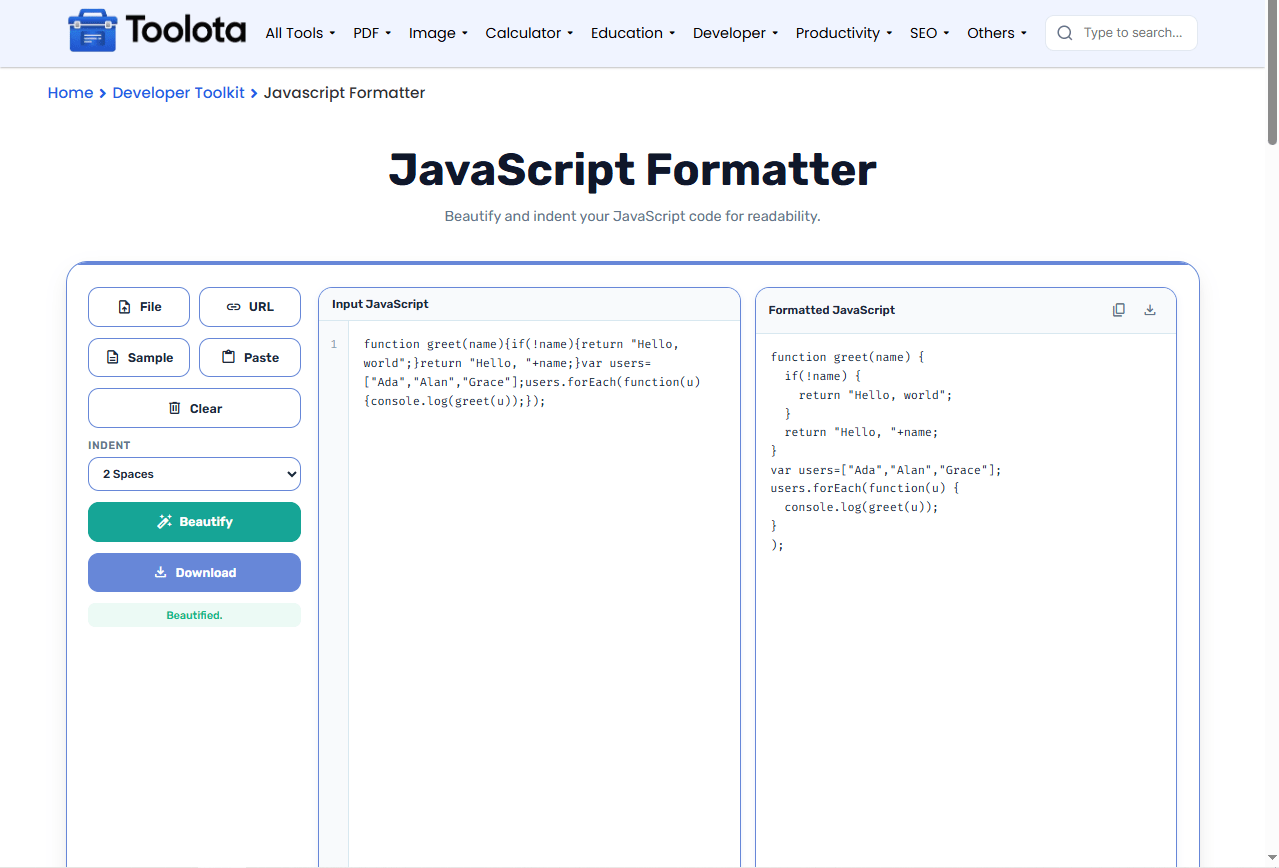

Paste your code, upload a file, fetch from a URL, or use the sample

Choose 2 spaces, 4 spaces, or tab from the dropdown

The tool processes your code instantly

Check the result in the right panel

Use the copy icon or download button to save your beautified code
Want to see it in action? Load the sample script and hit Beautify –The distinction will be immediately noticeable.
Click once and get formatted code in under a second
Handles ES6, modules, and older JS syntax
Get clean, readable output every time
Use the tool immediately without creating an account
Paste, upload, fetch, or use sample code
Works on desktop, tablet, and mobile screens
Use the word wrap toggle to view long lines without horizontal scrolling
Try different indent sizes to match your team’s coding style guide
Load sample code first to test settings before pasting your own large scripts
The formatter processes your JavaScript by breaking it into tokens, identifying blocks, and reconstructing the code with consistent spacing and indentation. It preserves strings, comments, and regular expressions while fixing the overall structure. The end product is a clear, well-structured version of your original code that is suitable for review, sharing, or deployment.
It reorganizes your code with consistent spacing, indentation, and line breaks to make it readable.
Yes, the formatter can beautify minified or compressed JavaScript into clean, readable code.
No, it only changes spacing and formatting – your code logic stays exactly the same.
You can choose 2 spaces, 4 spaces, or tab characters from the dropdown menu.
Yes, use the File button to upload .js or .mjs files directly.
No, all processing happens in your browser – nothing is sent to any server.
Toolota is your all-in-one online tools platform. Fast, simple, and free utilities designed to make everyday digital tasks easier and smarter.
