Format, indent and pretty-print your JSON in one click.
JSON Formatter Online transforms messy, unreadable JSON into clean, well-indented code instantly. Paste raw JSON directly, upload a .json file, or fetch content from a URL. With customizable indentation — 2 spaces, 4 spaces, or tabs — you control the formatting. Need to beautify JSON for debugging or documentation? This tool validates your structure and shows errors clearly, so you always know if your JSON is properly formatted.
Paste JSON directly into the input area
Upload .json files via click or drag-and-drop
Fetch JSON content from a URL
Auto-format on paste or manual beautify
Choose indent size: 2 spaces, 4 spaces, or tab character
Minify JSON to remove whitespace
Download formatted JSON as a file
Copy output to clipboard with one click
Sample JSON included for quick testing
Clear input to start fresh
File size tracking and line/column display
Font size adjustment (increase/decrease)
Word wrap toggle for better readability
Line numbers for easier navigation
Real-time JSON validation with error hints
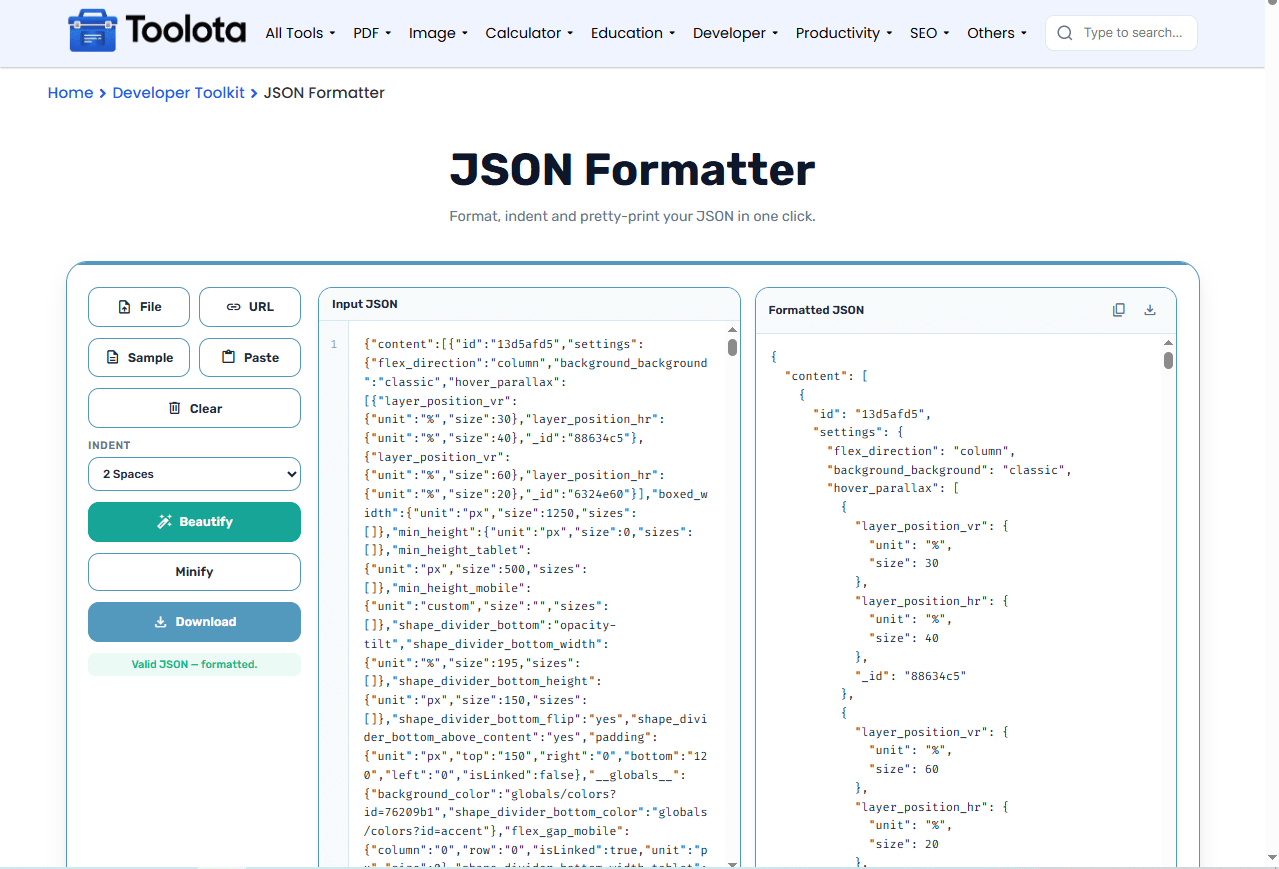

into the input area or use the File/URL/Paste buttons

from the dropdown — 2 spaces, 4 spaces, or tab

to format and validate your JSON

in the right panel with line numbers

your formatted JSON
How do you format JSON with this tool? Just paste your code, choose your indent preference, and click Beautify — the tool handles the rest instantly.
Paste directly, upload a file, fetch from URL, or paste from clipboard — however you have your JSON, the tool accepts it.
Invalid JSON is caught immediately with clear error messages showing exactly what's wrong.
Track file size, line numbers, and current cursor position while you work.
Choose 2 spaces, 4 spaces, or tabs — format JSON exactly how your project requires.
Save your formatted JSON as a file or copy it to clipboard with dedicated buttons.
Adjust font size and toggle word wrap for comfortable reading and editing.
Use 2 spaces for compact output or 4 spaces for better visual hierarchy — choose what matches your coding standards
Enable word wrap when working with long strings or deeply nested objects for better readability
Use the Minify button to compress JSON before sending it in API requests
When you pretty print JSON, the structured output immediately shows you nesting levels, array lengths, and data relationships. Proper JSON indentation makes it easy to spot missing commas, mismatched brackets, or incorrect data types. The formatted view transforms raw data into a visual map — you can see object hierarchies at a glance and quickly locate specific fields. This makes debugging faster and code reviews more efficient.
A JSON Formatter Online is a free web tool that converts messy JSON into readable, properly indented format with validation.
Paste your JSON, choose indent size from the dropdown, and click Beautify — the formatted output appears instantly.
Yes, click the File button or drag-and-drop any .json file directly into the input area.
You can choose 2 spaces, 4 spaces, or tab characters for JSON indentation.
The tool validates your JSON in real-time and shows error messages if anything is incorrect.
Yes, click the Download button to save your formatted JSON as a .json file.
Toolota is your all-in-one online tools platform. Fast, simple, and free utilities designed to make everyday digital tasks easier and smarter.
