Organize your groceries, track estimated costs, and never forget an item again.
A Shopping List Maker that doesn’t just list items — it tracks your spending too. This free tool helps you organize groceries, add quantities and prices, and watch your total cost update in real time. Set a budget, monitor what you spend, and see exactly how much remains. Whether you’re planning weekly groceries or tracking a big shopping trip, this tool gives you full control over your budget shopping list from start to finish. It also works as a grocery cost tracker that remembers your items even after you close the page.
The tool includes everything you need to organize, cost, and track your shopping:
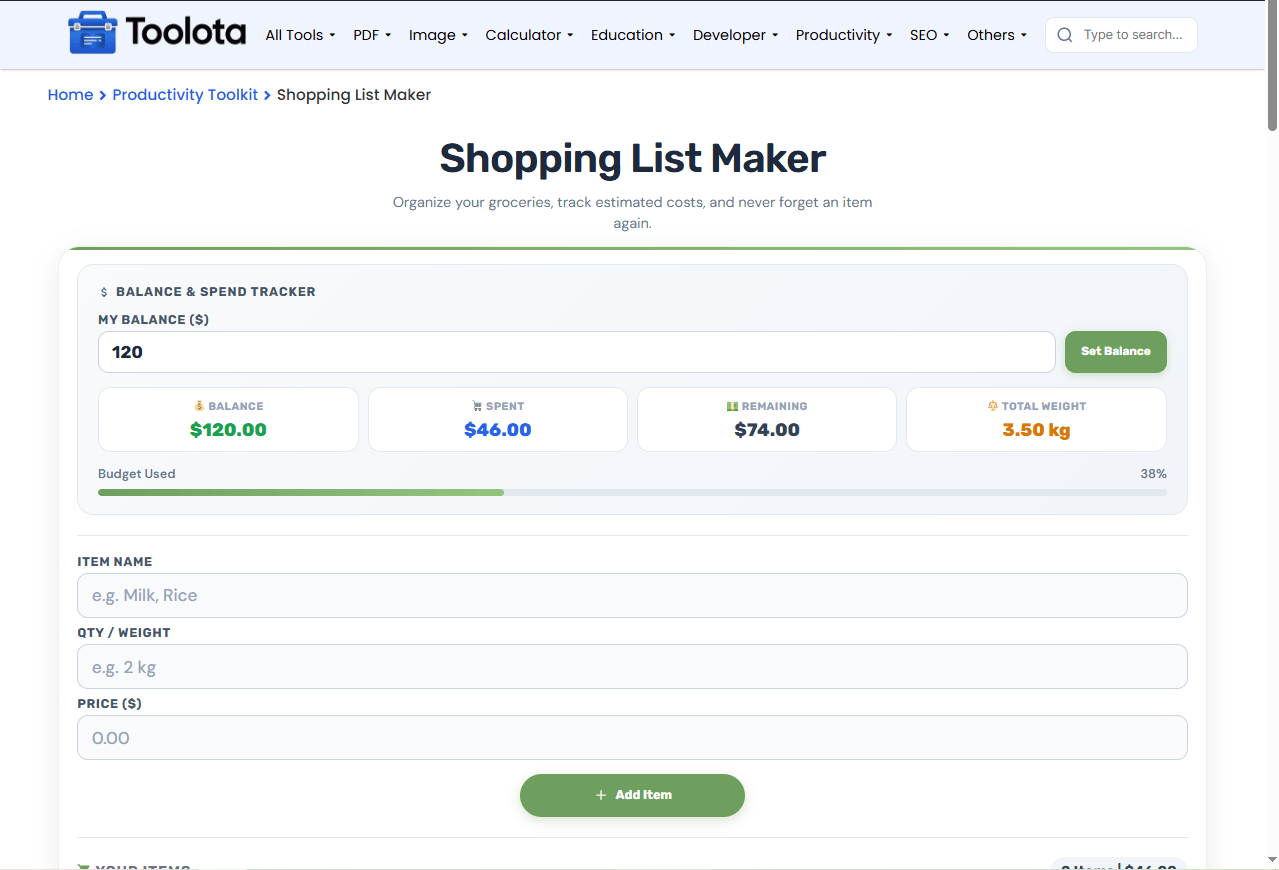
Balance Input – Set your total shopping budget before you start adding items.
Item Name Field – Add product names like milk, rice, or vegetables.
Quantity or Weight Entry – Enter quantities like “2 kg” or “500g” to track item size.
Price Field – Add the estimated cost for each item.
Add Item Button – Instantly save the item to your shopping list.
Mark as Bought Checkbox – Check off items you’ve already purchased.
Total Cost Summary – See your estimated total spend at a glance.
Balance Stats Display – View balance, spent amount, remaining funds, and total weight.
Budget Progress Bar – Visual indicator showing how much of your budget is used.
Copy List Button – Copy your entire shopping list to your clipboard.
Clear All Button – Remove all items with a single confirmation click.
Local Storage – Your list and budget are saved automatically on your device.
Here’s a simple guide to using this Shopping List Maker efficiently:

Enter your total shopping budget and click "Set Balance."

Fill in the item name, quantity or weight, and estimated price.

The stats show your remaining balance, total spent, and total weight instantly.

Click the checkbox next to any item when you've purchased it.

Use the "Copy List" button to share your list or "Clear All" to start fresh.
“How do I see my total spending?” — Just add your items, and the tool updates your total cost and remaining balance automatically, giving you a precise understanding of how your money is being spent.
This tool makes shopping planning easier and smarter. Here’s why:
Set a spending limit and track how much you use with real-time updates.
The cost updates instantly as you add or remove items, so you always know your total.
Share your list via text or use it as a reference while shopping.
Add weights like "2 kg" or "500g" — the tool calculates total weight automatically.
Check off bought items to keep your list clean and focus on what's left.
The numbers shown in this tool aren’t just static figures — they tell you whether you’re staying within your budget or going over. The balance tracker updates every time you add an item, showing your remaining funds, total spent, and even the combined weight of your shopping. If the progress bar turns red, it means you’ve exceeded your budget, signaling you to adjust your list. This combination of cost and weight tracking helps you plan more effectively, especially when shopping for groceries or bulk items. Your weight total will remain accurate without any additional calculations on your part because the tool automatically converts g entries to kg.
Set your budget first before adding any items — this helps you stay within your spending limit from the start.
Use the weight field for bulk items like rice, flour, or produce to get a clear total weight estimate.
Mark items as bought as you shop to avoid double-checking your list at the store.
A Shopping List Maker is a tool that helps you organize shopping items, track costs, and manage your budget in one place.
You enter your total budget, then the tool subtracts item costs as you add them, showing your remaining balance.
Yes, you can add quantities like “2 kg” or “500g” — the tool automatically calculates total weight.
Yes, your items and budget are stored in your browser’s local storage and reload automatically.
Click the “Copy List” button to copy all items with their quantities, prices, and totals to your clipboard.
Yes, each item has a delete button that removes it from your list instantly.
Toolota is your all-in-one online tools platform. Fast, simple, and free utilities designed to make everyday digital tasks easier and smarter.
