Set a custom time, pick a quick preset, and get notified when it hits zero — right in your browser.
A free countdown timer helps you track time precisely for work sessions, study blocks, or short breaks. Simply set the hours, minutes, and seconds using the input fields or quick preset buttons, then hit Initiate the countdown process.This free countdown timer shows your remaining time with a visual progress ring and status updates. Need an online timer that you can pause, resume, or reset mid-session? This tool handles all of that in one clean interface.
Hour, minute, and second input fields — set any custom duration up to 99 hours
Quick preset buttons — 1 min, 5 min, 10 min, 15 min, 25 min, 30 min, and 1 hour
Real-time countdown display — shows remaining time in HH:MM:SS format
Visual progress ring — circular timer that shrinks as time counts down
Start, Pause, Resume, and Reset controls — full session management
Color-coded time warnings — yellow at 25% remaining, red at 10%
Audible notification — beeps three times when the timer hits zero
Session history log — tracks completed and stopped timer sessions
Finished state display — clear visual feedback with “Time’s Up!” message
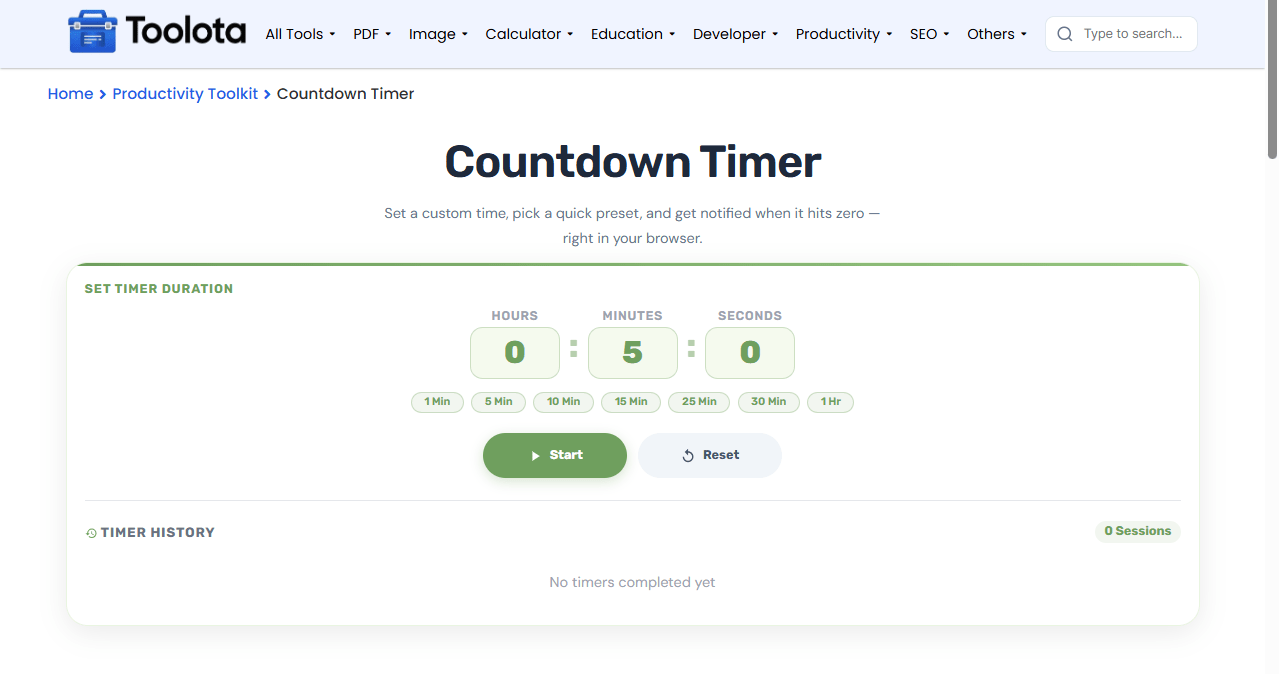

Type hours, minutes, and seconds into the number fields. Or click a preset button like "5 min" or "25 min."

Press the green Start button to begin counting down. The display will appear with your remaining time.

Click Pause to stop mid-session. Press Resume to continue from where you left off.

Hit Reset to stop the timer and log the session as "Stopped." The timer returns to the input screen.

Check the Timer History section to see all completed and cancelled sessions with timestamps.
To restart a completed timer, simply click on the Again button displayed, or opt for Reset to establish a new time period.
Start, pause, resume, or reset any timer without losing your place.
The progress ring shrinks in real time, and three beeps sound when time runs out.
This free countdown timer works on desktops, tablets, and phones with a fully responsive design.
Skip manual entry with one-click presets for common durations like 5, 10, 15, or 30 minutes.
Every session gets logged automatically so you can track what you've completed.
The circular progress ring gives you a quick visual snapshot of your remaining time without reading the numbers. When the ring is full, you’re at 100%. As time passes, the ring shrinks clockwise. At 25% remaining, the ring and display turn yellow to warn you. At 10%, everything turns red, and the card pulses gently. When the timer finishes, the ring goes green and the display shows “00:00” with a “Time’s Up!” message. This structured feedback mechanism enables you to quickly see the timer’s status from a distance and immediately grasp the remaining time.
Use the 25-minute preset for focused work sessions, then take a 5-minute break.
Type values directly into the number fields instead of using the arrow keys for faster setup.
Check your session history to see how many timers you’ve completed in a single day.
With this free countdown timer, type the hours, minutes, and seconds directly into the number fields. Each field accepts two digits, and hours go up to 99.
Yes. Click the yellow Pause button to stop the countdown. The same button changes to Resume so you can continue from where you paused.
The display shows “00:00,” the status changes to “Finished,” and three beeps sound. A green “Again” button appears so you can restart the same duration.
Yes. Every completed or stopped session appears in the Timer History section with the duration and timestamp.
Yes. The layout adapts to smaller screens, and all buttons and inputs remain fully usable on mobile devices.
The timer updates every 250 milliseconds, giving you near-instant feedback. It uses your device’s system time for precision.
Toolota is your all-in-one online tools platform. Fast, simple, and free utilities designed to make everyday digital tasks easier and smarter.
