Add, subtract, multiply, and divide fractions easily with step-by-step simplification.
A fraction calculator helps you solve math problems involving fractions quickly and accurately. Whether you’re adding fractions with different denominators or dividing complex fractions, this tool handles it all. Simply input two fractions, choose an operation, and receive the reduced result right away—no need for hand calculations.
This fraction calculator includes the following features based on the actual interface:
Numerator and denominator input fields — Enter the top and bottom numbers for both fractions
Four arithmetic operations — Add (+), subtract (−), multiply (×), and divide (÷)
Unsolved result preview — See the raw fraction before simplification
Simplified result display — Automatically reduces fractions to their lowest terms
Decimal equivalent — View the decimal value of your result
Live calculation — Results update automatically as you type
Clear visual layout — Fractions displayed with a horizontal division line
Instant error handling — Alerts you when a denominator is zero
Large, easy-to-read result text — Displays answers prominently
Mobile-responsive design — Works on phones, tablets, and desktops
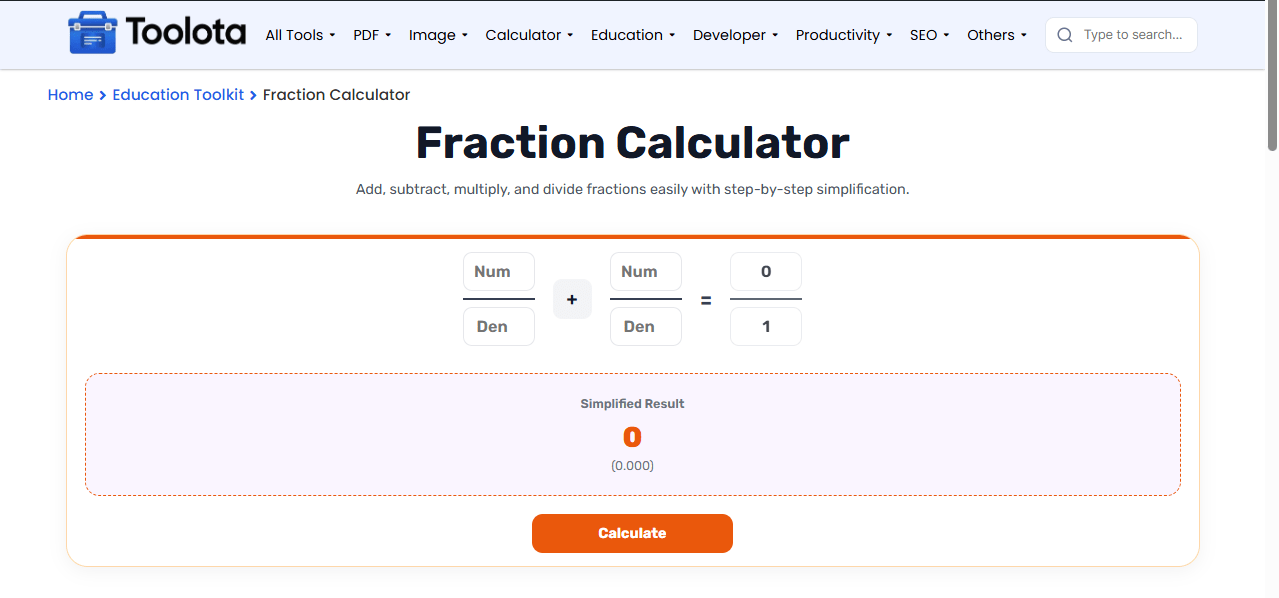
Follow these simple steps to solve fractions using this tool:

Type the numerator and denominator in the first two boxes

Select +, −, ×, or ÷ from the dropdown menu

Fill in the numerator and denominator in the next two boxes

The unsolved fraction appears immediately in the result box

Check the final simplified result and decimal value below
“How do I use the fraction calculator?” Simply type in your fractions, choose an operation, and the response appears instantly. Unless you wish to re-evaluate, no clicking is required.
When you use this fraction calculator, the result shows three things. First, the unsolved fraction appears on screen, showing the raw math before simplification. Second, the simplified version appears in bold, reducing the fraction to its lowest terms using the greatest common divisor. Third, the decimal equivalent displays below, giving you a quick reference for real-world comparisons. These outputs all work together to provide you with a thorough understanding of how the fraction operation works from beginning to end.
Double-check denominators — entering zero triggers an alert, so always verify your bottom numbers
Use the decimal output to cross-check your answer against mental math or estimation
Try all four operations with the same fractions to see how results differ
Each fraction has dedicated numerator and denominator fields with a clear dividing line, making entry mistake-proof.
⚡ Automatic Simplification
⚡ Automatic Simplification
Results update as you type or change the operation, saving you from hitting a calculate button every time.
It supports addition, subtraction, multiplication, and division of fractions.
Yes, every answer is automatically reduced to its simplest form.
The tool shows an alert reminding you that denominators cannot be zero.
Absolutely — it’s designed for students and teachers as a quick homework help tool.
The decimal helps you understand the fraction’s value in real-world terms.
Toolota is your all-in-one online tools platform. Fast, simple, and free utilities designed to make everyday digital tasks easier and smarter.
