Quickly transform your text between UPPERCASE, lowercase, Sentence case, and more.
A case converter helps you change text case in seconds. Type or paste your content, click one button, and watch your text transform to uppercase, lowercase, sentence case, title case, or even inverse case. Want to change text case without retyping everything? This tool does it for free. Do you want a real-time case converter? Simply copy and paste the result. No limitations, no distractions, and no registration.
Based on the actual tool interface, here is what the case converter offers:
Sentence case — Capitalizes first letter of each sentence
lowercase — Converts all text to lowercase
UPPERCASE — Converts all text to uppercase
Capitalized Case — Capitalizes first letter of every word
Title Case — Capitalizes major words while skipping small ones
iNVERSE cASE — Flips the case of every character
Copy Text — One-click copy to clipboard
Clear — Instantly reset the input field
Word counter — See total word count in real time
Character counter — Track character count instantly
Sentence counter — Count sentences automatically
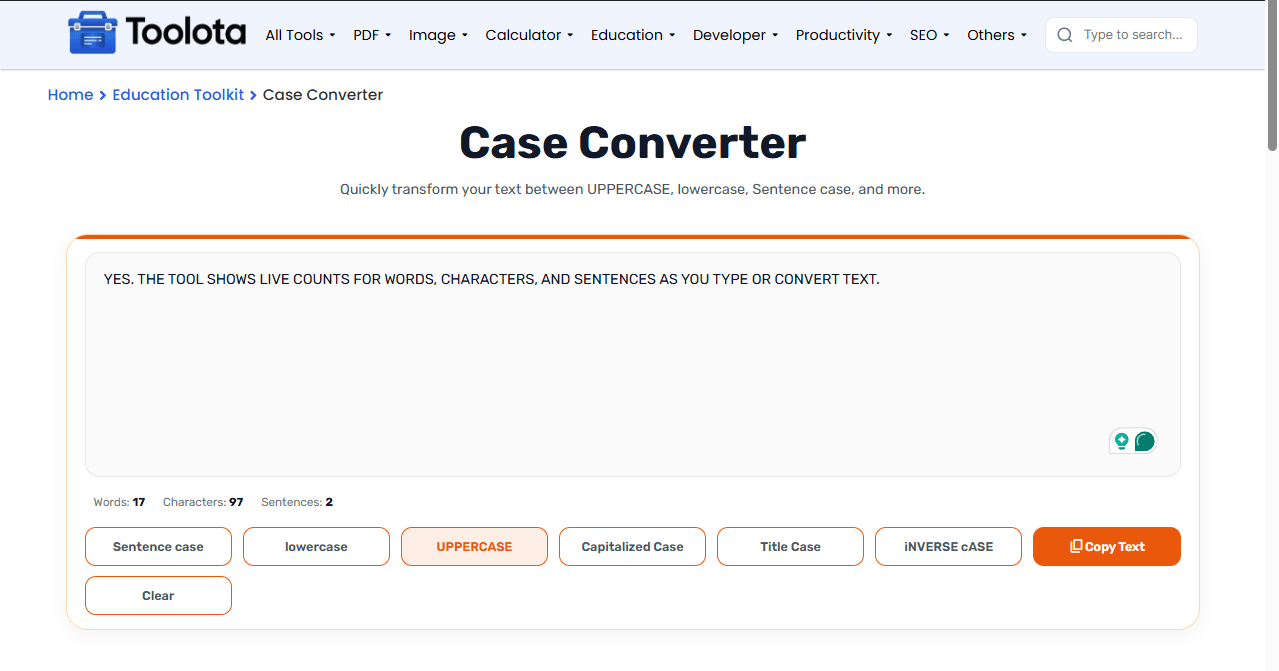
Follow these simple steps to change text case using this free tool:





How do I convert text case quickly? Just paste your text, click the case you want, and copy the result. That’s all there is to it.
The case converter takes your input and applies transformation rules instantly. Sentence case finds sentence boundaries using periods and question marks. Title case follows standard rules for major and minor words. Uppercase and lowercase are straightforward swaps. Inverse case flips each letter individually. You can determine precisely what your text has since the counters follow everything in real time.
Use Sentence case for professional emails and formal writing
Use UPPERCASE for headings or emphasis in short text
Use Title Case for article headlines and blog post titles
Use Capitalized Case when you need every word to start with a capital letter
Double-check Inverse Case output — it is useful but can be tricky to read
Click once and see results immediately
Words, characters, and sentences update as you type
All common case types in one place
No extra steps to save your result
A case converter is a free online tool that changes text case to uppercase, lowercase, sentence case, title case, or inverse case with one click.
Type or paste your text in the input area, click any case button, and the converted text appears instantly. Copy or clear as needed.
Yes. This free case converter includes a title case option that follows standard capitalization rules for headlines.
Yes. The tool shows live counts for words, characters, and sentences as you type or convert text.
Inverse case flips every character — uppercase becomes lowercase and lowercase becomes uppercase — creating a reversed case effect.
Toolota is your all-in-one online tools platform. Fast, simple, and free utilities designed to make everyday digital tasks easier and smarter.
