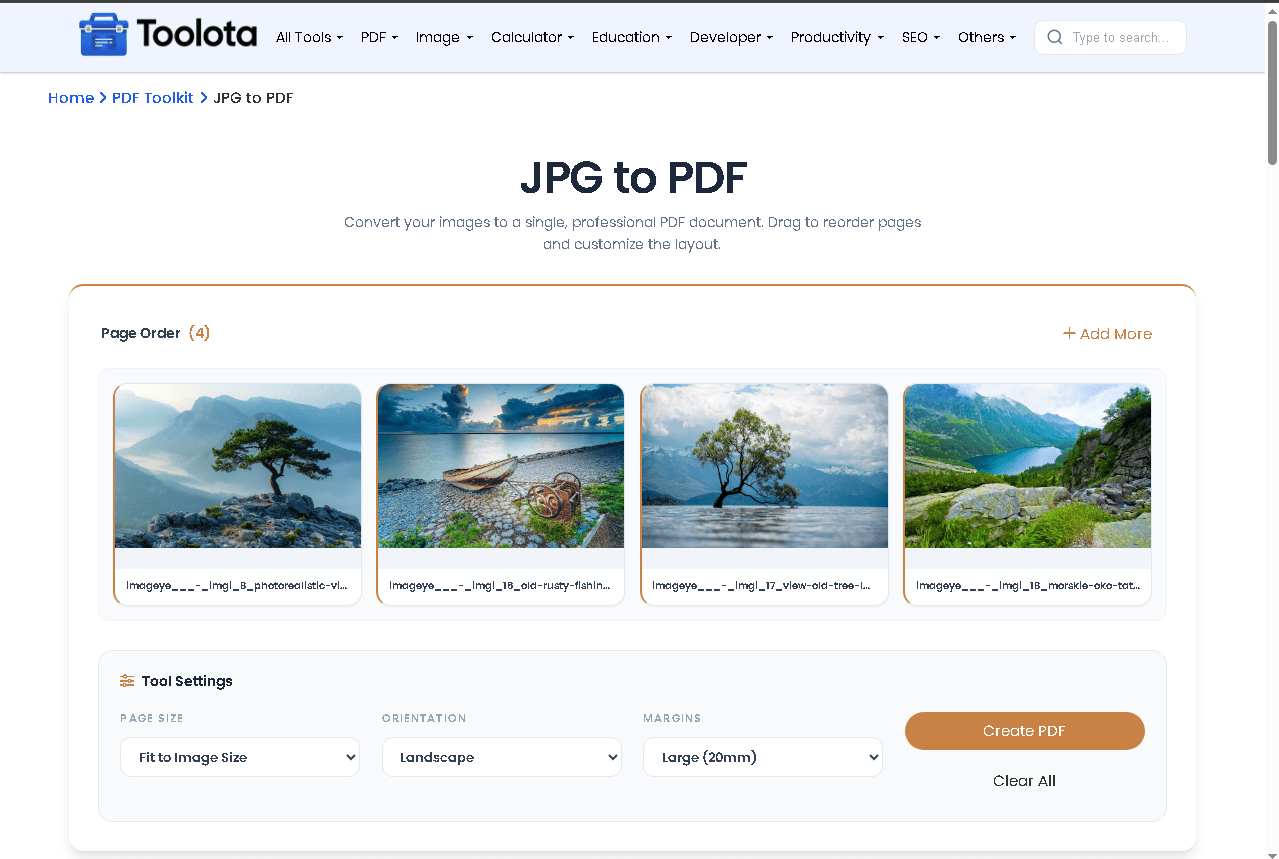
Multi-Format Image Support Upload JPG, PNG, and WebP files — up to 10MB per image. The tool accepts multiple files in a single session and adds each as a separate page in the output PDF.
Drag-to-Reorder Page Control After uploading, a visual preview grid displays all your images as cards. Drag and drop them to set the exact page sequence before converting. The live page counter updates as you add or remove files.
Add More Files Anytime The workspace continues to have an Add More button available. Before clicking Create PDF, you may add to your list of files at any time without having to restart the session.
Three-Setting Layout Panel A dedicated Tool Settings panel lets you control three PDF output options: page size (A4, Fit to Image, US Letter), orientation (Portrait, Landscape, Auto Smart), and margins (No Margin, Small 10mm, Large 20mm).
Live Progress Tracking During conversion, a progress bar tracks processing page by page — from “Initializing PDF engine” through each image, up to 100% Done. Status text updates in real time.
Instant PDF Download Once conversion completes, a “Download PDF” button appears. The file saves with a timestamped filename. A “Start New” button resets the tool for the next batch.