Remove all whitespace and compress your JSON to the smallest valid form.
Json Minifier Online strips every unnecessary space, line break, and tab from your JSON structure. This online json minifier turns bulky human-readable JSON into a compact machine-friendly format ready for APIs and databases. Whether you’re sending data over a network, saving storage space, or improving page load times, this tool removes all extra characters without touching a single key or value. Compress JSON data in seconds and get a clean, fully valid output that works in every environment. It’s the easiest method to decrease the size of a json file without sacrificing accuracy.
This json minify tool comes packed with everything you need to clean up your JSON quickly:
Upload a .json file directly from your device using the File button.
Fetch JSON from any public URL with a single click.
Paste JSON from your clipboard using the Paste button.
Load a sample JSON structure to test the compression instantly.
Click the Minify button to strip all whitespace and line breaks.
View compression savings displayed as bytes saved and percentage reduced.
Copy the minified output to your clipboard with the copy icon.
Download the result as a .min.json file using the Download button.
Toggle word wrap on or off for easier reading of long lines.
Adjust the editor font size using the T buttons for better visibility.
See real-time line numbers that adapt when text wraps to a new line.
Clear the entire input area in one tap with the Clear button.
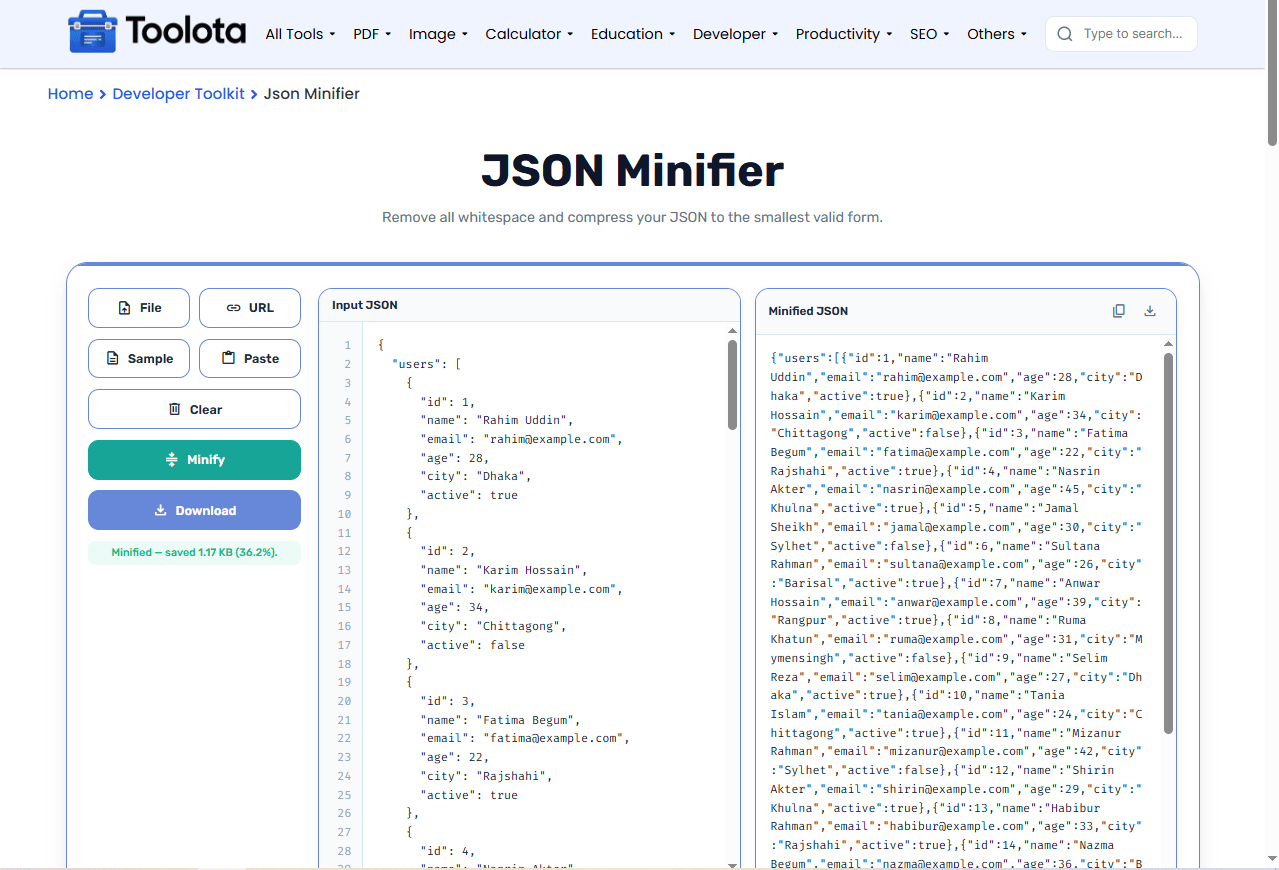

paste it, upload a file, fetch from a URL, or use the sample.

the tool processes your JSON and removes all formatting spaces.

grab the compact result from the output panel or save it as a file.
“How do I minify my JSON quickly?” – Just paste your data, click Minify, and you’re done. No setup, no configuration.
Upload a local JSON file or pull data from a remote URL – both work seamlessly.
Save the minified output as a .min.json file for offline use or sharing.
Paste raw JSON from your clipboard with a single button – no manual typing.
Copy the compressed JSON straight to your clipboard without extra steps.
See exactly how much space you saved in bytes and as a percentage of the original.
Adjust font size, toggle word wrap, and follow line numbers for a comfortable editing experience.
Use the sample data first to familiarize yourself with the compression results before processing your own large files.
Turn off word wrap when you want to see your minified JSON as a single continuous line – the way most APIs expect it.
Check the file size indicator before and after minifying to measure exactly how much you’ve trimmed.
The minified output is your original JSON with all whitespace removed. Machines don’t need spaces or line breaks, so your data stays fully intact while the file size drops dramatically. The tool validates your syntax too, so the output is always error‑free.
It removes all unnecessary whitespace, tabs, and line breaks from JSON while keeping every key, value, and structure element perfectly intact.
Yes, it’s completely free with no hidden limits or registration requirements.
Absolutely – click the File button and select any valid .json file from your device.
No. Only formatting characters are removed; all keys, strings, numbers, and arrays stay exactly the same.
Click the Download button below the input area or use the download icon in the output panel’s header.
Smaller JSON means faster API responses, less bandwidth usage, and cheaper storage costs – especially if you’re handling large datasets.
Toolota is your all-in-one online tools platform. Fast, simple, and free utilities designed to make everyday digital tasks easier and smarter.
