Check whether your JSON is syntactically valid and get a full structural report.
Json Validator Online lets you paste, upload, or fetch any JSON data and check its syntax instantly. This tool highlights exactly where errors occur, showing the line and column number so you can fix them fast. Whether you’re debugging an API response or formatting a config file, a reliable json checker online saves time. Automatic validation and comprehensive data make it the ideal option for developers who often need to verify JSON syntax.
Paste JSON directly into the editor.
Upload JSON files from your device.
Fetch JSON from any public URL.
Insert a sample JSON with one click.
Paste from clipboard with a single button.
Clear the editor instantly when needed.
Validate syntax with the dedicated Validate button.
Download the full validation report as a text file.
See real‑time line numbers and cursor position.
Toggle word wrap for easier reading.
Adjust font size for better visibility.
Auto‑run validation on every input change.
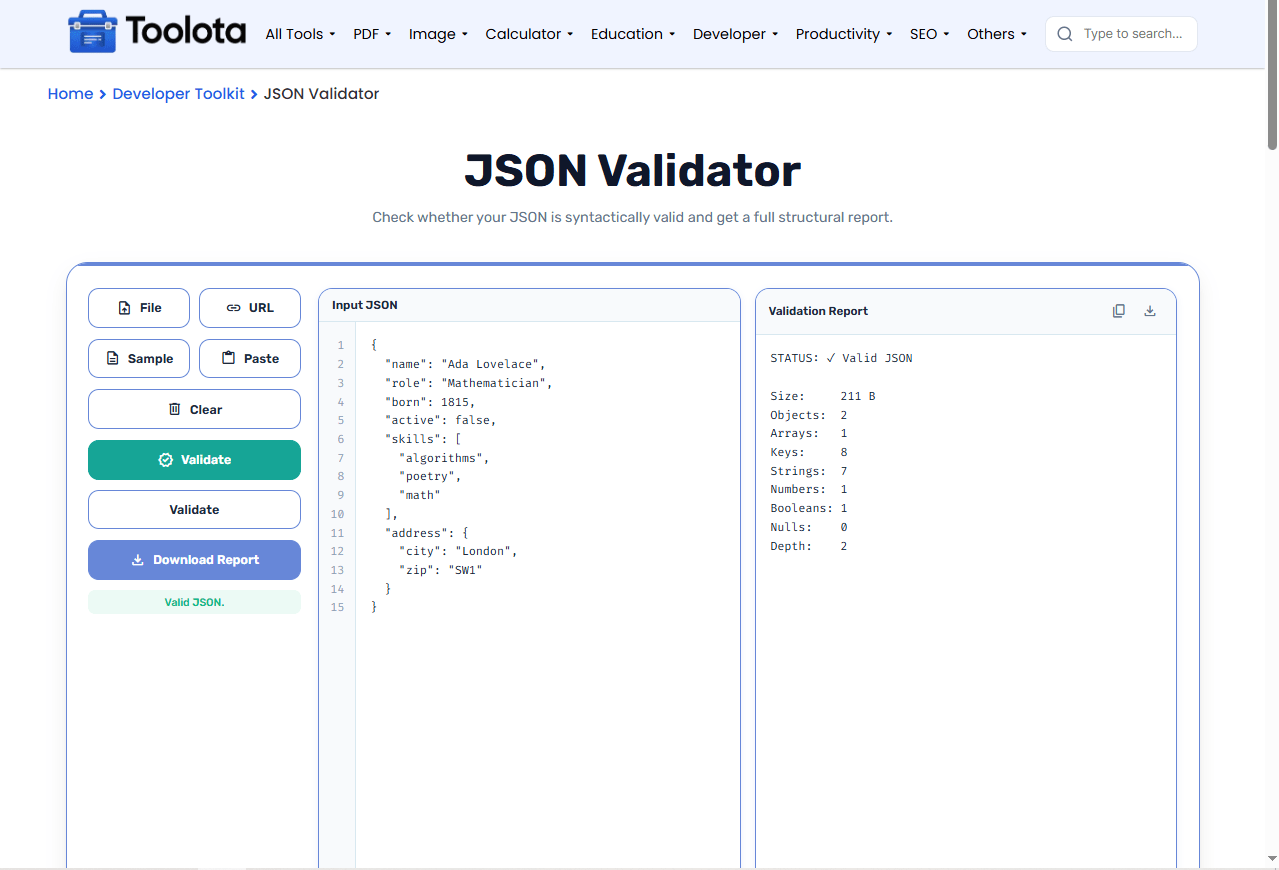

Paste, upload a file, or fetch from a URL.

Click Validate or let the auto‑check run.

See if your JSON is valid or invalid.

Find the exact line and column of any syntax issue.

Save the report or copy it to your clipboard.
Validation runs automatically as you type or paste, so you don't need to click a button every time.
Shows the exact line and column of each syntax error, making debugging straightforward.
Your JSON never leaves your device, keeping sensitive data private and secure.
Upload files, fetch from URLs, paste from clipboard, or type directly – whatever works for you.
Get object counts, array lengths, key totals, depth, and data type breakdowns for deep insight.
Save validation results as text files for documentation or sharing with teammates.
Use word wrap for long JSON strings to see everything without horizontal scrolling.
Check the line number in the error message to quickly jump to the problematic section.
Load the sample JSON first to familiarise yourself with the layout and stats before testing your own data.
The numbers in your validation report tell a useful story. With this Json Validator Online, object and array counts reveal the overall structure and nesting level. The depth value shows how deeply nested your JSON is, which can affect parsing performance. Key totals give you a sense of complexity, while string, number, and boolean counts help you confirm data types match expectations. With these statistics, a simple pass/fail check becomes a thorough structural snapshot, establishing it as an effective JSON structure validator for any developer.
A Json Validator Online checks if your JSON follows proper syntax rules and reports any errors it finds.
Click the File button and select your .json file from your computer.
Yes, it displays the exact line and column number of any syntax issue.
No, everything runs locally in your browser for complete privacy.
Yes, use the URL button and enter any public JSON endpoint.
They show object, array, key, string, number, boolean, null counts, and total depth.
Toolota is your all-in-one online tools platform. Fast, simple, and free utilities designed to make everyday digital tasks easier and smarter.
