Test JavaScript regular expressions against sample text — inspect matches, capture groups and try Replace / Split.
A Regex Tester Online gives you a clean workspace to run regular expressions against any block of text. Whether you need to test regex online quickly or dig into capture groups, this tool shows you every match, its position, and all subgroups. It handles global, case‑insensitive, multiline, and other flags. You can also test replacements or split your text directly. This regular expression tester is built for developers who want accurate feedback without opening a console. It is a dependable regex matching tool that converts pattern debugging into a visual and simple procedure.
Upload text files directly into the editor
Load test content from any public URL
Insert a ready‑made sample with one click
Paste text from your clipboard instantly
All six regex flags: g, i, m, s, u, and y
Dedicated pattern input with live testing
Replacement field for replace operations
Test, Replace, and Split actions with a single click
Match list showing positions and regex groups capture
Highlighted view that marks every match in context
Download matches as a plain text file
Copy results to your clipboard with one button
Adjustable font size and word wrap for readability
Line numbers, cursor position, and file size display
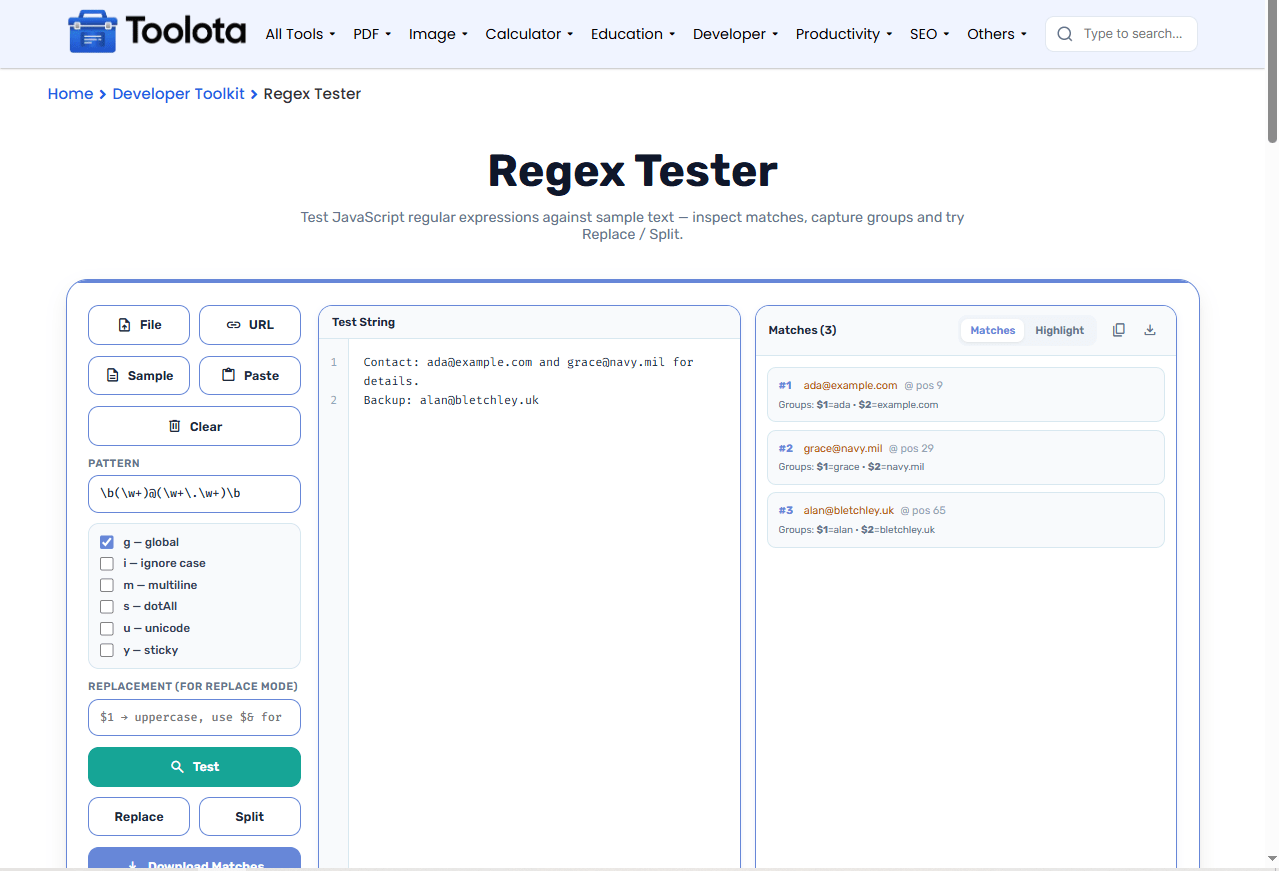

Type it into the Pattern field (supports /pattern/flags syntax too).

Check g for global, i for case‑insensitive, m for multiline, and the others as needed.

Paste, upload, fetch from a URL, or use the sample button to get started fast.

Instantly see all matches with their positions and any capture groups.

Try Replace to swap matched text, or Split to break the text into parts using your pattern.
Got a complicated expression? Drop your text into the editor, tweak the flags, and run it again. This online regex tester is made for rapid iteration—no more guesswork.
Results appear the moment you hit Test — no page reload, no waiting. You see matches, groups, and positions immediately.
Switch to the Highlight tab to see every match highlighted inside your original text. Perfect for spotting overlaps and unexpected matches.
Download matches as a .txt file or copy them to your clipboard. Keep your debugging session portable.
Global, ignore case, multiline, dotAll, unicode, and sticky — every flag is available so you can replicate any JavaScript regex environment.
Test, Replace, and Split are all powered by the same pattern. You don't need to switch tools to check a replacement or split a string.
Toggle the Highlight view to quickly spot if your pattern is capturing extra characters.
Use the word wrap toggle when working with long JSON or HTML strings to keep everything visible.
Click the Sample button first if you’re unsure about the workflow — it loads a ready‑to‑test email regex.
When you run a Regex Tester Online, the output panel gives you two clear views. The Matches tab lists every result in order, showing its position and any capture groups — both numbered (like $1, $2) and named groups if you used them. The Highlight tab overlays the matches directly on your original text, so you can see exactly where each pattern hits. This dual view helps you confirm that your expression matches the right parts and nothing else, which comes in handy when fine-tuning complicated patterns with numerous groupings.
It uses JavaScript’s built‑in RegExp engine to execute your pattern against the test string, then collects and displays every match, group, and position.
You can enable g (global), i (ignore case), m (multiline), s (dotAll), u (unicode), and y (sticky) — all six standard JavaScript flags.
Yes. Enter a replacement string and click Replace to see the transformed text immediately.
Test shows matches, Replace swaps matched portions with your replacement, and Split divides the text into an array of parts using the pattern as a delimiter.
Use the File button, the URL button, the Paste button, or simply drag and drop a text file onto the editor area.
Yes, click the Download Matches button or the download icon in the output panel to save everything as a text file.
Toolota is your all-in-one online tools platform. Fast, simple, and free utilities designed to make everyday digital tasks easier and smarter.
