
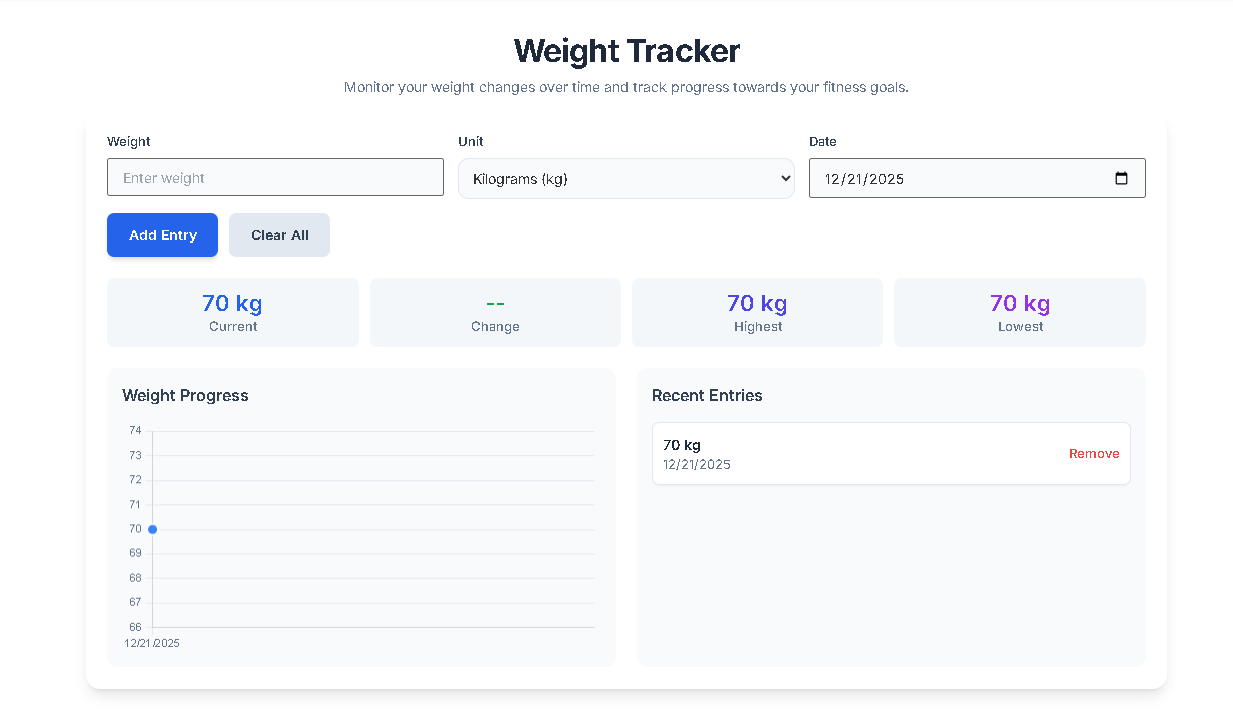
Weight Tracker
Monitor your weight changes over time and track progress towards your fitness goals.
--
Current
--
Change
--
Highest
--
Lowest
Weight Progress
Recent Entries
No entries yet. Add your first weight entry!
Monitor your weight changes over time and track progress towards your fitness goals.
--
Current
--
Change
--
Highest
--
Lowest
No entries yet. Add your first weight entry!
Taking care of your health begins with knowing your numbers. Toolota‘s Weight Tracker is a smart, easy-to-use digital helper made to help you keep an eye on how your weight changes over time. If you’re working on losing weight, building muscle, or just staying steady, this tool acts as your personal digital diary. It makes tracking simple by doing away with messy notebooks or confusing spreadsheets, offering you a neat and interactive place to manage everything.
Toolota is a name you can really trust in the world of digital apps, and that’s because we put a huge focus on making things easy and safe for our users. When you use our Weight Tracker, you get to enjoy a nice, clean space that’s completely free of ads and all about helping you stay productive. Many other platforms seem to hide their features behind endless subscription requests, but Toolota keeps it simple and straight to the point.
Our tool is reliable because we use a modern HTML5 framework that guarantees it runs fast and works smoothly, no matter what device you’re using. Whether you’re checking your progress on your home computer or quickly logging something on your phone at the gym, the experience is always the same—consistent and easy to handle. Choosing Toolota means you’re picking a partner that genuinely cares about your time and your health goals.
The Toolota Weight Tracker is packed with features to make logging and managing your weight feel smooth and effortless. Let’s take a closer look at how it all works:
1. Getting Your Data In & Setting Things Up
Think of the panel on the left as your main control hub. This is where you’ll find the places to enter a title for your log (like “Blog outline”) and keywords. You can use these to tag your tracking sessions or jot down specific notes about what you ate or how you exercised that day – this kind of context is super helpful for figuring out why your weight might have changed.
Language & Tone Pickers: If you plan on creating reports or summaries of your progress, these handy pickers let you adjust the style of the text when you export your data.
Perspective Chooser: You can switch between seeing things from your own viewpoint (“My Progress”) or a third-person view (“Client Progress”). This makes it really flexible, even for personal trainers working with clients.
2. Advanced Tweaks
Inside the advanced menu, you’ll find options to really personalize your goals. You can set specific milestones, and the Weight Tracker uses these to update your progress bars and success indicators accordingly.
3. The Smart Editor & Its Tools
Once you’ve entered your information, it shows up right in the main editor area. This isn’t just a plain list; it’s a full-featured text and data editor, giving you lots of options.
Formatting Fun: The toolbar lets you make significant milestones stand out in bold, italicize notes about your water intake, or use headings to separate different months.
Color Coding: You can even choose colors to highlight data – maybe gains in red and losses in green – making your information visually easier to grasp at a glance.
4. Right Panel Features (The Action Hub)
Copy: Easily copy your data to the clipboard so you can use it in other applications.
Download: Save your complete Weight Tracker history as a tidy file for your personal records.
Fullscreen: Open up the view to check out long-term charts and detailed logs without any distractions.
5. Conversion Logic
When you hit the Generate button, the tool takes your basic info (weight, date, notes) and turns it into a neat, organized format. This process makes sure your data is perfectly aligned, so it’s easy to read and looks professional—great for sharing with a doctor or coach.
peed: Track your daily or weekly stats in just a few seconds.
SEO Optimization: If you’re a professional using this tool for content creation, you’ll find that the output is designed to be friendly for search engines.
Clean UI/UX: Say goodbye to clutter. The Weight Tracker keeps things simple by focusing only on the health metrics that truly matter.
Portability: Thanks to download and copy features, your data isn’t tied down to any single platform.
Alright, the Weight Tracker is a fantastic tool to have on your side, but here are a few things to keep in mind:
Input Quality: How accurate the trends look really boils down to how honest and consistent you are with entering your data manually.
Manual Review: It’s always a good idea to double-check everything you’ve entered. Even the AI summaries should get a quick look-over to make sure everything checks out factually.
Not Medical Advice: Remember, this tool is all about tracking your progress. It’s not a substitute for professional medical advice or diagnosis.
Yes, Toolota prioritizes user privacy. Your entries in the Weight Tracker are processed locally and are not shared with third parties.
Absolutely. You can use the download button to save your data or the copy function to move it into a spreadsheet or document.
Yes, the Weight Tracker is flexible, allowing you to enter data in kilograms or pounds based on your preference.
There is no strict limit. The Weight Tracker is designed to handle extensive long-term data to help you see the “big picture” of your health.
Toolota is your all-in-one online tools platform. Fast, simple, and free utilities designed to make everyday digital tasks easier and smarter.