Generate valid JSON-LD structured data for Article, Product, FAQ, LocalBusiness, Review, Event and more — so search engines and AI assistants can understand your page and show rich results.
Schema Markup Generator lets you create valid JSON-LD structured data without writing a single line of code. Whether you need article schema, product markup, FAQ structured data, or local business information, this tool handles it all through a simple point-and-click interface. JSON-LD structured data helps search engines understand your page content better, which can lead to enhanced rich results in search listings. The rich snippet tool produces nine different sorts of schema, including organizations, events, people, and ratings, that are ready to use. You’re done after copying the result to your website’s HTML.
Nine schema type options: Article, Product, FAQ, Local Business, Person, Organization, Breadcrumb, Review, and Event
Dynamic FAQ builder with unlimited question-answer pairs
Customizable breadcrumb trail generator
Real-time JSON-LD code preview as you fill in fields
One-click copy to clipboard for instant deployment
Download option to save code as an HTML file
Validity checker that flags missing required fields
Google Rich Results Test integration for validation
Clean, form-based interface with labeled inputs for every schema property
Mobile-responsive design that works across all devices
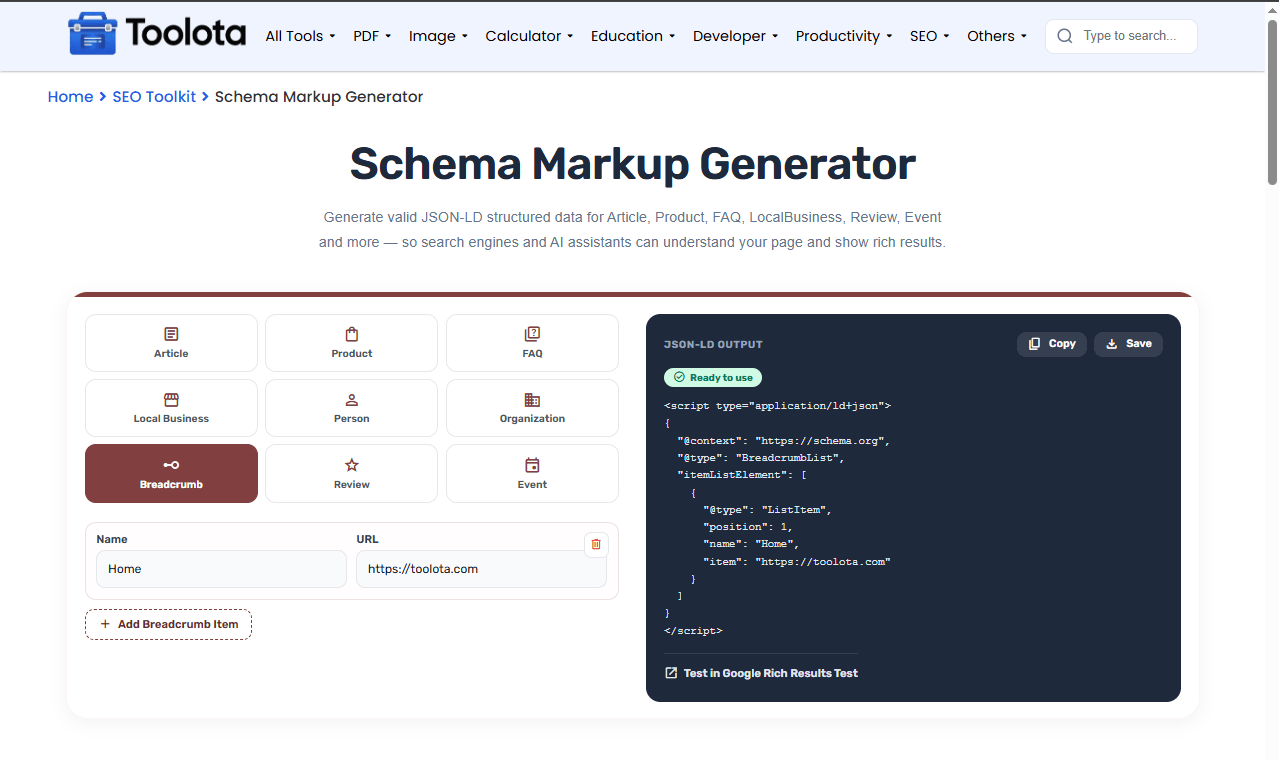

from the grid of nine options at the top of the input panel.

displayed for your chosen schema type — each panel shows only the fields relevant to that markup.

if using FAQ or Breadcrumb types — click "Add Question" or "Add Breadcrumb Item" to build your list.

the output from the JSON-LD code panel on the right side of the screen.

into your webpage's or section where structured data belongs.
How do I add multiple FAQs? Simply click the “Add Question” button for each new question-answer pair you need.
This tool handles all the complex JSON-LD syntax behind the scenes. Just fill in the form fields and get valid structured data ready to deploy.
Add as many FAQ items or breadcrumb trail steps as you need with the built-in add/remove functionality.
The responsive layout means you can generate structured data on your desktop, tablet, or phone without issues.
From articles to events, products to people, the tool covers the most commonly used schema types in a single interface.
The validity pill shows you exactly which fields are missing so you never generate incomplete or invalid markup.
Always include an image URL when available — search engines display images in rich results.
Use absolute URLs (with https://) for all link fields to ensure proper validation.
For Product schema, include both price and currency to get the full rich snippet experience.
The JSON-LD output you see on the right panel is the actual structured data that search engines read. Each field you fill in maps directly to a property in the schema.org vocabulary. For FAQ pages, the tool builds a mainEntity array where each question becomes a separate entry with its acceptedAnswer. For BreadcrumbList, the tool automatically assigns position numbers based on the order you add items. The validity pill checks whether the current schema type has its essential fields populated — for example, a Product schema needs at least a name to be complete. The output uses standard JSON-LD format wrapped in script tags, which is Google’s preferred method for implementing structured data on web pages.
A schema markup generator is a tool that creates structured data code for websites without requiring manual coding or JSON-LD knowledge.
Select your schema type, fill in the fields, copy the generated JSON-LD code, and paste it into your webpage’s HTML.
Yes, the Local Business panel includes address fields, phone number, price range, and website URL to help with local search visibility.
he tool supports Article, Product, FAQ, Local Business, Person, Organization, Breadcrumb, Review, and Event schema types.
Yes, click the “Test in Google Rich Results Test” link to validate your markup against Google’s standards.
Yes, the tool produces standard JSON-LD format that follows schema.org specifications and Google’s guidelines.
Toolota is your all-in-one online tools platform. Fast, simple, and free utilities designed to make everyday digital tasks easier and smarter.
